Buying a Korea eSIM or SIM Card: Six Channels, Two Costs

Roami Team
Roami offers reliable eSIM plans, serving over 1 million travelers annually, and supports automatic local network switching to help travelers stay connected globally.
📑 Table of Contents
If you want to buy a Korea eSIM, the cheapest channel is the one with no queue, and that is almost always before you fly. Six channels sell connectivity to visitors, they spread across a price range that reaches sixteen to one, and they differ far more in the time they cost you than in the money. A 5-day trip can cost $1.99 with an eSIM installed at home or ₩15,000–44,000 at a carrier desk in Incheon arrivals, and those two purchases buy you the same data on the same three networks.
This page prices both costs. Every channel below is ranked on money and on minutes, because the second one is the cost travelers forget until they are standing in a queue at 11pm with a dead phone. If you have not yet chosen what to buy, the plan comparison covers that decision; this page assumes you know what you want and are deciding where to get it.
The short answer: buy before you fly unless you cannot
A Korea eSIM bought online in advance costs $1.99 for a 3-day 1GB starter and $6.99 for 10GB, installs in about six minutes at your kitchen table, and is working before your plane reaches the gate. Nothing at the airport beats that on either axis.
The airport is the right choice in three cases: your phone cannot take an eSIM, you need a voice-capable Korean number, or you decided to travel this week and have no time to wait for anything. In all three, you are buying a physical product that requires your passport, and the airport is the place with the most counters and the longest hours.
Everything else — convenience stores, city carrier shops, marketplace pickup counters — is either a variation on those two channels or a fallback for when something has gone wrong.
One piece of vocabulary before the list, because it decides which counter you walk to. An eSIM card is not a card. Sellers use the phrase for two different products: a QR code that installs a profile on the phone you already own, and a physical plastic SIM that a Korean carrier markets as an eSIM-ready tourist card. Someone searching for a Korea eSIM card expecting something to be handed across a desk is usually looking for the second, while a listing that calls itself an eSIM card usually means the first. Read what arrives, an email with a QR code or a counter with a queue, before you pay, because the two are not interchangeable and the swap cannot happen on the day.
Six places to buy, priced in money and in minutes
| Channel | What you get | Typical cost | Time cost | Open when |
|---|---|---|---|---|
| Travel eSIM, bought online | Data only, QR by email | $1.99–19 depending on size | 6 minutes, before you fly | Always |
| Incheon carrier counters | SIM or carrier eSIM, passport, optional voice | ₩15,000–44,000 | 20–40 minutes including queue | First flight to last, roughly |
| Incheon vending machines | Tourist data SIM | ₩15,000–30,000 | 5–10 minutes | 24 hours |
| Convenience stores (GS25, CU, 7-Eleven, emart24) | Prepaid USIM, sealed pack | ₩15,000 and up | 10 minutes, self-activation | Store hours, often 24h |
| City carrier shops | SIM, eSIM, replacement, repairs | Similar to airport | 15–30 minutes | Business hours |
| Marketplace pickup (Klook, KKday, Trip.com) | Voucher traded for a SIM or eSIM at a counter | Local price plus a margin | 15–25 minutes at pickup | Counter hours |
Two columns deserve emphasis. The “open when” column explains why the 2am arrival problem exists at all, and the “time cost” column is the one that decides whether a $10 saving is worth having.
Buying before you fly: the only channel with zero queue
Order from a provider’s site, pay with a card, receive a QR code by email within minutes. Scan it in your phone’s cellular settings while you still have home Wi-Fi, name the new line something obvious, and set it as the data line but leave it switched off. It then activates when the phone first sees a Korean network. From the decision to buy a Korea eSIM to a line sitting installed and dormant on the handset, the whole job runs under ten minutes.
Three details make the difference between this working and not.
Install it, do not just buy it. A purchased but uninstalled plan is a QR code in an email, and an email is not much use if the airport Wi-Fi is down. Install at home, with a day to spare, so a failure has time to be diagnosed.
Check the phone is unlocked first. A carrier-locked handset will accept the profile and then refuse to connect. That single fault explains most cases of a correctly installed eSIM doing nothing on landing.
Confirm the activation trigger in writing. Most Korea plans start on first network connection rather than at purchase, so buying two weeks early costs nothing. A minority start at purchase. If you are buying more than a few days ahead, check the wording on the product page rather than assuming.
The plans themselves are on the South Korea page and start at $1.99 for a 3-day 1GB package, and the day-pass comparison explains what a day pass on your own carrier would cost instead. If you have never installed an eSIM, the trial that proves your handset accepts a profile exists to prove your phone accepts one before you pay for anything.
Incheon arrivals: counters, vending machines, and the 20-minute line
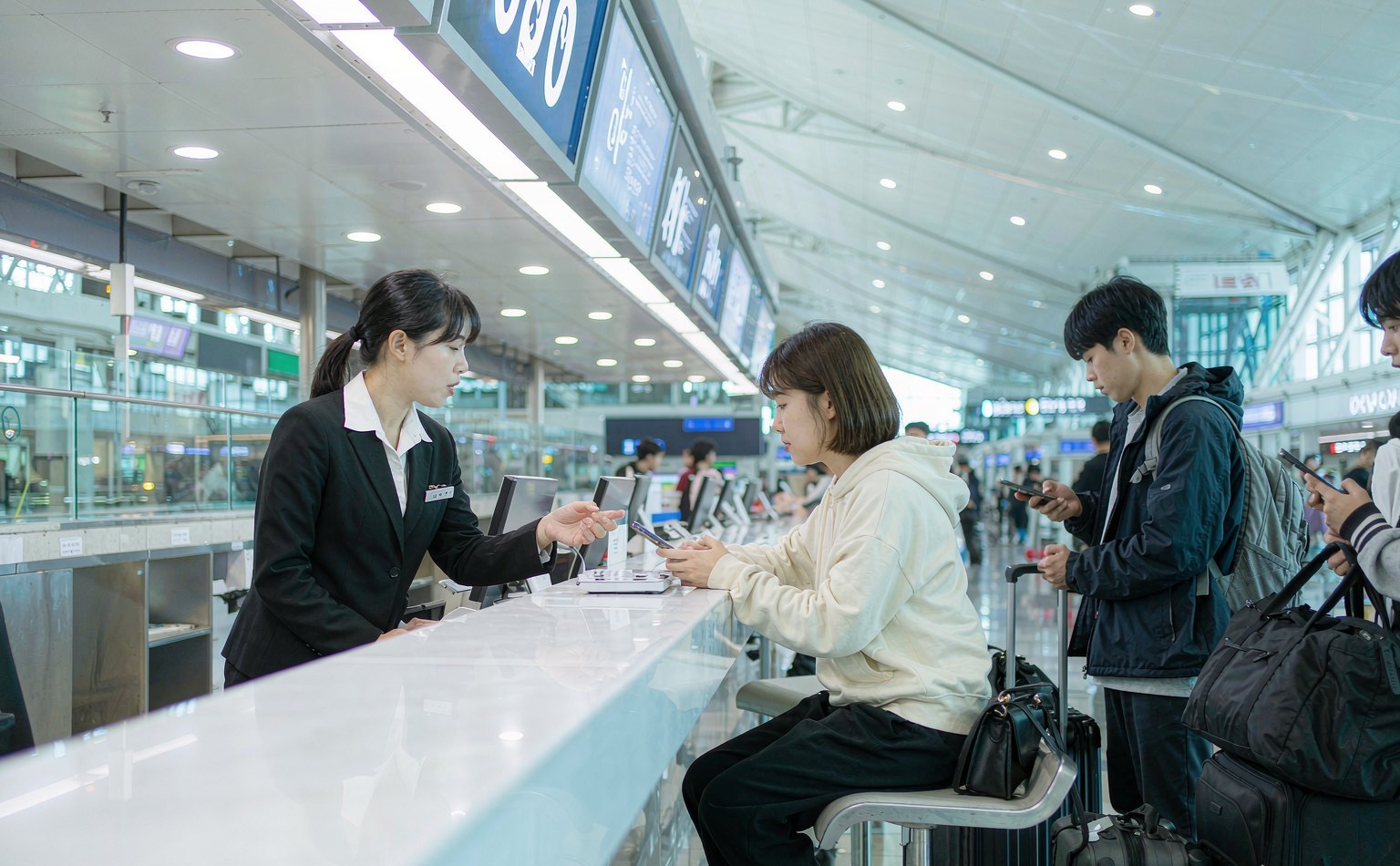
Incheon International Airport has two terminals, and both have SK Telecom, KT and LG U+ desks in the arrivals hall. The desks sell tourist SIMs and, from some carriers, tourist eSIMs that still require the passport check at the counter. Prices for comparable short packages land close together, so the practical difference is the queue.
Peak queue at the staffed counters is around twenty minutes. That figure matters because of where the counters sit: between you and the airport train. Land at a peak hour, and the twenty minutes is added to your arrival rather than absorbed by it.
The vending machines solve the queue. They run around the clock, accept cards, and scan your passport to complete the registration. In practice five to ten minutes, and no conversation. What they do not do is answer questions, sell voice packages with any flexibility, or help when a card is declined.
Three things decide whether a Korea SIM card purchase goes smoothly, and all three are worth knowing before you join either line:
- Passport required, original only. A photo or a photocopy will not complete registration. Korean telecom law demands the original, and no shop can waive it.
- Three SIMs per passport. A family of four cannot put four lines on one passport.
- The package you buy at the desk is what you get. A data-only tourist SIM cannot be upgraded to voice later, so choose the voice package at the counter if there is any chance you will need a Korean number.
What the vending machine actually does, step by step
The machines are the least documented and most useful purchase channel in the airport, so here is the sequence.
- Choose a package on screen. Three or four options, described by days and data, with English available on the newer units.
- Pay by card. Foreign cards work on most machines; a card that requires a signature rather than a PIN occasionally fails, which is the one case where you need the staffed desk.
- Scan the passport photo page. The machine reads the machine-readable zone at the bottom, the same way an immigration gate does. A worn or curved passport page sometimes fails and needs a second attempt.
- Collect the SIM. The card drops from the slot with a tray tool, or the machine prints a QR code for a carrier eSIM product depending on the unit.
- Insert and confirm. Most machines print a short instruction slip. Insert the card, wait for the network name to appear, and confirm data loads before you walk away.
Two failure modes account for most vending machine problems, and neither is specific to the machine. A passport that will not scan leaves you in the queue you were avoiding. And a phone that is carrier-locked will find the network and then refuse to authenticate, which looks like a dead SIM. Neither is a reason to avoid the machine; both are reasons to have an eSIM installed before you fly as the fallback.
Four packages you will be offered, and which to refuse
The counter conversation is short, and the offer is usually one of four products. Knowing which one you want before you reach the desk is the difference between five minutes and fifteen.
| Package | What it includes | Price band | Buy it if |
|---|---|---|---|
| Data-only tourist SIM | Data, no number, no SMS | Lowest | You need internet and nothing else |
| Voice and data tourist SIM | Data plus a 010 number, calls and SMS | Middle | You need a Korean number for apps or bookings |
| Unlimited with daily high-speed cap | Unlimited data, throttled after a daily allowance | Higher | You will stream or tether and can accept a cap |
| Pocket Wi-Fi bundle | A rental router plus a data SIM | Highest | Two or more devices need data and you will carry the router |
The package to refuse is the unlimited one sold without a stated daily allowance. Korean tourist plans have long used daily caps with heavy throttling afterward, and a counter conversation in a second language is the worst place to discover the number. Ask what the daily high-speed allowance is, and if the answer is vague, buy the fixed-size package instead.
The voice package is worth the extra cost only if you need a number for apps or bookings, and the voice-versus-data decision in Japan follows the same logic if you are continuing there. The second package to refuse is the pocket Wi-Fi bundle, unless you genuinely have devices without a SIM slot. It costs more than two data plans, adds a device to charge every night, and requires a return trip to the airport or a drop-off point.
Convenience stores: cheaper, and you do the activation
GS25, CU, 7-Eleven and emart24 sell sealed prepaid USIM packs, typically priced below the airport desks. What you save in won you pay in effort: the pack requires you to follow printed instructions, register the SIM with your passport through a website or app, and complete the APN setup yourself.
The trade is reasonable if you read Korean comfortably, or if the instructions include an English path. It turns poor at midnight after a long flight. The failure mode is specific: the SIM installs, the phone finds a network, and nothing loads because the registration step was skipped or the APN was never set.
Convenience stores are a good fallback for a second SIM, a replacement when a card stops working, or a data top-up for a physical SIM you already own. They are a bad first choice for a first-time visitor.
What is inside the pack
A typical sealed prepaid pack contains the USIM in a credit-card-sized carrier, a tray ejector pin, and a printed card with a registration website, a scratch-off code and an APN setting. The pack does not include a data allowance until you register it, which is the step people miss: the card is inert out of the box.
Two practical notes. The registration site is often Korean-only, so have a translation app ready before you open the pack rather than after. And the pack usually states an expiry for registration, so buying one to use in three weeks can leave you with a card that no longer activates.
City carrier shops: where to go when the card fails
Every Korean city has carrier shops, and they are the place to go when something has gone wrong that the airport desk could not solve. Arrivals-hall counter hours are listed on the official Incheon Airport site. Staff there have more time than airport staff, can look up an existing registration, and can replace a SIM on the spot.
They are also the only practical route for a longer-validity prepaid package, since the airport desks stock short tourist products. Sinchon, Myeongdong, Seoul Station and Busan Station all have clusters of shops, and Busan Station is the nearest option for anyone heading straight down by KTX.
Be realistic about the language barrier. Airport desks staff English speakers for obvious reasons; a neighborhood shop may not. A translation app and a screenshot of your problem solve most of it, and the 1330 travel hotline will interpret by phone if you need it.
Marketplace pickup: what the convenience fee buys
Booking through Klook, KKday or Trip.com gets you a voucher that you trade for a SIM at a partner counter, usually in the same arrivals hall as the carriers. You pay a small margin over the local price for a booking flow in English, a support channel in your language, and sometimes a bundled transit card.
For a first-time visitor who wants a human to hand them a working phone, that margin buys something real. For anyone who has traveled with an eSIM before, it buys a queue you could have skipped.
Two cautions. Voucher pickup counters keep counter hours, not airport hours, so a 2am arrival may find them closed while the carrier desks are still staffed. And a voucher is not a refund guarantee: if the counter is out of stock on the package you booked, you are negotiating at the desk, not through the app.
The passport rule, and why the machine asks for it too
Korean law requires identity verification for every mobile line, a rule the Ministry of Science and ICT sets rather than the shops. That single sentence explains almost every friction point in this guide.
A passport-registered tourist line exists in the carrier’s records but not in Korea’s real-name identity systems. It can make calls and receive texts, and it cannot pass bank or government verification. If your reason for buying a Korean SIM is identity verification rather than connectivity, no airport purchase will help, and the Korean number guide explains what would.
The rule also explains why a data-only travel eSIM bought from a US website involves no passport at all. Those plans are sold as roaming products, not as Korean subscriptions, so the registration requirement does not apply to the buyer. The whole regulatory reason the eSIM channel has this shape comes down to that distinction.
Buying for two people, or for a family
The purchase math changes with the number of travelers, and the channel decision changes with it.
Two adults sharing one plan means one phone runs hotspot for the other. That works, and it is cheap, but it puts both people’s connectivity behind one battery. Two separate data plans cost very little more at the low end: two 5GB plans at $4.99 each is $9.98 for the pair, against one 10GB plan at $6.99 plus the risk that the sharing phone dies at 6pm.
A family of four should not rely on one phone. A single handset tethering three other devices drains in half a day, and the person holding it stops being a traveler and starts being infrastructure. Two phones sharing two plans is the arrangement that survives a full day out.
That three-SIM cap is the constraint families meet at the counter. A group of four needs at least two passports to buy four lines. An eSIM purchase has no such limit, because nothing is registered to a passport, which is one more quiet advantage of buying before you fly.
If you are traveling with children, buy a plan on the adult’s phone and leave the child’s alone unless you will be apart. Korean public Wi-Fi plus a parent’s hotspot covers the gap, and a child without a phone is a child who cannot be separated from you by a dead map.
What five days in Korea costs at each channel
Same trip, five days, one traveler, data-heavy enough to need 5GB.
| Channel | Money | Minutes | Total in “hourly wage” terms at $30/hour |
|---|---|---|---|
| Travel eSIM, 5GB, bought at home | $4.99 | 6 | $7.99 |
| Travel eSIM, 10GB, bought at home | $6.99 | 6 | $9.99 |
| Airport vending machine | ~₩20,000 | 8 | $22 + $4 = $26 |
| Convenience store pack | ~₩15,000 | 15 including activation | $11 + $7.50 = $18.50 |
| Airport carrier counter | ₩20,000–44,000 | 30 including queue | $15–33 + $15 = $30–48 |
| Marketplace voucher pickup | Local price + ~15% | 20 | $25 + $10 = $35 |
The third column is the one nobody computes and everybody feels, and it is the strongest argument for buying a Korea eSIM rather than a Korea SIM card at the counter. A $4 difference in favor of the convenience store disappears the moment the self-activation step costs you twenty minutes and a support call.
Landing at an awkward hour, and what is actually open
Korean arrival infrastructure behaves differently at two in the morning than at two in the afternoon, and differently again at a secondary airport. These are the two cases that break the channel comparison above.
Landing at 2am: what is actually open
Airport guidebooks handle this scenario worst, and it has a clean answer.
The vending machines run around the clock, and they are the only physical channel reliably open at that hour. Carrier desks in arrivals generally operate from the first arrivals to the last, but staffing thins overnight and a single desk may serve all three carriers. Marketplace pickup counters close on normal business hours and are the most likely to be shut.
Your real options at 2am, in order of reliability:
- An eSIM installed before you left, which needs nothing from the airport.
- A vending machine, which needs a passport and a card and works at any hour.
- Airport Wi-Fi plus a taxi or the airport bus, if you have neither, and buy in the city the next morning.
Public Wi-Fi in Korean airports is good enough to carry you through the first hour. You can message whoever is meeting you, price a taxi and pull up your hotel address before you have bought anything at all. Which is a genuine reason not to panic-buy at the first counter you see.
Paying, changing your mind, and the charges nobody quotes
Three costs sit outside every headline price on this page: the date change, the currency conversion, and the hours you spend saving a small amount of money.
Changing your dates after you have paid
Flight moves happen, and the six channels handle them differently.
Travel eSIM, not yet installed: usually the simplest case. Most providers will move an unactivated plan’s dates or refund within a short window. Check the window before you buy, not after.
Travel eSIM, installed but not activated: mixed. Some providers treat installation as the start of the contract. Read the terms, and if your dates are genuinely uncertain, buy closer to departure.
Airport SIM: activated on the spot, so there is nothing to move. The package expires unused.
Marketplace voucher: the voucher usually has its own validity, often measured in months, so a delayed trip is rarely a problem as long as you keep the confirmation.
The asymmetry is worth remembering. The channel that saves you the most money is the one with the most flexible date terms, and the channel that costs the most is the one with none.
Paying in dollars, won, and the 1.5% nobody quotes
Three charges sit between the price you see and the amount on your statement.
Currency conversion at the terminal. If a Korean card machine offers to charge you in dollars, decline. The practice is dynamic currency conversion, and it adds a margin on top of the exchange rate that typically runs 1–3%.
Foreign transaction fee from your bank. Most US cards charge 0–3%. A card with no foreign fee saves more on a ₩44,000 purchase than a coupon would.
Exchange rate spread. Invisible, and unavoidable if you pay in won. Paying in dollars via DCC does not avoid it; it adds to it.
An eSIM bought from a US provider is charged in dollars by a US-facing merchant, so none of the three applies. A quiet advantage of the online channel, and almost no comparison mentions it.
Work it through on a ₩44,000 counter purchase. At a rough rate of ₩1,350 to the dollar that is about $32.60. Accepting the terminal’s dollar offer at a 2.5% DCC margin takes it to $33.40. A 3% foreign transaction fee from the bank adds another dollar. The total lands near $34.40 for something priced at $32.60, and if you had paid in won with a no-fee card the whole gap would have been zero. On a $1.99 eSIM none of this exists, which is why the cheapest channel also happens to be the one with the fewest hidden costs.
When saving $20 costs you two hours
Two hours is roughly what a failed activation costs: the counter queue, the support conversation, the retry, and the trip back if you have to return to the airport. Against a $20 saving, that is a bad trade for most travelers.
The calculation flips in two situations. A long stay makes the per-day saving worth the friction, because the price gap between a travel eSIM and a 30-day local plan grows with duration. And a traveler who has done this before can absorb the activation steps without help, which removes most of the time cost.
For everyone else, the useful rule is to spend money on the channel that fails least, then optimize the plan size.
If your phone has no eSIM slot
Roughly the same advice, minus the online channel. A physical SIM card for Korea requires a passport registration, which means the airport, a convenience store pack or a city shop.
Buy at the airport if you want help, from a vending machine if you want speed, and from a convenience store if you are staying somewhere with a shop nearby and do not mind the setup. None of the three lets you buy a Korea eSIM in advance, which is exactly why the online channel wins for anyone whose phone supports it. Check the phone is carrier-unlocked before you fly, because an unlocked phone is the only requirement that cannot be fixed at the counter; the compatibility list names the eSIM-capable models if you are still deciding which route to take.
One more consideration for older handsets: check the supported LTE and 5G bands. A phone missing the bands Korean operators use for 5G will fall back to LTE, which is still fast enough for maps and video but is not what the marketing promised.
The first ten minutes after you pay, and what to keep
What you do in the ten minutes after activation decides whether a working line stays working three days later.
The first ten minutes after you pay
Whatever channel you used, the ten minutes after payment decide whether the purchase works. Run this in order and most problems get caught before you leave the counter.
| Minute | Check | If it fails |
|---|---|---|
| 0–1 | The line appears in your cellular settings with a name you recognize | It did not install: rescan the QR code, or ask the desk to reissue |
| 1–2 | The network name shows SK Telecom, KT or LG U+ | No network: the phone is locked, or data roaming is off on that line |
| 2–4 | Airplane mode on and off once | Still nothing after a cycle, it is a provisioning problem, not a coverage problem |
| 4–6 | Open a map and pan the map so it loads new tiles | Maps load from cache; you need to force a fresh request |
| 6–8 | Send a message on a data-based app | If text works but images do not, you are throttled, not disconnected |
| 8–10 | Note the plan expiry date and top-up method | Missing this is how people run out on day four |
The single most useful habit here is forcing a fresh data request. A map that opens from cache proves nothing, and a traveler who tests with an already-loaded page will discover the real problem three hours later in a taxi.
If the line shows a network and nothing loads, the cause is usually the APN. On most modern phones the carrier settings arrive automatically; on some Android handsets you have to accept a settings update manually. Our carrier notes for Korea list the APN values for all three operators.
What to keep after you activate
Four pieces of information are worth photographing and keeping in your phone’s notes, because each one is what a support agent will ask for.
The ICCID. A long number printed on the SIM card or shown in your eSIM settings. It identifies the subscription, and no support channel can help without it.
The purchase receipt or voucher number. For a counter purchase, the printed slip. For a marketplace voucher, the booking reference. For an eSIM, the order confirmation email.
The registration confirmation. For a passport-registered Korean line, the slip or message showing your name as entered. If a later verification fails because the name was mistyped, this is the document that proves it.
The expiry date and the top-up route. Korean prepaid packages expire, and some cannot be topped up after a set period. Knowing the date turns a surprise into a decision.
Photograph all four in the first minute and the rest of the trip is administratively simple. If the line installs but refuses to coexist with your US number, the dual-SIM fixes start with the two causes that account for most of it.
Arriving at Gimpo, Gimhae or by ferry
Incheon is the airport most visitors use, and it is the one with the most purchase options. The others are thinner, which changes the advice rather than the price.
Gimpo handles short-haul arrivals from Tokyo, Osaka and Shanghai, plus domestic traffic. All three carriers sell tourist SIMs there, so a traveler connecting from Japan can buy on arrival. The desks are smaller and the hours shorter than at Incheon, and a late arrival may find them closed.
Gimhae, serving Busan, handles international arrivals at a fraction of Incheon’s volume. Expect a carrier presence rather than a choice of three desks, and expect less English. Do not plan a midnight arrival around buying a SIM here.
Jeju receives international flights seasonally and direct from a handful of cities. The same caution applies, with the added point that the island’s rental car desks are where most travelers go first, not the phone counters.
Ferries from Japan land at Busan and a few other ports, where there are no telecom counters at all. If you arrive by sea, buy before you travel or plan a stop at a city carrier shop.
The pattern is simple: the smaller the arrival point, the more the online channel is worth. A vending machine is an Incheon feature, not a national one.
Topping up after you land
Running low is normal, and the options depend on what you bought.
Travel eSIM: top up in the provider’s app or on its site, usually within a minute. Top-ups are frequently priced higher per gigabyte than the original plan, so a top-up is a penalty rather than a discount. Buy the right size on the first purchase.
Airport tourist SIM: buy an extension at a carrier desk or a city shop. The airport desks stock short extensions; longer ones need a shop visit.
Convenience store pack: most cannot be topped up. You buy a new pack instead, which is why these are a poor choice for a trip of more than a week.
Unlimited plan: nothing to top up, though the daily high-speed allowance resets on its own schedule and the throttle is what you are living with.
One Korean specific: prepaid packages often stop accepting top-ups after a set window, and a lapsed line cannot be revived with credit. Check the expiry when you buy, not on the day you need it.
Chuseok and Seollal: the two weeks when the shop you planned to use is shut
Korea has two lunar holidays that move every year, and both of them rearrange the buying channels this page has just priced. Seollal falls in late January or February; Chuseok in September or October. Each is a three-day public holiday with a travel day either side, and the practical effect on a visitor is that the small operators close while the big infrastructure stays open.
What stays open: Incheon and Gimpo arrivals, the carrier desks inside them, convenience stores, and the vending machines. What closes or shortens: independent phone shops in city districts, some marketplace pickup points, and the small kiosks that sell tourist packages at a markup but without a queue.
The scheduling consequence is specific. If you were planning to land, take the airport bus, and buy at a city shop the next morning because it is cheaper, that plan fails in holiday week — and it fails on the morning when every domestic traveller is also moving. The channel comparison earlier in this page assumes shops are open on normal hours, and for two weeks a year that assumption is wrong.
Three things worth doing if your dates land on a holiday:
- Buy before you fly. This is the one case where the “zero queue” channel is not just faster but the only reliable one.
- If you must buy on arrival, buy at the airport even at the higher price, because the airport desks are staffed through the holiday.
- Do not rely on a convenience-store top-up during the holiday, since the staff who know how to process it may be off and the machine menu is in Korean.
One more holiday effect that catches people: domestic travel peaks, so KTX and bus seats sell out days ahead, and the rebooking happens online. A working data plan on the day you land is worth more in holiday week than in any other week of the year.
Which Korean network your eSIM rides, and where each one thins out
Korea has three networks and the travel product rarely tells you which one you are buying. That matters less than it would in, say, Indonesia, because all three are good in cities — but it matters at the edges, and the edges are where itineraries go.
| Network | Where it holds | Where it thins |
|---|---|---|
| SK Telecom | Best overall reach; strong in cities, major trails and coastal towns | Deep mountain valleys, some island ferry routes |
| KT | Close to SKT in cities and on the main rail corridors | Rural east coast, smaller islands |
| LG U+ | Excellent in Seoul, Busan and the metro systems | Historically the weakest outside cities |
Two things follow for a visitor rather than a resident. First, the difference shows up in exactly the places a holiday itinerary goes: the Seoraksan trails, the Jeju coastal road, the east coast between Gangneung and Samcheok, and the small islands off Incheon. Second, it shows up in tunnels. Korea is a country of tunnels — the KTX Gyeongbu line, the expressways, and half the mountain roads — and every network drops inside them. A navigation app that freezes for ninety seconds in a tunnel is normal, not a fault.
The subway is the exception to the tunnel rule: all three networks carry coverage through the Seoul metro, including the deep lines, because the operators built in-building systems. If your only concern is “will my phone work on the subway”, the answer is yes and the network does not matter.
For a travel eSIM, the specification worth asking about is the network partner. It is usually printed on the product page. If it is not, and your trip includes Jeju or the east coast, ask before paying — this is the same test the Mexico comparison applies to Telcel, and it is the single most useful line on any eSIM product page.
Your phone will not replace a T-money card, and that changes what you buy
This is the most common wrong assumption among visitors who consider themselves organised: they arrive with a working eSIM, tap their phone at the subway gate, and nothing happens.
Mobile transit payment in Korea runs on Mobile T-money (모바일 티머니) and its equivalents, and those products are tied to a Korean carrier USIM plus an identity verification step. A travel eSIM provides neither — it is a data profile on a roaming agreement with no Korean subscriber identity — so the phone has no transit credential to present, regardless of how good the data connection is.
What actually works, in order of convenience:
- A physical T-money card, bought at any convenience store for a small deposit, topped up with cash at the machine or the counter. This remains the default and it costs almost nothing.
- A WOWPASS card, the foreigner-oriented product that combines a prepaid wallet with a transit function; it is designed for exactly this gap and is available at airport machines.
- A single-ride or day ticket from the machine, which is fine for one day and tedious for a week.
The consequence for the purchase decision is concrete. If you were planning to skip the physical card because “the phone does everything”, you are buying two things at the airport instead of one, and the second one takes cash. Budget ten minutes and a few thousand won for it, and do it before you need to catch a train, not at the gate with a queue behind you.
One related trap: some visitors buy a Korean physical SIM specifically to get mobile transit working, assuming the SIM alone is enough. It is not — the identity verification is the gate, not the SIM. Unless you have a resident registration number, the physical T-money card is the answer either way, which removes one more reason to stand in the airport queue for a local line.
Day 91: what a tourist line cannot do for a long stay
Korea is one of the easier countries to arrive in and one of the harder ones to stay in, and the mobile side reflects that. Tourist products are built for a visit, not a residence, and the boundary is around three months.
A tourist prepaid line typically runs 30, 60 or 90 days depending on the package, and extensions are possible at a carrier shop with your passport while you are still on a tourist status. What changes at the boundary is not the SIM but your legal footing: a proper long-term Korean number is tied to an Alien Registration Card, and without one you are cycling tourist products rather than holding a line.
| Length of stay | What works | What to watch |
|---|---|---|
| Under 30 days | Travel eSIM, or a 30-day tourist prepaid | Nothing much |
| 30 to 90 days | Tourist prepaid with an extension, or a longer eSIM plan | Extension must be done before expiry, not after |
| Over 90 days, student or working holiday | ARC-based line from a carrier shop | ARC processing takes weeks; bridge with a tourist product |
| Over 90 days, no ARC | Tourist products renewed, or a data-only eSIM plus a VoIP number | Some apps will not verify without a Korean number |
The practical advice for anyone staying past three months is to treat the first weeks as a bridging problem. Arrive with a travel eSIM that covers the gap, start the ARC process immediately, and buy the real line once the card exists rather than paying twice for extensions that expire while you wait.
For a stay under three months, none of this applies and the earlier channel comparison is the whole decision. The reason to know it anyway is that the question “should I buy a Korean number” has a different answer at day 30 and day 120, and most guides answer it once for both.
D-14 to landing: a fourteen-day prep schedule
Two weeks is enough time to do this without rushing, and the schedule is short enough to fit in a few minutes a day.
D-14: check the phone. Confirm eSIM support and carrier lock status. If it fails either test, plan for a physical SIM and adjust the schedule.
D-10: decide the plan size. Use the data-per-activity breakdown rather than a guess. Most one-week trips land between 3GB and 5GB.
D-7: buy and install. Buy the plan, install it over home Wi-Fi, label the line, and set it as data-only. Leave it disabled.
D-5: test the settings. Turn the Korean line on for sixty seconds at home to confirm it does not hijack your home data, then turn it off.
D-3: check your US line. Roaming off, Wi-Fi calling on, and confirm with your carrier how incoming texts are billed.
D-1: save the essentials offline. Hotel address in Korean, the 1330 hotline, a screenshot of your booking, and an offline map of the arrival area.
Landing: switch the Korean line on. It should attach within a minute. If it does not, the troubleshooting cases start with the three causes that account for most failures.
FAQ
Can I buy a Korea eSIM after I land? Yes. Airport Wi-Fi is free and reliable enough to buy and install one in the arrivals hall, and the airport desks sell carrier eSIMs that include a passport check. It is just slower than doing it at home.
Do I need a passport to buy a Korea SIM card? For any Korean carrier product, yes, including the ones sold in vending machines, where the machine scans the photo page. A data-only travel eSIM bought from an international provider is the exception, because it is sold as roaming rather than as a Korean subscription.
Is the airport more expensive than buying online? Substantially. A 5-day data-only package at the airport runs roughly ₩15,000–25,000, a voice-enabled one ₩30,000–44,000, and a comparable travel eSIM runs $5–7. The airport price includes a physical card, passport registration and a person to help, which some travelers need and most do not.
What is open at Incheon at 2am? The SIM vending machines, the airport Wi-Fi, and a reduced carrier desk presence. Marketplace pickup counters and most shops are closed.
Can I buy a SIM for someone else? Not on their behalf for a voice line, since registration ties the number to the passport presented. One passport covers up to three SIMs, so a couple can buy two on one document if both are present.
Will a Korea eSIM work as soon as I land? Yes, if it is installed and the phone is unlocked. It attaches to a Korean network within a minute of the aircraft doors opening, and it activates on that first connection rather than at purchase.
Can I use a Korea SIM in a tablet or a mobile hotspot device? In principle, yes, if the device is unlocked and accepts the SIM size. In practice a tablet without eSIM support needs a physical card, and a dedicated hotspot device means carrying and charging a second object. Two data plans on two phones usually cost less and fail less often than one router shared by a family.
What if the counter is out of stock? Incheon’s desks occasionally run short of the cheapest packages at peak hours. The vending machines and the convenience stores are the fallback, and so is airport Wi-Fi long enough to buy an eSIM on the spot. Do not let a stock-out turn into a two-hour wait at a second counter.