eSIM Bali: The Island Where Coverage Still Varies

Roami Team
Roami offers reliable eSIM plans, serving over 1 million travelers annually, and supports automatic local network switching to help travelers stay connected globally.
📑 Table of Contents
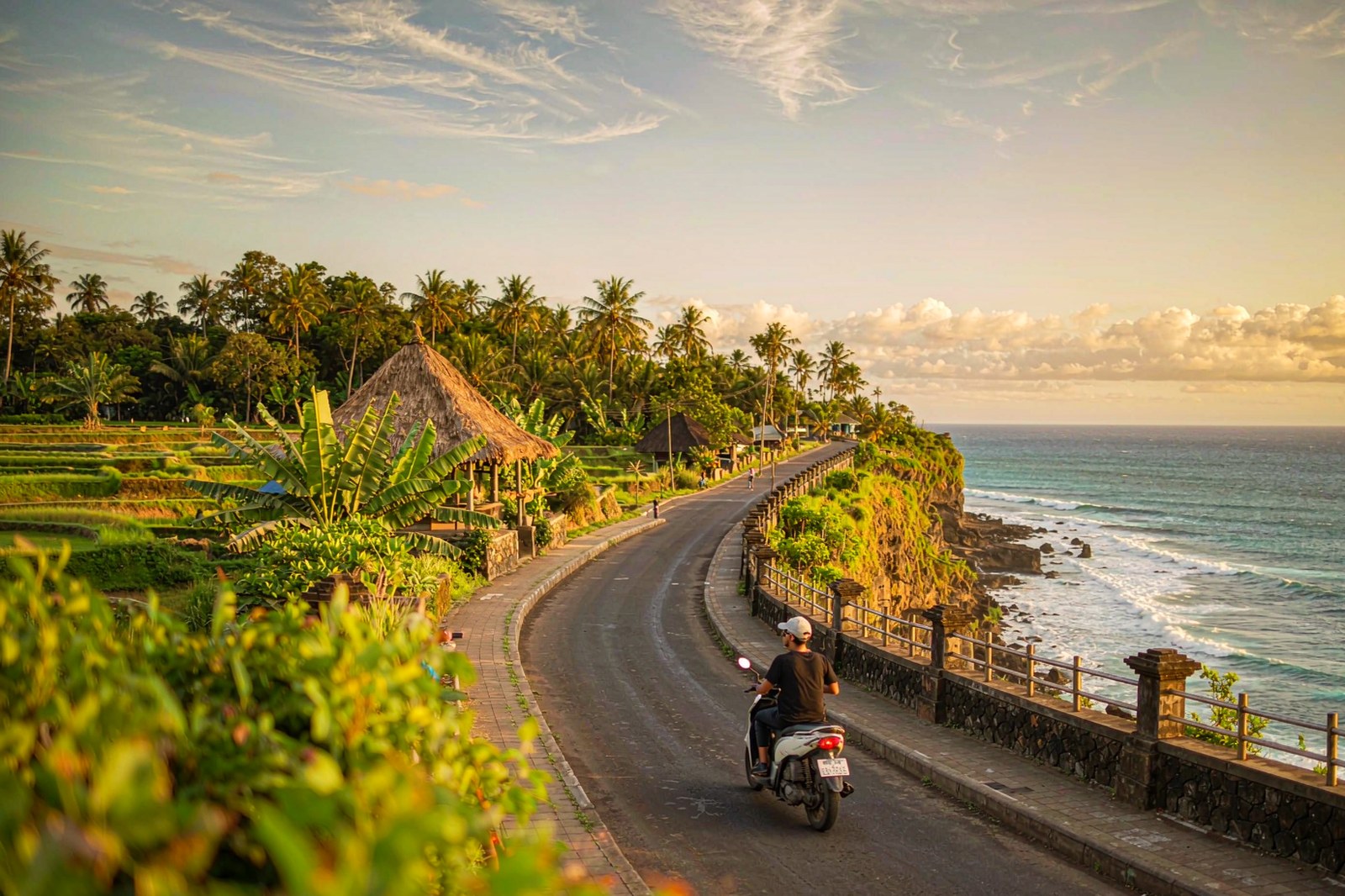
Bali is the one Indonesian island where a cheap plan is genuinely fine — and the one where tourists still manage to arrive with a dead phone. It is also, by some distance, the most visited of the 17,000 islands, which is why its networks are both the best funded and the most congested. Both things are true, because coverage on this island is not uniform. It follows the ring road, the beach clubs and the villa density, and it stops abruptly the moment you head uphill or get on a boat.
This page is about the version of the eSIM Bali question that matters: which plan holds a signal in the places you will actually be, at the hours you will be there. It is also the honest answer to a SIM card for Bali question that most guides dodge — at what point a physical card beats an eSIM, and at what point it stops mattering. For the country-wide picture — the IMEI rule, the three networks, the airport counters in Jakarta — the Indonesia eSIM guide covers that. Here we stay on one island, from Canggu to Amed and out to Nusa Penida.
If you want the short answer before the detail: a Telkomsel-backed plan is the safe choice, an XL-backed plan is the cheap choice, and if your trip never leaves the southern corridor the difference in daily experience is smaller than the price difference. The rest of this page is the reasoning.
What a Bali eSIM Actually Has to Do for You
Key takeaways: Southern Bali (Canggu, Seminyak, Kuta, Uluwatu, Sanur) has solid 4G from all three networks, and XL is often the more consistent of the three in beach-club conditions. Ubud and the northern hills favour Telkomsel. Nusa Penida and the Gili islands need Telkomsel. A 5 GB plan covers a ten-day villa-based trip; 10 GB covers the same trip with heavy uploads. Buy before you fly — the DPS arrivals hall is where the same plan costs two to three times more.
Most people who search for a Bali eSIM card need four things from it, in roughly this order: Grab and Gojek working at the airport, Google Maps working on a scooter, Instagram and WhatsApp uploads working from a beach, and a hotspot that works when the villa wifi does not. Notice that none of those require speed. They require coverage at ground level, which is a much lower bar than a speed test suggests and a much harder one to guarantee inside a concrete villa with a thatched roof.
That is the frame for everything below. Bali’s networks are not slow — tourist-area 4G typically runs 15–40 Mbps — but they are heavily obstructed. Thick walls, rice-field villas set back from the road, and the sheer number of devices in one beach club at sunset all degrade a connection that looks fine on paper.
The three things that break a Bali eSIM
Not the plan. The plan is rarely the problem.
Indoor signal loss. A villa in the rice fields outside Ubud can show one bar while the road at the end of the driveway shows four. This is physics, not a carrier failure, and no plan tier changes it. If you need to take calls from the villa, ask the host whether the wifi is fibre and test it before you unpack.
Congestion at the hours you care about. Canggu between 6pm and 10pm is the busiest data window on the island. Speeds that measured 30 Mbps at noon can drop under 5 Mbps when every restaurant table is streaming. A plan that can switch networks handles this better than one locked to a single carrier.
Distance from the tourist corridor. North Bali, the Mount Batur rim, the road to Amed and the crossings to Nusa Penida all fall outside the dense build-out. Coverage exists; it just stops being continuous.
Which Network Wins in Each Part of Bali
This is the table to screenshot before you go, because the answer changes every twenty kilometres.
| Area | Best network | Typical 4G | What to expect |
|---|---|---|---|
| Kuta, Legian, Seminyak | XL or Telkomsel | 20–40 Mbps | Full coverage, 5G patches in Seminyak |
| Canggu | XL | 20–40 Mbps | Fast at noon, congested 6–10pm |
| Ubud centre | Telkomsel | 15–35 Mbps | Solid in town, drops in rice-field villas |
| Ubud outskirts, Tegallalang | Telkomsel | 10–25 Mbps | Works on the terraces, weak indoors |
| Uluwatu, Nusa Dua, Jimbaran | Telkomsel | 15–35 Mbps | Reliable along the Bukit Peninsula |
| Sanur | XL or Telkomsel | 20–35 Mbps | Consistent, few dead spots |
| Amed and east Bali | Telkomsel | 5–15 Mbps | Drops on the coastal road between villages |
| Lovina and north Bali | Telkomsel | 5–20 Mbps | Fine in town, weak on mountain roads |
| Mount Batur and Kintamani | Telkomsel | Patchy | Usable at the rim, nothing on the ascent |
| Nusa Penida | Telkomsel | 5–15 Mbps | Much improved since 2024; dead on west cliffs |
| Nusa Lembongan | Telkomsel | 10–20 Mbps | Coverage on the main island |
| Gili Trawangan, Meno, Air | Telkomsel | 5–15 Mbps | Works on the islands, nothing between them |
Area figures combine Opensignal measurements for April–June 2026 with operator coverage maps and traveler-reported results gathered through October 2026. Tower-level conditions change; treat this as a prior, not a promise.
The southern corridor: where XL earns its reputation
In Kuta, Seminyak, Canggu and along the Bukit Peninsula, XL’s network consistency — the share of tests that deliver a usable connection rather than a failed one — was the highest in Indonesia in the April–June 2026 Opensignal measurement window, at 87.2%. It also posted the country’s best 5G video streaming score.
What that means in practice: on a Bali-only trip, an XL-based plan is not a compromise. It is frequently the better daily experience, and it is cheaper per gigabyte than the Telkomsel-backed alternatives. The trade-off appears only if you leave the southern corridor.
Ubud and the north: where Telkomsel stops being optional
Once you are past Ubud’s town centre, or heading to Kintamani, Sidemen, Amed or Lovina, Telkomsel’s geographic coverage advantage — 8.6 out of 10 against 4.8 for XL — becomes the deciding factor. This is where people discover that the plan they bought for the beaches does not survive the itinerary they actually booked.
If your Bali trip is “three nights Canggu, four nights Ubud, two nights Amed”, buy Telkomsel-backed. The few dollars you save with XL are not worth losing navigation on the Amed road, which has sections with no signal at all regardless of carrier.
Airalo for Bali: What 320 Searches a Month Are Really Asking
Airalo is the default recommendation in most Bali travel content, and the question behind “airalo esim for bali” is usually not “is Airalo good” but “is Airalo good enough here, or am I about to repeat someone else’s mistake”.
The short version of this section: an Airalo eSIM for Bali is a safe buy rather than the cheapest one, and the reason is the network rather than the brand. Airalo’s Indonesia product rides Telkomsel, so you get the widest footprint on the island. That is the right call for a mixed itinerary. Where it gets less comfortable is price per gigabyte at the low end, and the fact that the plan attaches to one network — so in a congested Canggu beach club you have no fallback.
| Airalo | Roami | Local Telkomsel eSIM | |
|---|---|---|---|
| Network | Telkomsel | Telkomsel, Indosat, XL with auto-switch | Telkomsel |
| Price for ~10 GB | Mid-range | From $1.99, scales by allowance | Rp 150,000–200,000 (~$8–11) |
| IMEI registration | Not needed | Not needed | Required, done by seller |
| Indonesian number | No | No | Yes, +62 |
| Install before flying | Yes | Yes | No |
| English support | Yes | Yes | Rarely |
| Best for | Anyone who wants one known-good choice | Mixed itineraries and congestion fallback | Stays over three weeks |
Airalo pricing is regional and changes by SKU; compare the live checkout page rather than a blog table. Roami’s current Indonesia allowances sit on its plan and pricing page.
The case against buying Airalo at the airport
You cannot — Airalo is online only. But the reason people search for it at DPS is that they land without a plan and start comparing on airport wifi. That is the worst moment to decide, because the counter is right there and the queue is short enough to feel tempting. The counter’s 25 GB plan at Rp 400,000 is roughly five times the per-gigabyte cost of buying the same network’s data in town.
Buying a Bali eSIM at DPS, at Home or in Canggu
Three routes, three very different experiences. The one you pick should depend on your arrival time more than your budget.
| Buy before flying | DPS arrivals hall | Canggu or Ubud in town | |
|---|---|---|---|
| Cost for ~20 GB | $10–20 | Rp 300,000–400,000 (~$17–22) | Rp 150,000–250,000 (~$8–14) |
| Time | 10 minutes at home | 20–40 minutes | 30–60 minutes plus a scooter ride |
| Open when you land | Always | Telkomsel 24/7; XL limited hours | Roughly 9am–9pm |
| Language | English | English | Indonesian, some English |
| Fails how | Nothing installed and no wifi | Overpaying under pressure | Store closed, or no passport on you |
Airport and in-town price bands are drawn from 2026 traveler reports and operator listings, converted at about Rp 17,900 to the dollar. They move with promotions.
At Ngurah Rai, the Telkomsel counter in the arrivals hall runs around the clock; XL sits nearby with shorter hours. Both want your passport and a hotel address. Neither is a scam — they are simply priced for people who have no alternative at 11pm.
If you land after dark and have nothing installed, buy the smallest pack at the counter and upgrade in town the next day. If you land before 9pm and are staying in Canggu or Seminyak, skip the counter entirely, take a Grab to the villa, and buy in town once you have slept.
The pre-flight route, in one paragraph
Buy online, install on home wifi, leave the line disabled, enable it after landing, set it as default data, and keep your home SIM for calls and codes. This is the only route that gets you a working map before the taxi leaves the airport, and it is the one we recommend for every trip under three weeks. The step-by-step is in the Indonesia eSIM setup walkthrough.
Local eSIM or a Physical Bali SIM: Balieasy and the Carrier Stores
There is a category of Bali-specific SIM seller — the Balieasy eSIM delivery service is the best-known — that delivers a local SIM or eSIM to your villa, or hands it over at the airport, with the registration already done. It is a real service and it solves a real problem: the paperwork.
The pricing sits between the airport counter and the carrier store, and you are paying for delivery and English-language setup rather than for data. If your trip starts late at night, or you are traveling with people who would rather not spend a morning in a GraPARI queue, that is a legitimate purchase.
When a local SIM genuinely wins in Bali
Three cases, and they are all about duration or numbers rather than data.
Stays over three weeks. The per-gigabyte gap between local prepaid and a travel eSIM is large enough that a month-long stay pays for the inconvenience several times over.
You need a +62 number. Gojek’s fuller feature set, local marketplace accounts and SMS-based verification all assume an Indonesian number. If you were looking for an Indonesian SIM card in Bali rather than an eSIM, that is the product: a registered local line with a local number, delivered by the seller. Local Bali SIMs also cost less per gigabyte than anything sold internationally, which is the entire appeal. Note the consequence: a local eSIM triggers IMEI registration for your handset, valid 90 days for foreign passports.
You are working from Bali for months. At that point you want a local plan with a monthly top-up cycle, not a travel product with a fixed allowance.
For everyone else — the one-to-three-week holiday that is 95% of Bali trips — the travel eSIM’s IMEI exemption and pre-flight installation are worth more than the per-gigabyte saving. The cheap eSIM Bali price breakdown runs the numbers on both routes side by side.
The registration step people skip
If you do buy local, the seller must register both the SIM and your handset’s IMEI. Watch them do it. An unregistered handset can work normally for a week before the network drops it, and by then you are in Amed with no store and no explanation.
How Much Data a Bali eSIM Actually Eats
Bali is a high-upload destination, which changes the math compared with a city break. You are not downloading much; you are pushing photos and short videos into group chats and stories all day.
| Trip shape | Days | Data that fits | Why |
|---|---|---|---|
| Canggu and Seminyak only, villa wifi | 7 | 3–5 GB | Maps and Grab, mostly |
| Ubud and south, mixed hotels | 10 | 5–10 GB | Uploads, plus two days of weak wifi |
| Full island loop, north and east | 12 | 10 GB | Coastal roads, no wifi stretches |
| Plus Nusa Penida and Gili | 14 | 10–15 GB | Ferry downtime and island wifi gaps |
| Digital nomad, Canggu month | 30 | 20–50 GB or unlimited | Hotspot to a laptop is the whole bill |
| Two phones, family of four | 10 | 15–20 GB | Hotspot to tablets at dinner |
Estimates assume standard-resolution streaming and no offline map caching. Downloading the Bali map region before you fly saves roughly 1 GB over a two-week trip — a rounding error in data, but a real saving in frustration when signal drops.
The single biggest variable is whether the villa wifi works. Roughly half of Bali villas advertise fibre and deliver something closer to a congested 4G hotspot shared by the whole compound. If you are planning to work, assume you will be tethering, and size the plan for that rather than for holiday use.
The Cheapest Bali eSIM That Still Works
The best Bali eSIM for a southern-corridor itinerary is not the most famous one, and cheap in Bali means one thing: an XL-backed plan. It is the cheapest per gigabyte of the three networks, it is the most consistent in the southern corridor, and for a Canggu-Ubud-Uluwatu itinerary it will not let you down.
Cheap stops working in three specific situations. When you leave the southern corridor. When you need a fallback network during congestion. And when the product is cheap because the allowance is smaller than you think — Smartfren’s tourist pack, for example, splits 30 GB into 15 GB anytime and 15 GB usable only between midnight and 6am, which is not the product most people think they bought.
| Plan type | Roughly | Works for | Breaks when |
|---|---|---|---|
| XL-backed travel eSIM, 5–10 GB | Cheapest per GB | Canggu, Seminyak, Uluwatu, Sanur | You go north or east |
| Telkomsel-backed travel eSIM, 10 GB | Mid | Any Bali itinerary | Almost never on this island |
| Airport counter pack | Highest | Landing at midnight with nothing | You compare prices later |
| Local carrier eSIM in town | Lowest per GB | Stays over three weeks | You want it working on arrival |
What “cheap” costs you in practice
A $4 plan that fails in Amed means buying a second plan, which costs more than the $10 plan would have. That is the whole argument for buying one tier above your estimate: on Bali, the failure mode is not running out of data, it is not having data where you need it.
Nyepi: The 24 Hours Bali Has No Mobile Data
This is the section no other Bali eSIM guide will give you, and it is the one that catches people every March.
Nyepi, the Balinese Day of Silence and the Hindu new year, stops the island for a full 24 hours. For 2026 the date is 19 March, running from 6am on the 19th to 6am on the 20th. The date moves each year with the Saka calendar, so check it before booking anything in March or early April.
What shuts down on that day:
- Ngurah Rai airport closes entirely. No arrivals, no departures. If you have a flight on Nyepi, you do not have a flight.
- Mobile data is switched off across Bali. The provincial government has ordered operators to cut cellular data during Nyepi since 2018. Emergency communications are retained; everything else stops.
- Roads, ports and shops close. No taxis, no ferries, no restaurants, no deliveries. Hotels run internal services for guests.
- Everyone stays indoors, including tourists. Village patrols enforce it.
The practical consequence for your eSIM: no plan, from any provider, at any price, delivers data on Nyepi. It is a provincial order, not a network problem, and support cannot fix it. Fixed-line and hotel wifi have generally stayed available, but that is decided each year — ask your accommodation rather than assuming.
So if your trip overlaps that date: download offline maps, save your booking confirmations and tickets to your phone, charge a power bank, and tell people at home that you will be unreachable for a day. The days around it are worth planning for too — Melasti processions three or four days before, and the Ogoh-ogoh parade the night before Nyepi, which is one of the best free things you will see in Bali and requires no connectivity at all.
Nusa Penida, Lembongan and the Gili Crossing
The islands off Bali are where a plan choice stops being theoretical.
Nusa Penida has improved substantially since 2024. Telkomsel holds a usable 4G signal around Toyapakeh, Crystal Bay and the main tourist roads; the western cliffs toward Kelingking have dead patches regardless of carrier. XL and Indosat work near the harbour and fade quickly inland.
Nusa Lembongan and Ceningan have full coverage on the main islands on Telkomsel, thinner on the others.
The Gili islands are Telkomsel territory — coverage on Trawangan, Meno and Air, and nothing at all on the water between them. The fast boat from Padang Bai takes about ninety minutes with no signal for most of it, so download whatever you need before boarding.
| Crossing | Duration | Signal | Prep |
|---|---|---|---|
| Sanur to Nusa Penida | 45 min | Patchy, drops mid-strait | Download offline map of Penida |
| Sanur to Lembongan | 30 min | Mostly works | Nothing special |
| Padang Bai to Gili Trawangan | 90 min | None once clear of Bali | Download podcasts, screenshot hotel address |
| Serangan to Gili | 2 hours | None | Same, plus water |
Why the harbour is where people panic
Because it is the last place with reliable signal before a stretch without it, and it is where everyone simultaneously tries to message their accommodation. Screenshot the villa address, the host’s WhatsApp contact and the boat ticket before you leave your hotel. That takes two minutes and removes the entire problem.
Surf, Dive and Mountain Days: Where Signal Dies on Purpose
Bali’s best days out are also its least connected ones, and knowing that in advance is the difference between a good day and an anxious one.
Surfing at Uluwatu, Padang Padang or Balangan. Coverage exists at the cliff car parks and in the warungs; it does not exist in the lineup. Nothing to fix — just do not plan a call for 7am.
Diving at Tulamben, Amed or Nusa Penida. No signal offshore, and Tulamben’s dive sites sit along a coast where coverage thins as you head north from the Liberty wreck area. Boats do not have wifi.
Mount Batur sunrise trek. The rim has patchy Telkomsel; the ascent has nothing. The 2am pickup point in Ubud has full signal, which is the last reliable moment.
Sidemen and the eastern valleys. Telkomsel works in the villages, XL often does not, and the rice-terrace roads between them are inconsistent.
Kintamani and the Batur caldera. Usable at the rim restaurants on Telkomsel; the descent toward Toya Bungkah is unreliable.
The pattern: elevation and water both kill signal, and Bali offers plenty of both. Download the offline map for the whole island before you arrive — it costs a couple of hundred megabytes and it is the single most useful thing you can do with your phone before the trip.
Installing Your Bali eSIM and the First Hour on the Ground
The sequence matters because DPS arrivals wifi is slow and the hall is loud.
- Install at home, on your own wifi, before you pack. Scan the QR, let the profile download, do not switch the line on.
- Rename the lines. “Home” and “Bali”. In a settings screen two weeks from now you will not remember which carrier name is which.
- Land, then enable the eSIM. Give it 60–90 seconds. Slower attachment on arrival is normal.
- Turn on data roaming for the eSIM only. A travel eSIM roams onto a local network, so roaming must be on. Leave it off for your home line.
- Set default data to the eSIM, default voice to your home SIM. This is the step people get wrong: setting the eSIM as the voice line produces failed calls and, on some Android builds, kills data too.
- Test with Grab, not with a speed test. Open the app, request a ride, watch it find drivers. That is the only test that reflects what you need.
If nothing loads after all six steps, the cause is almost always the APN. The fix and the correct values per network are in the Indonesia troubleshooting section.
The first-hour checklist
Screenshot the villa address and host contact. Save the offline Bali map. Turn off data roaming on your home line. Set a data warning at 80% of your allowance if your phone supports it. All five take about three minutes and cover most of what goes wrong in the first 48 hours.
Bali eSIM Problems and What They Mean
| What you see | What it usually is | What to do |
|---|---|---|
| Four bars, nothing loads | APN missing | Set APN for the attached network, then airplane mode |
| No service after landing | Roaming off on the eSIM line | Enable roaming for that line only |
| Calls fail but data works | eSIM set as default voice line | Move voice back to your home SIM |
| Fast in the morning, dead at 7pm | Canggu congestion | Force another network, or wait |
| Dead in Amed, fine in Ubud | XL coverage ends | Manually select Telkomsel |
| Works, then stops after a week | Local SIM with unregistered IMEI | Switch to a travel eSIM |
| Installation error at the QR | Profile already used, or no wifi | Request a fresh QR from support |
Work through these in order: roaming, APN, line assignments, manual network selection. Nearly every Bali eSIM failure resolves in the first three.
The Bali-specific one
If your phone works everywhere except inside your villa, the phone is fine and the villa is the problem. Ask the host to move the router, or accept tethering from the balcony. This is not a carrier issue and no support agent can fix it.
Which Bali eSIM Survives the Wet Season
Bali’s dry season runs roughly April to October and the wet season November to March, and the connectivity experience changes with it. Not because rain blocks radio waves — at 4G and 5G frequencies, heavy tropical rain attenuates signal by a fraction of a decibel over the distances involved, which is to say not at all in any way you would notice. What changes is everything around the signal.
Three things break in the wet season, and only one of them is a network problem.
Power cuts. Bali’s grid drops out in storms, sometimes for two hours, occasionally for a day. When the villa loses power, the fibre router loses power, and the villa wifi disappears even though the view is still lovely. The cell tower usually has battery backup, so your eSIM keeps working while the villa goes dark. This is the single strongest argument for having mobile data that is independent of the accommodation’s electricity.
Everyone goes indoors. A rainy afternoon in Canggu puts every visitor in a cafe or villa streaming something. The towers serving Seminyak and Canggu carry a much heavier load in February than in July, and peak-hour throughput drops accordingly. This is congestion, not throttling, and no plan tier fixes it — but a plan that can switch networks does, which is why switching matters more in the wet season than in the dry.
Roads flood, routes change. The shortcut through the rice fields is fine in July and impassable in February. You will reroute, and rerouting requires live traffic, which requires data. Downloading the offline map helps less than you would hope here, because the closure is not in the map’s routing graph.
| Month | Typical weather | What breaks | What to do |
|---|---|---|---|
| April–June | Dry, clear | Nothing structural; Canggu congestion at sunset | Normal planning |
| July–August | Dry, peak season | Congestion, restaurant wifi overload | Switching plan helps |
| September–October | Dry, quieter | Little | Cheapest time to visit, cheapest data experience |
| November–December | Wet, storms | Villa power cuts, flooded shortcuts | Power bank, live maps, data independent of villa |
| January–February | Wettest | Power cuts plus heavy congestion | Same, plus expect a dead evening or two |
| March | Transitional, Nyepi | 24-hour island-wide data shutdown | Plan around 19 March in 2026 |
Rainfall patterns are long-run seasonal norms, not forecasts. Nyepi is a fixed religious calendar date each year and shuts mobile data across the province.
What actually helps in the wet season
A power bank with enough capacity to charge a phone twice, because the villa’s USB ports are also dead when the power is out. Offline maps for the whole island, downloaded before you fly, because they still route correctly even when you have no signal to recalculate. And a data plan you do not have to think about, because the last thing you want during a two-hour outage is to be watching a data counter.
If you are travelling in January or February and working remotely, assume one lost afternoon per week and plan calls accordingly. That is not pessimism; it is the observed pattern in every villa-based nomad report from the wet season.
What is not a wet-season problem
Galungan and Kuningan, the ten-day Balinese festival cycle, close shops and reroute traffic but leave the networks entirely alone. If you are visiting during either, buy data normally. The only religious-calendar event that affects connectivity is Nyepi, and that one affects it completely.
Scooter, Grab and Gojek: The Data You Actually Use on the Road
The reason people overbuy data in Bali is that they imagine the phone doing something it does not do. A day on a scooter uses a surprising amount of navigation and a trivial amount of bandwidth, and understanding the split is how you size a plan without guessing.
| Activity | Data per hour | Daily total if you do it all day |
|---|---|---|
| Google Maps with live traffic | 5–8 MB | 50–70 MB for 8 hours of riding |
| Grab or Gojek with driver tracking | 3–6 MB | 20–40 MB |
| WhatsApp messages and voice notes | 1–3 MB | 10–20 MB |
| Photo uploads to a group chat | 2–5 MB per photo | 100–200 MB for 40 photos |
| Instagram stories | 20–50 MB per story | 100–250 MB |
| Music streaming while riding | 40–70 MB | 300–500 MB |
Consumption estimates at default app settings on mobile data. Streaming music is the one line that can quietly dominate a day.
Add it up for a normal riding day — navigation, ride-hailing, messages, a dozen photos — and you land between 150 and 250 MB. A 5 GB plan covers twenty such days. So why do people run out on day six? Uploads and video. A single two-minute video sent to a family group chat is often larger than an entire day of navigation.
The navigation details that matter on a scooter
Google Maps in Bali is reliable for roads and unreliable for conditions. It will happily route you down a concrete lane that turns into a footpath, and it does not know that the road past a temple is closed for a ceremony this morning. Two habits fix most of this: keep live traffic on when you have signal, and treat any route through rice fields as a guess in the wet season.
Downloading the Bali region offline costs a couple of hundred megabytes and removes the panicked spinning-wheel moment when signal drops. It will not give you live traffic, but it will tell you where you are, which is the more urgent question.
Why your Grab driver needs your data as much as you do
Grab and Gojek drivers in Bali overwhelmingly use WhatsApp to find you, because pinned locations in the apps are frequently wrong for villas set back from the road. That means your data connection is part of the pickup, not incidental to it. If your last gigabyte expires while you are waiting at a warung in Ubud, the driver cannot reach you and the ride cancels.
This is a small, specific reason to buy one tier above your estimate rather than exactly to it.
Phone mounting, heat and battery
A phone on a handlebar mount in the Bali sun at noon will overheat and dim its screen, and the navigation app will draw more power than a weak charger can replace. Two practical consequences: keep the phone out of direct sun when stopped, and carry a power bank rather than relying on the scooter’s USB port, which on most rental bikes delivers barely enough to hold the charge steady.
When the Villa Wifi Is the Real Problem
Roughly half the villas in Bali advertise fibre and deliver something closer to a congested 4G hotspot shared by the whole compound. Since you are paying for the villa partly on the strength of that listing, it is worth knowing how to test it and what to do when it fails.
Test it three times, not once. Run a speed test when you arrive, again at 8pm, and again the next morning. A villa that measures 40 Mbps at 3pm and 2 Mbps at 8pm has a shared upstream, not a fibre line. The evening number is the one that matters, because that is when you will actually want to use it.
Ask before you book, using language that gets a useful answer. “Is the wifi fibre, and what speed does it test at in the evening?” is answerable. “Do you have wifi?” is not. Hosts who know their setup answer the first question precisely; hosts who do not will say “yes, very fast” to both.
Find the router. In a surprising number of villas it is in a cabinet under the stairs, behind a concrete wall, serving a two-storey building. Moving it, or adding a cheap repeater, sometimes doubles the usable signal. If the host is on site, this is a five-minute conversation worth having on day one.
Use the phone as the fallback. Tethering from a 4G plan on the balcony is usually faster than a bad villa router, and unlike the router it keeps working when the power goes out. This is the configuration to plan for if you are working: a data plan sized for tethering, not for holiday use.
| Villa wifi situation | What it feels like | What to do |
|---|---|---|
| Real fibre, 50 Mbps+ | Everything works | Use it; save your data for the road |
| Shared upstream, 20 Mbps daytime | Fine until evening | Tether in the evening |
| 4G router in the compound | 5–15 Mbps, drops in rain | Tether from your own plan |
| Nothing, or broken | Nothing | Your eSIM is the only internet |
| Fibre but router in a bad spot | One bar upstairs | Ask host to move it, or add a repeater |
The working-traveller’s configuration
For anyone taking calls from Bali, the reliable setup is: a fixed-data eSIM with full-allowance hotspot and 20 GB or more, the villa wifi as a bonus rather than a dependency, a power bank, and a habit of testing the connection thirty minutes before any call that matters. That last habit costs nothing and prevents the specific humiliation of dropping out of a client meeting because a router in a stairwell overheated.
If your plan is unlimited rather than fixed, check the hotspot cap before you rely on it — the fair-use explainer explains why an unlimited handset allowance can still throttle your laptop to nothing.
Bali eSIM Questions, Answered Short
Is an eSIM good enough for Bali, or do I need a local SIM? For a trip under three weeks, an eSIM is better on every axis that matters: you install it before flying, it works on arrival, and it avoids the IMEI registration requirement that local SIMs trigger. A local SIM wins on price per gigabyte and on getting a +62 number.
Which network is best for Bali? XL in the southern corridor — Kuta, Seminyak, Canggu, Uluwatu, Sanur — where it is often the more consistent of the three. Telkomsel everywhere else, particularly Ubud’s outskirts, Amed, Lovina and Nusa Penida. If your itinerary mixes both, choose a plan that can switch.
How much does a Bali eSIM cost? Travel eSIMs start around $1.99 for a small starter allowance and run into the high double digits for large or long plans. A 10 GB plan adequate for two weeks typically lands in the low-to-mid teens. Airport counters charge Rp 300,000–400,000 for comparable local allowances.
Can I buy a SIM card at Bali airport? Yes. Telkomsel runs a 24-hour counter in the DPS arrivals hall; XL is nearby with shorter hours. Bring your passport and a hotel address. Expect to pay two to three times the in-town price for the same allowance.
Does my Bali eSIM work on Nusa Penida and the Gili islands? On Telkomsel, yes — Penida has improved markedly since 2024 and the Gilis have coverage on the main islands. Between islands, on the boats, there is no signal at all. XL and Indosat are noticeably weaker on both.
Will my phone be blocked by Indonesia’s IMEI rule? No — and the rule matters far less in Bali than the search results suggest. Nobody at Ngurah Rai asks about your handset when you arrive with a pre-installed travel eSIM; there is no counter to visit and nothing to declare. The registration question only appears if you buy a local Telkomsel, XL or Indosat product that issues a +62 number, at which point the seller registers the device with your passport and the clock starts on a 90-day window. A one-to-three-week Bali trip on a travel eSIM never touches the system at all.
Is there really no internet on Nyepi? Mobile data is switched off across Bali for the full 24 hours by provincial order, and the airport closes. Hotel wifi has generally stayed available but the policy is decided annually. Plan for an offline day. In 2026 Nyepi falls on 19 March.
Do I need a different eSIM for Lombok or the Gilis? No. An Indonesia-wide plan covers all of them, and if you are continuing to Singapore or Malaysia the multi-country options are worth a look.
Can I hotspot from my Bali eSIM? On fixed-data plans, usually yes, from the full allowance. On unlimited products, hotspot is often capped separately — see the unlimited-plan breakdown before you plan to work from a villa.
What to Buy, in One Sentence
If you never leave the southern corridor, buy the cheapest XL-backed plan with a comfortable allowance; if your itinerary touches Ubud’s outskirts, Amed, Lovina or Nusa Penida, buy Telkomsel-backed or a plan that switches, and stop optimising price. Either way, install it before you fly and check the Nyepi date if you are travelling in March.
Current Indonesia allowances are on the Indonesia eSIM page; the network-level detail behind every claim above is in the carrier guide for Indonesia.