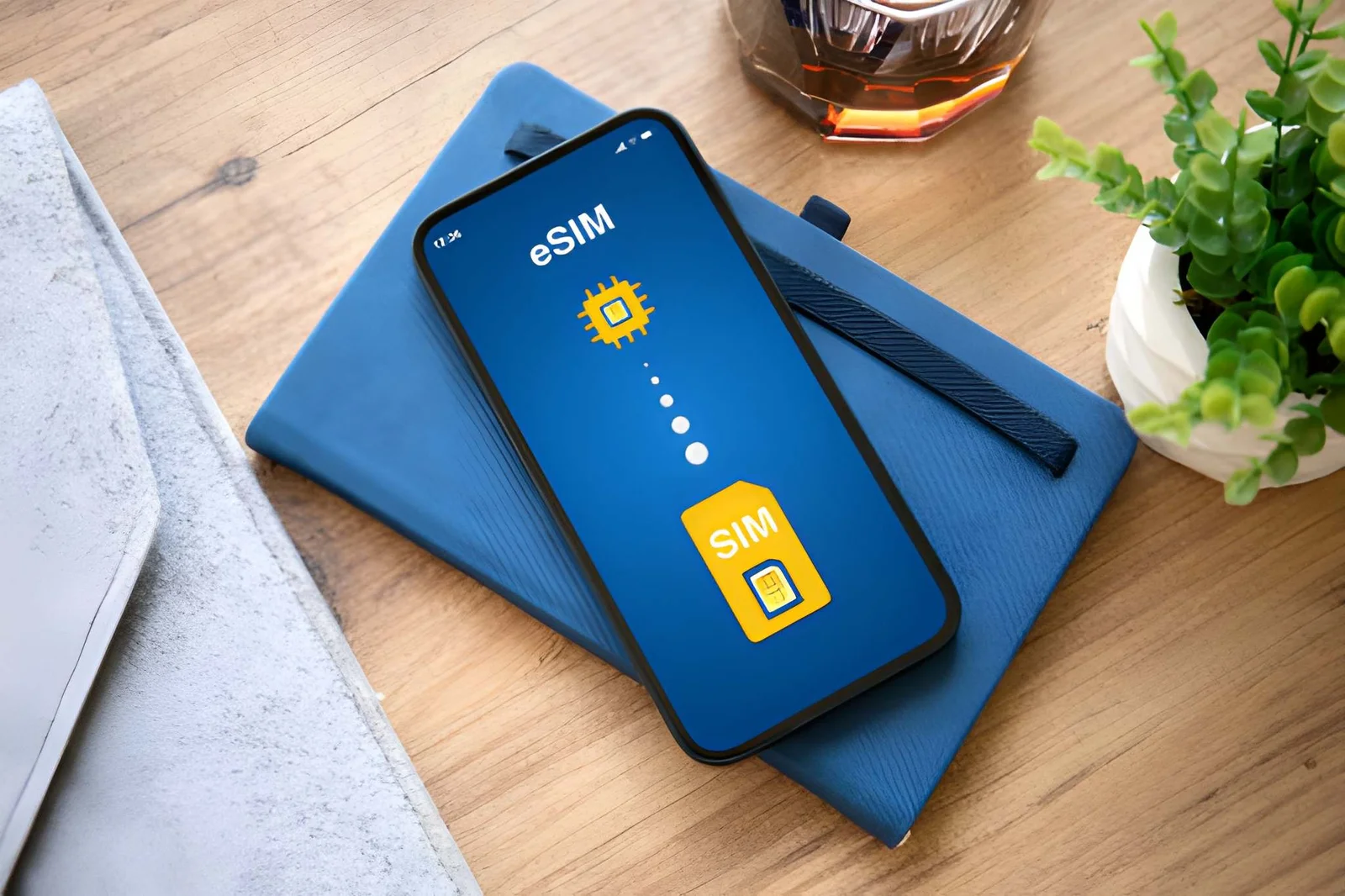
Editor’s Note: The Moto G Power 2024 supports eSIM, while older generations generally do not. This guide is verified against Motorola’s official specifications and covers each generation. Check your model year below to confirm whether your phone can use eSIM.
The Moto G Power supports eSIM from the 2024 model onward; the 2020–2023 generations don’t, and neither do the older G Stylus models. Dial *#06# — if a 32-digit EID appears, your phone is ready. The full model table, activation walkthrough, and troubleshooting steps are below.
Does the Moto G Power Support eSIM?
Yes – but only for Moto G Power (2024) and newer. Older models (2020–2023) do NOT support eSIM. The Moto G Power 2024 is fully eSIM-capable, and so is the Moto G Stylus 2024.
Here’s what you need to know in 10 seconds:
- Check your phone’s year:
- Moto G Power (2024) – ✅ eSIM supported.
- Moto G Power (2023, 2022, 2021, 2020) – ❌ No eSIM.
- Moto G Stylus (2024) – ✅ eSIM supported.
- Moto G Stylus (2023 and older) – ❌ No eSIM.
- Verify with
*#06#: Dial this code. If a 32‑digit EID appears, your phone supports eSIM. - Activate if supported: Go to Settings > Network & Internet > Mobile Network > Add Carrier and scan a QR code.
Pro tip: Other eSIM-compatible Motorola phones include the Edge series (Edge 40/50/60), Razr foldables, and some Moto G 5G models (G53, G54, G55). Always run the EID test.
For a complete list of compatible devices across all brands, see our full compatibility list.
If you are planning to travel with your Moto G Power, check out Roami eSIM plans for affordable connectivity, or eSIM for Japan if you’re headed there.
Which Moto G Power eSIM Scenario Matches Your Phone?
Use this decision map to find exactly what you need, based on your current situation.
| Your Scenario | What You Need | Jump To |
|---|---|---|
| I have a Moto G Power – is it eSIM-capable? | Model/year check | Compatibility table |
| My phone supports eSIM – how do I activate it? | Step‑by‑step setup | activation walkthrough |
| I can’t find the “Add Carrier” option in my settings | Android version differences | Android menu path differences |
| I’m traveling – which plan works best? | Carrier & plan comparison | Travel recommendations |
| I’m thinking of buying a budget eSIM phone – which is best? | Alternatives comparison | Moto G Power vs competitors |
| I’m upgrading to a new phone – what happens to my eSIM? | Transfer guide | eSIM transfer guide |
| My eSIM isn’t working / no signal / no data | Troubleshooting | Troubleshooting |
Why the Moto G Power 2024 Supports eSIM
The answer comes down to one component: the eUICC chip (embedded Universal Integrated Circuit Card), which is the physical hardware that stores SIM profiles and handles profile downloads and management.
What is eUICC and Why Does It Matter?
eUICC is a programmable chip soldered onto the phone’s motherboard. It’s what allows a device to store and manage multiple SIM profiles. Without this chip, a phone cannot support eSIM at all – which is why older Moto G Power models can’t run it: the hardware simply isn’t there.
-
Before 2024: Motorola did not include eUICC in the Moto G Power lineup due to cost considerations. The eSIM market was still emerging, and demand in this price segment was limited. Most users in this price range were still using physical SIM cards.
-
From 2024 onward: Production costs for eUICC dropped significantly, and traveler demand for affordable eSIM‑compatible phones surged. Motorola added the chip to the Moto G Power and Moto G Stylus, making them some of the most affordable eSIM phones on the market.
-
The GSMA standard: The eSIM technology used in Moto G Power 2024 complies with the GSMA SGP.22 specification, ensuring compatibility with carriers and travel eSIM providers worldwide. This is the same standard used by Apple, Samsung, and Google.
The result: The Moto G Power 2024 is one of the cheapest eSIM‑capable phones you can buy new, offering 5G, dual SIM (physical + eSIM), and a large battery – $299.99 at launch, and it regularly sells for well under that.
Important regional variation: While the 2024 model supports eSIM in the US and Europe, some Asian variants (excluding Japan) may have eSIM disabled at the software level. Always verify with the EID test (
*#06#) rather than trusting the model name alone – it is the single most reliable compatibility check.
Moto G Power eSIM Compatibility Table
| Model | Year | eSIM Support | Notes |
|---|---|---|---|
| Moto G Power (2024) | 2024 | ✅ Yes | US & global versions – eSIM confirmed |
| Moto G Power (2023) | 2023 | ❌ No | Physical SIM only – no eUICC hardware |
| Moto G Power (2022) | 2022 | ❌ No | Physical SIM only |
| Moto G Power (2021) | 2021 | ❌ No | Physical SIM only |
| Moto G Power (2020) | 2020 | ❌ No | Physical SIM only |
| Moto G Stylus (2024) | 2024 | ✅ Yes | Supports eSIM |
| Moto G Stylus (2023) | 2023 | ❌ No | No eSIM |
| Moto G Stylus (2022) | 2022 | ❌ No | No eSIM |
A note about “Moto G Power 5G”: In some regions, the 2024 model is marketed as “Moto G Power 5G” – it is the same device with the same eSIM support.
The Moto G Power 2024 also supports dual SIM functionality – you can use one physical SIM and one eSIM simultaneously (Dual SIM Dual Standby / DSDS). This is ideal for travelers who want to keep their home number active while using a local data plan. So yes – on the 2024 model you can run a physical SIM and an eSIM at the same time.
For the complete list of Motorola eSIM phones, see the next section.
Motorola eSIM Compatible Phones
Here are all Motorola models that support eSIM (besides the Moto G Power/Stylus 2024).
| Motorola Model | eSIM Support | Notes |
|---|---|---|
| Edge 60, Edge 60 Pro, Edge 60 Fusion | ✅ Yes | Latest Edge series – fully supported |
| Edge 50, Edge 50 Fusion, Edge 50 Pro, Edge 50 Neo, Edge 50 Ultra | ✅ Yes | Full eSIM support |
| Edge 40, Edge 40 Pro, Edge 40 Neo | ✅ Yes | Full eSIM support |
| Edge 30, Edge 30 Pro, Edge 30 Fusion | ✅ Yes | Some regions |
| Edge 2024, Edge 2023, Edge 2022 | ✅ Yes | US models work |
| Razr 60, Razr 60 Ultra | ✅ Yes | Latest foldables – fully supported |
| Razr 50, Razr 50 Ultra | ✅ Yes | |
| Razr 40, Razr 40 Ultra | ✅ Yes | |
| Razr 2024, Razr+ 2024 | ✅ Yes | |
| Moto G 5G (2025, 2024 models like G53, G54, G55) | ✅ Yes | Select 5G models |
| ThinkPhone 25, ThinkPhone | ✅ Yes | Business series |
Note: Older Motorola phones (Moto G7, G8, G9, G10, G30, G31, G41, G51, etc.) do not support eSIM. Always dial *#06# to confirm.
For other Motorola eSIM phones, please see our full compatibility list. The Motorola Support website also provides official eSIM compatibility information for each model.
How to Check If Your Moto G Power Supports eSIM
The EID Code
This is the definitive compatibility check for your device.
- Open your Phone dialer.
- Enter
*#06#and press call. - Look at the screen:
- EID (32 digits) appears → ✅ Your phone supports eSIM.
- Only IMEI numbers appear → ❌ No eSIM (older model or unsupported).
The EID (eUICC Identifier) is a unique identifier for the embedded SIM hardware. If you see it, your phone has the chip required for eSIM.
Check in Settings
Go to Settings > Network & Internet > Mobile Network. If you see “Download eSIM” or “Add Carrier”, your device supports it. Missing? Then eSIM is not available.
Check Your Model Number
- Moto G Power 2024 – Model numbers: XT2415, XT2415-1, XT2415-2 (eSIM capable).
- Older models – XT2165 (2022), XT2117 (2021), XT2041 (2020) – no eSIM.
Why Carrier Lock Matters for eSIM Activation
Even if your Moto G Power 2024 is eSIM-capable, it must be unlocked to accept a QR code from another provider (like a travel eSIM service).
- Motorola (stock Android):
Settings > About Phone > SIM Status– check lock status. - If your phone is locked, contact your carrier (US: T-Mobile, AT&T, Verizon; Europe: Orange, Vodafone, etc.) to request an unlock before your trip. This is especially important if you’re planning to use travel data abroad.
Carrier‑locked trap: Some carrier‑locked Moto G Power 2024 devices (e.g., from AT&T or Verizon) may have the eSIM feature disabled at the software level, even though the hardware supports it. You may need to unlock the phone or flash the unlocked firmware to enable the “Add Carrier” option. Contact your carrier for details.
Why You Can’t Find Add Carrier on Moto G Power
Many users report: “I have a Moto G Power 2024, but I can’t find Add Carrier anywhere in my settings.” This is not a hardware problem – it’s an Android version difference. The menu path changed between Android 13 and Android 14.
| Android Version | Menu Path |
|---|---|
| Android 13 and below | Settings > Network & Internet > Mobile Network > Advanced > Carrier > Add eSIM |
| Android 14 and above | Settings > Network & Internet > SIM Cards > Add eSIM (or “Download eSIM”) |
The fastest way to find it: Don’t manually browse menus. Pull down the notification shade, tap the gear icon to open Settings, then use the search bar at the top. Type “eSIM” or “Add” – the system will surface the hidden entry point directly, regardless of which Android version you’re on. This one step fixes the majority of “Add Carrier missing” cases.
If search shows nothing: Your device either:
- Lacks the hardware (check with
*#06#– no EID means no support) - Is a carrier‑locked variant with eSIM disabled at the software level
- Is an Asian regional variant that lacks support
How to Activate eSIM on Moto G Power
Activation takes less than 2 minutes. Do it before you fly – you only need Wi‑Fi.
Moto G Power eSIM Activation
- Buy an eSIM plan – For travel, choose a Roami eSIM (free trial available) or any provider like Airalo, Holafly, or Google Fi. For US travel, a USA eSIM from Roami offers multi-carrier switching across T‑Mobile, AT&T and Verizon.
- Go to Settings > Network & Internet > Mobile Network > Add Carrier (see menu path section if you can’t find it).
- Scan the QR code sent to your email. (If it won’t scan, you can also enter the activation details manually – see below.)
- Follow the on-screen prompts to download and install the profile – it typically takes 30–60 seconds.
- Set your eSIM as default for mobile data, and turn on Data Roaming when traveling.
- Label your eSIM (e.g., “USA Travel” or “Work”) for easy identification.
💡 Some Motorola phones require you to be connected to Wi‑Fi during setup. If you see an “unable to activate eSIM” error, check your Wi‑Fi connection and try again.
Installation tip: If you’re setting up a travel eSIM, do it before you leave home. The QR code requires an internet connection to download the profile – once installed, the profile stays on your phone even without Wi‑Fi, and you only turn on Data Roaming upon arrival.
Manual Entry
If you can’t scan the QR code – for example, when the code is displayed on the phone you’re setting up – tap “Enter Details Manually” and input the SM-DP+ Address and Activation Code from your carrier’s email. This bypasses the camera entirely and is the most reliable fallback.
Which Carriers Work with Moto G Power eSIM?
Assuming you have a 2024 or newer model with eSIM enabled.
| Provider | Compatible? | Notes |
|---|---|---|
| Airalo | ✅ Yes | Works out of the box on 2024 models |
| Visible | ⚠️ Limited | Visible officially supports only a few Android phones; test with free trial |
| Google Fi | ✅ Yes | Works if eSIM is present |
| Verizon | ✅ Yes | Verizon‑branded Moto G Power (2024) works, including eSIM. |
| US Mobile | ✅ Yes | Works with eSIM on both Warp 5G and GSM networks |
| T-Mobile (US) | ✅ Yes | Supports eSIM on 2024 models |
| Holafly | ✅ Yes | Fully compatible |
| Roami | ✅ Yes | Full support for travel eSIMs – with multi-carrier switching |
| AT&T (Prepaid) | ⚠️ Limited | AT&T prepaid eSIM is not widely available; postpaid works if unlocked |
| Orange (EU) | ✅ Yes | Supports eSIM on compatible devices |
| Vodafone (EU/UK) | ✅ Yes | Supports eSIM – though prepaid may require UK address |
| O2 (UK) | ✅ Yes | Supports eSIM on compatible devices |
Bottom line: the Moto G Power supports eSIM from the 2024 model onward. The 2024 model also supports dual SIM (one physical SIM + one eSIM active).
Which Budget eSIM Phone Should You Buy?
Still deciding between the Moto G Power 2024 and other budget phones? Here’s a direct comparison based on real usage scenarios.
| Your Situation | Choose Moto G Power (2024) | Choose Xiaomi Redmi Note 13 Pro (no eSIM) | Choose Samsung A35 (has eSIM) |
|---|---|---|---|
| Tight budget + must have eSIM for travel | ✅ Best choice. The cheapest new eSIM‑capable Android phone. No competition at this price. | ❌ Avoid. You’ll save $50 now but can’t buy eSIM abroad – you’ll regret it. | ❌ Costs $100+ more. That extra money buys 20GB of European data. Not worth it. |
| Mostly home use + occasional travel | ✅ Best value. Physical SIM + temporary eSIM – perfect dual‑SIM setup. Switch back to physical SIM when home. | ⚠️ Great if you never travel. But if you travel even once, you’re stuck renting a pocket Wi‑Fi. | ❌ Overkill. Overpaying for occasional travel. |
| Camera matters (social media, travel photos) | ❌ Camera is fine for scanning QR codes and basic photos, but night shots are mediocre. | ⚠️ Better camera than Moto, but no eSIM – limits your travel sharing. | ✅ Samsung A35. Significantly better camera. Worth it for travel photographers. |
| Worried about bricking during unlock/root | ✅ Moto’s stock Android is the most stable. Even without unlocking BL, eSIM works perfectly – very few errors. | ❌ MIUI has weak eSIM support, and Chinese domestic versions often remove eSIM entirely. | ✅ Samsung Knox is secure, but if you trip Knox (by rooting), eSIM permanently breaks – high risk. |
The verdict: If your top priority is eSIM compatibility on a budget, the Moto G Power 2024 is the clear winner. It’s the most affordable Motorola with full eSIM support and offers excellent value for travelers.
Moto G Power eSIM Transfer
This is the nightmare scenario every eSIM user fears. For the Moto G Power (and most non‑Apple Android phones), here’s the brutal truth: your profile cannot be synced to a new phone like cloud data. What happens next depends on the type of eSIM you have.
A profile is hard‑wired to the eUICC security chip in your current phone. Different eSIM types have different transfer rules:
| eSIM Type | Can You Transfer? | What to Do |
|---|---|---|
| Travel eSIM (Roami, Airalo, Holafly, Nomad) | ❌ No transfer. Once installed, it’s locked to your Moto G Power’s eUICC. | Use up all your data before switching phones. If you have leftover data, contact support – some providers allow one profile reset, but many don’t. |
| Local carrier eSIM (T‑Mobile, Verizon, EE, O2) | ✅ Yes, but not directly. Carrier apps offer “Transfer SIM to new device” – this remotely deactivates the old profile and issues a fresh one to your new phone. | Open your carrier’s app, find the transfer option, and follow the prompts. The old profile dies automatically. |
What about reusing the original QR code? If you’re switching phones and still have your activation email, check the expiry date. Most travel QR codes expire within 30–90 days – if yours has expired, contact your provider for a new one or purchase a new plan.
💰 Pro tip before buying: If you plan to upgrade your phone within the next 6 months, avoid buying long‑term (1‑year) plans on your Moto G Power. Buy 7‑day or 30‑day travel plans instead – use them, finish them, and switch phones with zero baggage. This is especially important for travelers who upgrade frequently.
How to Fix Moto G Power eSIM Not Working
Even with careful preparation, issues can occur. Here are the most common problems and how to fix them:
| Issue | Likely Cause | Solution |
|---|---|---|
| “Add Carrier” not showing | Android version difference or Asian regional variant | Don’t browse menus – use the Settings search bar and type “eSIM”. If nothing appears, your device may not have eSIM hardware. |
| eSIM activation failed | QR code expired or network unstable | Request a new QR code. Connect to stable Wi‑Fi. |
| eSIM no service after activation | Data roaming disabled or network selection issue | Settings > Network & Internet > Mobile Network → eSIM → Data Roaming (ON). Also check Network Selection – turn off “Automatic” and manually select a carrier. |
| eSIM QR code not recognized | Code expired or damaged | Use manual entry (SM‑DP+ address and activation code). |
| APN not configured – no data connection | Missing APN settings | Configure APN manually (see table below). |
| Carrier lock prevents eSIM use | Phone locked to original carrier | Contact your carrier to unlock the device. |
| “Unable to activate eSIM” error | Wi‑Fi unstable or server busy | Restart phone, try a different Wi‑Fi network, wait 10 minutes and retry. |
| eSIM shows “No Service” after system update | Update reset network settings | Re‑install eSIM profile (if no data left) or reconfigure APN. |
| eSIM profile download fails mid-install | Unstable Wi‑Fi | Delete the partial profile, restart, and retry on stable Wi‑Fi. |
Manual APN Configuration for Moto G Power eSIM
If you have no service after activation, you may need to configure APN settings manually:
Motorola: Settings > Network & Internet > Mobile Network > Access Point Names (APN) > New APN
| Carrier | APN | Username | Password |
|---|---|---|---|
| T-Mobile (US) | fast.t-mobile.com | (blank) | (blank) |
| AT&T (US) | nxgen | (blank) | (blank) |
| Verizon (US) | vzwinternet | (blank) | (blank) |
| Orange (FR) | orange.fr | (blank) | (blank) |
| SFR (FR) | sl2sfr | (blank) | (blank) |
| Vodafone (UK) | internet | (blank) | (blank) |
| Roami (global) | internet | (blank) | (blank) |
| Airalo | globaldata | (blank) | (blank) |
| Holafly | holafly | (blank) | (blank) |
If you continue to experience issues, see our eSIM Deep Troubleshooting Guide (16 real cases).
Traveling with Your Moto G Power eSIM
The Moto G Power 2024 is an excellent travel companion thanks to its eSIM capability and dual SIM design. Whether you’re exploring the USA, Europe, or Asia, having an eSIM-ready phone gives you flexibility and cost savings.
Best eSIM for Moto G Power When Traveling
- For US travel: The USA eSIM with multi-carrier switching (T-Mobile, AT&T, Verizon) is the most reliable option. Perfect for road trips and city exploration.
- For European travel: Consider a Europe eSIM that covers multiple countries with a single plan.
- For other destinations: Check our global eSIM plans for coverage in over 190 countries.
Dual-SIM Setup for Travel
The Moto G Power 2024 supports dual SIM with one active physical SIM and one active eSIM. This allows you to:
- Keep your home SIM active for calls and SMS (with data roaming disabled to avoid charges)
- Use a travel eSIM for affordable local data
Configuration for Moto G Power (Android):
Settings > Connections > SIM Manager- Set your travel line as the data SIM
- Set your home physical SIM as the call/SMS SIM
- Turn off data roaming on the home SIM
- Keep Data Roaming ON for the travel line
This is the most cost‑effective way to stay connected abroad, avoiding expensive roaming charges. For more tips, see our Travel eSIM 2026 guide.
What If Your Moto G Power Doesn’t Support eSIM?
If you have an older model (2023 or earlier), don’t panic. You have two options:
- Buy a physical SIM at your destination – works fine, just less convenient.
- Upgrade to the Moto G Power 2024 – it’s one of the cheapest eSIM phones on the market and future‑proofs you for years.
If you’re on a tight budget, a physical SIM remains a perfectly viable option. Many airports and convenience stores sell prepaid SIMs.
Moto G Power eSIM FAQs
Does Moto G Power 2023 support eSIM? No – only the 2024 model and newer support eSIM. The 2023 model is physical SIM only.
Does Moto G Stylus 2024 support eSIM? Yes – the 2024 Moto G Stylus supports eSIM.
Does Moto G Power 5G (2024) support eSIM? Yes – the 5G version of Moto G Power 2024 also supports eSIM.
How can I tell which year my Moto G Power is? Go to Settings > About Phone > Model Number. Common ones: XT2041 (2020), XT2117 (2021), XT2165 (2022), XT2415 (2024).
My Moto G Power (2024) doesn’t show “Add Carrier” – what’s wrong? 90% of the time, it’s because the menu path changed between Android versions. Use the Settings search bar and type “eSIM”. If nothing appears, check if your phone is carrier‑locked or an Asian variant – contact your carrier.
Does Motorola Edge support eSIM?
Yes – most Motorola Edge models (Edge 40, 50, 60, 2024) support eSIM. Check with *#06#.
Does Motorola Razr support eSIM? Yes – all Motorola Razr foldable models (Razr 40/50/60, Razr 2024, Razr+) support eSIM.
Is Holafly compatible with Moto G Power 2024? Yes – Holafly eSIM works perfectly on Moto G Power 2024. Just scan the QR code.
Can I use eSIM and physical SIM at the same time on Moto G Power 2024? Yes – the 2024 model supports dual SIM with one active physical SIM and one active eSIM simultaneously.
What is the best eSIM for Moto G Power? For US travel, Roami offers multi-carrier switching (T-Mobile, AT&T, Verizon). For Europe, Airalo or Holafly are good options.
How do I fix moto g power eSIM not working? Check data roaming is enabled, verify APN settings, restart your phone, and ensure you have a stable Wi‑Fi connection. See the troubleshooting section above.
How to check eSIM compatibility on Moto G Power?
Dial *#06#. If a 32-digit EID appears, your phone is eSIM compatible – it’s the most reliable check there is.
Does Moto G Power support eSIM activation without Wi-Fi? No – eSIM activation requires a Wi‑Fi connection to download the profile from the carrier’s SM-DP+ server.
Can I use my Moto G Power eSIM with European carriers? Yes – European carriers like Orange, Vodafone, and O2 support eSIM on compatible devices.
My eSIM was working but stopped after a system update – what happened? Android updates can sometimes reset network settings. Re‑enter APN settings or re‑install the eSIM profile if you still have the QR code.
Is the Moto G Power 2024 worth buying just for eSIM? If you’re a frequent traveler on a budget, yes – it’s the cheapest phone with eSIM and 5G, and it supports dual SIM, making it ideal for keeping your home number while using travel data.
Can I transfer my Moto G Power eSIM to a new phone? For travel eSIMs (Roami, Airalo, Holafly): No – they are locked to the device. For local carrier eSIMs (T‑Mobile, Verizon, EE): Yes – use the carrier’s app to transfer. See the eSIM transfer section above.
Based on Motorola support documentation, GSMA standards, and carrier testing. Updated: September 2026.