Editor’s Note: Throttling and hidden fees — not the sticker price — are how most US travel eSIM plans quietly cost more, and daily caps and auto-renewal are the usual culprits. This guide compares Roami against the three major US networks using carrier coverage data, with every price verified as of September 2026. Read the hidden-fees section before you buy.
For a US trip, pick your plan around coverage first and price second: city trips run well on T-Mobile-based plans, while national-park routes need AT&T or Verizon reach. Expect roughly $23 for 10GB/30 days from data-only providers, with multi-network plans at a similar price point. The decision matrix, hidden-fee list, and full provider comparison are below.
US eSIM Decision Matrix
Not sure which travel data plan to buy? Answer 2 questions and go:
| Your Travel Style | Best Network | Recommended Plan | Est. Cost |
|---|---|---|---|
| 🏙️ City trip (NYC/LA/Chicago) – 5–7 days, casual data | T-Mobile (fastest 5G) | 3GB–5GB fixed | $10–$18 |
| 🏜️ Road trip / National Parks – 10–14 days, GPS + photos | AT&T or Verizon (widest rural coverage) | 10GB fixed or unlimited | $25–$45 |
| 💼 Business trip – 5–10 days, video calls + hotspot | T-Mobile (lowest latency) | 10GB–20GB | $20–$35 |
| 🌎 Multi-country (US+CAN+MEX) – 7–14 days | Auto-switching regional | 5GB–10GB regional | $20–$40 |
| 📱 Heavy user – 15+ days, streaming + tethering | Multi-network (any carrier) | Unlimited (with FUP) | $40–$60 |
| 💰 Budget traveler – 3–5 days, light usage | Any network (cheapest per GB) | 1GB–2GB | $3–$8 |
Now scroll to your match for full details.
For a complete list of eSIM compatible devices, see our full compatibility guide.
For broader travel data tips beyond the US, see our Travel eSIM guide.
Does Your Phone Support a US eSIM?
This is where most travelers get tripped up. You must verify your phone’s hardware supports eSIM before paying. To view the complete list of eSIM compatible devices, check Roami’s updated 2026 compatibility database.
The Universal EID Check
The fastest universal check: Open your phone’s dialer and type *#06#. If a long barcode labeled EID appears on your screen, your phone is eSIM-ready.
iPhone Compatibility
| Model | Works? | Notes |
|---|---|---|
| iPhone XR / XS / XS Max | ✅ Yes | First models with eSIM support |
| iPhone 11 – 16 | ✅ Yes | All models (except China/HK/Macau) |
| iPhone 14/15/16 (US) | ✅ Yes (eSIM only) | No physical SIM tray |
| iPhone (China/HK/Macau) | ❌ No (except iPhone 16) | Dual physical SIM instead |
| iPhone 8 or older | ❌ No | No eSIM hardware |
How to verify your iPhone:
- Go to Settings.
- Tap General > About.
- Scroll down and look for Available SIM or an EID number.
- If you cannot find an EID, abort your purchase immediately.
Critical warning: If you bought your iPhone in Mainland China, Hong Kong, or Macau, it almost certainly does NOT support eSIM (Apple builds dual physical SIM trays for these specific regions).
Android Compatibility
Android compatibility is fragmented. Google Pixel 3 and newer, alongside Samsung Galaxy S20 and newer (excluding some FE models), generally support eSIM.
| Phone Model | Works? | Notes |
|---|---|---|
| Google Pixel 3–9 | ✅ Yes | All models |
| Samsung Galaxy S20–S25 | ✅ Yes | Except some FE models |
| Samsung Galaxy Z Fold/Flip | ✅ Yes | All models |
| Huawei / Xiaomi / OPPO / vivo | ⚠️ Check model | Most China models = no support |
Similar to Apple, phones manufactured for the Chinese domestic market (Huawei, Xiaomi, OPPO, vivo) usually have the eSIM hardware physically removed.
How to verify your Android:
- Go to Settings.
- Tap Network & Internet (or Connections).
- Tap SIMs (or SIM Manager).
- Look for an Add eSIM or Download a SIM instead? button. If it exists, you are safe.
For detailed activation instructions on your specific device, see our iPhone eSIM activation guide or general activation guide.
If Your Phone Doesn’t Support eSIM
If you’ve gone through all these steps and found no EID or digital menu, you have three alternatives:
- Buy a physical travel SIM – some providers ship physical cards to your home address
- Buy a local prepaid SIM after arrival – works on any unlocked phone
- Use your home carrier’s international roaming – the most expensive option, but zero setup
The Complete US eSIM Buying Guide
Here’s the end‑to‑end journey most travelers follow. Use this to track where you are.
| Step | What You’re Doing | Where to Find It |
|---|---|---|
| 1. Decide if you need one | Check if your phone supports eSIM (EID check). | Compatibility section above |
| 2. Choose your network | T‑Mobile (cities) vs AT&T/Verizon (rural/parks). | Network comparison |
| 3. Pick your plan | Match your trip length + data habits. | Plan selection |
| 4. Compare providers | Airalo vs Roami vs Holafly – which is cheapest? | Provider comparison |
| 5. Watch for hidden fees | Activation fees, top‑up premiums, refund policies. | Hidden fees checklist |
| 6. Buy and activate | Scan QR code before landing, toggle on arrival. | Activation guide |
| 7. Troubleshoot if needed | No signal? Slow speeds? Fix it fast. | Troubleshooting |
Why a US eSIM Is Essential for Travel in 2026
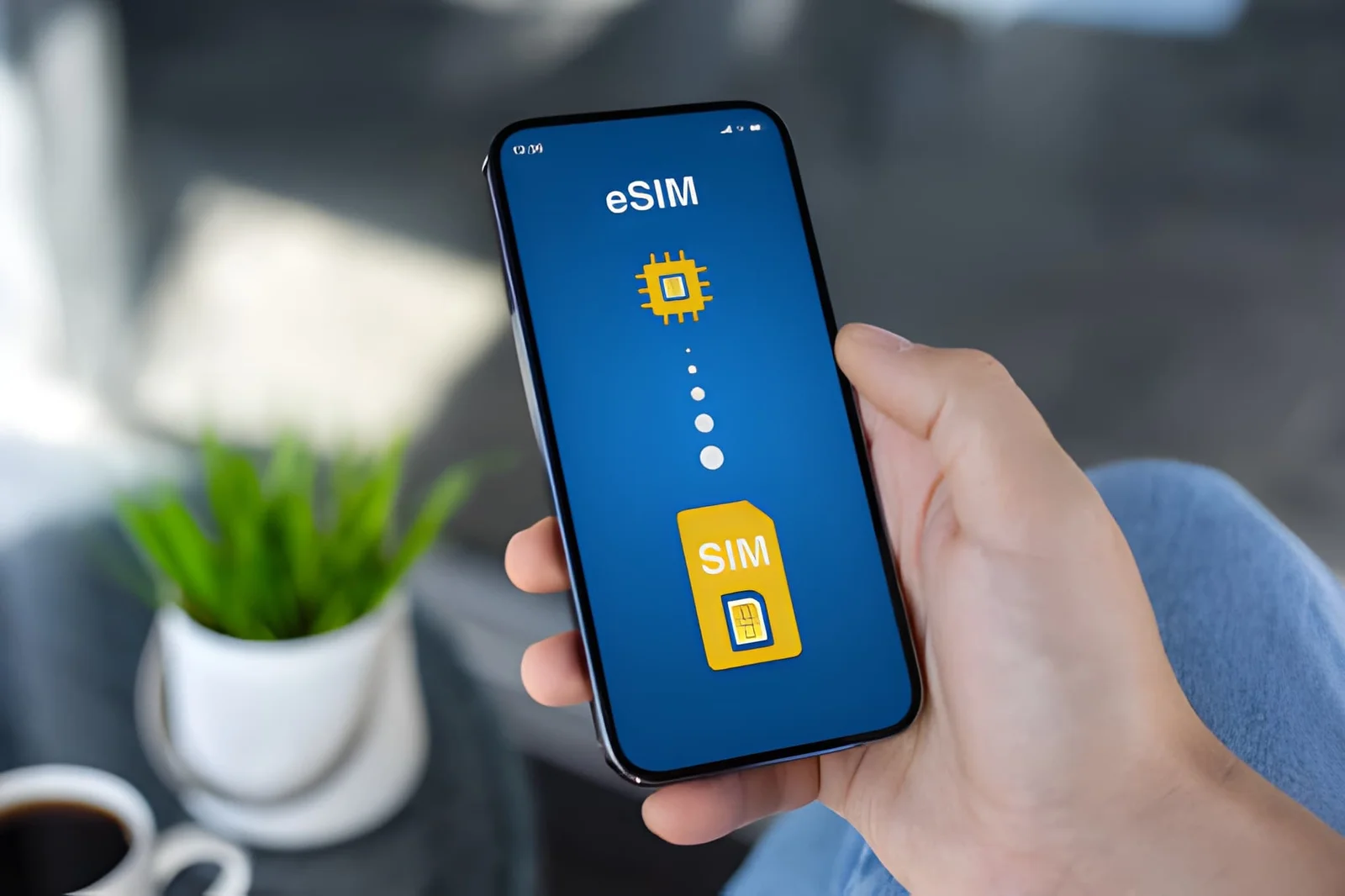
A US eSIM is a microchip soldered directly to your phone’s motherboard. You don’t need a SIM ejector tool. You simply scan a QR code to download and activate a local carrier’s network profile in seconds. The technology is governed by the GSMA standard SGP.22, ensuring global interoperability.
In 2026, using a US eSIM for travel is effectively mandatory. Starting with the iPhone 14 series, Apple completely removed the physical SIM tray for all US models. This hardware revolution forced US carriers to shift entirely to digital, making prepaid physical cards increasingly difficult to find at airports or convenience stores. The official Apple support page for eSIM confirms this transition.
Relying on your home carrier’s international roaming guarantees high daily fees and significant network latency. By purchasing a US eSIM in advance, your phone automatically connects to a 5G network the second your plane lands, allowing you to hail an Uber immediately.

Which US Network Is Best for You, T-Mobile, AT&T, or Verizon?
The US telecom infrastructure is controlled by three giants: T-Mobile, AT&T, and Verizon. The plans you buy will route through these premium base networks to ensure you get the best connection possible. Choosing the wrong network turns your phone into a brick. Your travel itinerary dictates which carrier you must use.

US Carrier Comparison Table
| Metric | T-Mobile | AT&T | Verizon |
|---|---|---|---|
| Urban 5G Speed | ⭐⭐⭐⭐⭐ (Fastest) | ⭐⭐⭐⭐ | ⭐⭐⭐ |
| Rural Coverage | ⭐⭐ | ⭐⭐⭐⭐⭐ | ⭐⭐⭐⭐⭐ |
| National Coverage Area | ~62% of US landmass | ~68% | ~70% |
| Low‑Band Frequencies | Band 71 (600MHz) | Band 12/14 (700MHz) | Band 13 (700MHz) |
| Best For | Cities, speed‑sensitive users | Road trips, national parks | Mountains, remote areas |
| Average 5G Download | 150–350 Mbps | 80–180 Mbps | 70–150 Mbps |
| Network Latency | 20–35ms | 30–50ms | 35–55ms |
T-Mobile 5G Speed and Urban Coverage
If you are staying in major cities like New York, Los Angeles, San Francisco, or Chicago, T-Mobile is your absolute first choice. T-Mobile owns the widest and fastest mid‑band 5G network in the country (2.5GHz spectrum). If you’re specifically looking for a prepaid T‑Mobile option, many eSIM plans route through T‑Mobile’s network.
Key advantage: Lowest latency (20–35ms) – best for video calls, gaming, and real‑time apps.
AT&T and Verizon Coverage for National Parks and Remote Areas
If your itinerary includes a Route 66 road trip, Yellowstone, the Grand Canyon, or Yosemite, you must buy a plan powered by AT&T or Verizon. These legacy carriers operate massive low‑band networks (700MHz) that travel further and penetrate buildings and forests better.
Key advantage: AT&T’s FirstNet infrastructure and Verizon’s Band 13 give them superior range in rural and mountainous terrain.
Roami offers access to both networks, including prepaid access through AT&T and Verizon, via automatic carrier switching – you’re not locked to a single network.
Coverage Test Results
| Location Type | T‑Mobile | AT&T | Verizon |
|---|---|---|---|
| Times Square, NYC | ✅ Excellent (500+ Mbps) | ✅ Good | ✅ Good |
| Downtown Chicago | ✅ Excellent | ✅ Good | ✅ Good |
| Grand Canyon South Rim | ⚠️ Limited | ✅ Good | ✅ Good |
| Yellowstone Old Faithful | ⚠️ Sporadic | ✅ Good | ✅ Excellent |
| Route 66 (rural AZ/NM) | ⚠️ Dead zones | ✅ Good | ✅ Good |
| Yosemite Valley | ⚠️ Limited | ✅ Good | ✅ Excellent |
How to Choose the Best USA eSIM Plan Based on Your Itinerary
Do not blindly buy the most expensive option. Match your eSIM plan to your exact stay duration and data habits to maximize your money.
Short-Term Travel Fixed Data Plans
For a one or two-week vacation, hotels and restaurants provide free Wi-Fi. Your outdoor data needs are strictly for Google Maps, Uber, WhatsApp, and quick web searches. A 5GB to 10GB fixed plan is more than enough.
Estimated data usage per day (typical travel):
- Google Maps (30 min): ~50MB
- Instagram/TikTok scrolling (1 hr): ~200–400MB
- WhatsApp messages (all day): ~20MB
- Uber/Lyft rides (3–4 rides): ~10MB
- One 10‑min video call: ~150MB
- Total typical day: ~500MB–1GB
Long-Term Visits with Larger or Unlimited Plans
If you are staying over half a month or consume heavy video content, an unlimited eSIM plan removes the stress of tracking megabytes. However, you must understand the Fair Usage Policy (FUP). Almost all “unlimited” plans have a hidden high-speed cap. Once you exceed a specific daily threshold (e.g., 2GB or 3GB), carriers throttle your speed down to 2G/3G levels (128kbps - 384kbps). Always check the FUP limits in your plan details before checking out.
North America Regional Plans for the US Canada and Mexico
If you are visiting Vancouver or Cancun during your US trip, buy a North America Regional plan. These plans force your phone to auto-switch to partner networks when you cross borders (e.g., Rogers in Canada, Telcel in Mexico).
US eSIM Plan Types
| Plan Type | Best For | Typical Price Range | Watch Out For |
|---|---|---|---|
| Fixed GB (1–30 days) | Short trips, light/medium usage | $2–$40 | Data runs out = need top‑up |
| Unlimited (daily FUP) | Heavy usage, no tracking stress | $30–$60 | Throttle after daily FUP cap |
| Regional (US+CAN+MEX) | Multi‑country itineraries | $15–$50 | Check if data works in all 3 countries |
| With Phone Number | SMS verification, local calls | $20–$50 | Often more expensive per GB |
| Pay‑per‑day | Flexible, unpredictable trips | $5–$12/day | Most expensive per GB |
Hidden US eSIM Plan Fees
The advertised price is rarely the final price. Here’s the fine print most travelers miss:
Activation and Service Fees
Some providers charge a one‑time eSIM activation fee ($1–$5) that’s not included in the headline price. Always check the checkout total before entering your credit card.
Top-Up Price Inflation
The cheapest eSIM plan is often a “loss leader.” When you need to add more data, the price per GB can be 2–3x higher than the initial plan. Example: A 1GB/7‑day plan for $4.99 might have a 1GB top‑up for $8.99. Buy enough data upfront.
Daily Cap Unlimited Traps
As noted in the Fair Usage Policy section, “unlimited” usually means 1GB–3GB of high‑speed data per day, then throttled to 128–256kbps. If you stream video daily, you’ll hit this cap every day.
Auto-Renewal Billing
Most monthly eSIM plans auto‑renew by default. If you don’t cancel before the renewal date, your card will be charged again – even if you’ve already left the US.
How to stop auto‑renewal:
- iPhone: Settings > Apple ID > Subscriptions → find the plan → Cancel Subscription.
- Android: Google Play > Subscriptions → find the plan → Cancel.
- Provider app: Most travel plan apps have a “Manage Plan” section where you can toggle auto‑renewal off.
No Refund Policies
Almost all travel eSIM plans are non‑refundable once the QR code is issued. If your phone turns out to be incompatible, your money is gone. Always verify EID before purchasing.
Hidden Fees Quick Checklist
| Fee Type | What to Check | Red Flag |
|---|---|---|
| Activation fee | Checkout total vs. advertised price | Any fee > $2 |
| Top‑up cost per GB | Compare to initial plan’s per‑GB price | Top‑up > 1.5x initial per‑GB |
| Auto‑renewal | Check if it’s on by default | “Monthly” plans with auto‑renew |
| Refund policy | Read the TOS before checkout | “No refunds after QR issue” |
| Fair Usage Policy | Daily high‑speed cap | Cap < 1GB/day |
How to Check Your Remaining Data Balance
Most eSIM providers have an app or dashboard where you can check remaining data. Alternatively:
- iPhone: Settings > Cellular > [your plan] → look for “Current Period” data usage (reset this manually when you start your trip).
- Android: Settings > Connections > Data Usage > Mobile Data Usage → select your plan.
What Happens When Your Plan Expires
When your eSIM plan reaches its expiration date:

- Data stops working – you won’t be able to browse, use maps, or send messages
- Your phone number (if any) stays active – but only for incoming calls (you can’t make outgoing calls or use data)
- Top‑up extends validity – adding data usually extends the expiration date
- If you don’t top up within 30-60 days, the profile is deactivated and you’ll need a new QR code
Best practice: Set a reminder 2‑3 days before your plan expires so you can top up before you lose connectivity.
Which US eSIM Plan Is Cheaper, Airalo, Roami, or Holafly?
Here’s the direct comparison travelers actually search for. All prices are based on 10GB / 30‑day plans (or closest equivalent) and verified against provider websites in September 2026.
Quick Side‑by‑Side Comparison
| Feature | Roami | Airalo (Discover+) | Holafly |
|---|---|---|---|
| Network | T‑Mobile + AT&T + Verizon (auto‑switches) | T‑Mobile only | AT&T or T‑Mobile (choose at checkout) |
| 10GB Plan Price | $26.99 | $23.00 (data-only, 10GB/30d; Discover+ with US number ≈ $37) | $47.00 (unlimited data only, 30 days) |
| Cost per GB | $2.70 | $2.25–2.60 | n/a (unlimited) |
| Includes Phone Number? | ❌ Data‑only | ✅ Yes (Discover+ plans) | ❌ Data‑only |
| Validity | 30 days | 30 days | 15 days (for 10GB plan) |
| Hotspot/Tethering | ✅ Yes | ✅ Yes | ✅ Yes |
| 5G Access | ✅ Yes (on T‑Mobile) | ✅ Yes | ✅ Yes |
| Customer Support | 24/7 chat | Email / Chat | 24/7 chat |
| Free Trial | ✅ 100MB free | ❌ No | ❌ No |
| Refund Policy | Refund if QR not scanned | No refund after QR issue | No refund after QR issue |
| Top‑up Cost (1GB) | $6.99 | $8.00 | $8.00 |
Which One Should You Buy?
| If you… | Choose |
|---|---|
| Want the cheapest per GB | Roami ($2.70/GB) |
| Need a US phone number for verification | Airalo Discover+ |
| Are visiting national parks / rural areas | Roami (multi‑network switching) |
| Want a free trial before committing | Roami (100MB free) |
| Prefer AT&T specifically (not T‑Mobile) | Holafly (select AT&T) |
| Need 30‑day validity on a 10GB plan | Roami or Airalo |
| Only need a phone number for SMS | Airalo Discover+ |
💡 Key Insight: Roami’s 10GB ($26.99) sits at rough parity with Airalo’s data-only plan ($23.00 for 10GB/30d as of September 2026), but Roami adds automatic switching across all three networks, while Airalo’s data-only plan runs on a single network. Holafly sells unlimited data only — $47 for 30 days. Read our full Airalo vs Holafly comparison for more detail.
How to Buy and Activate a US eSIM
After verifying compatibility, purchase your plan. You will receive a QR code via email.
When to Scan the QR Code
⚠️ Critical: You must scan and install this profile while connected to stable home Wi-Fi OR immediately after arriving in the US with airport Wi-Fi. Do NOT wait until you’re outside the airport without internet access.
Important distinction:
- Scan QR code → can be done anytime (before or after arrival). It just installs the profile.
- Activate the line → toggle ON only after you land in the US. If you toggle it on before departure, your phone may attempt to connect to a US tower from abroad, leading to roaming charges or activation errors.
Install the eSIM on iPhone
For iPhone users, installation takes 60 seconds:
- Scan to install: Connect to Wi-Fi. Go to Settings > Cellular > Add eSIM. Select “Use QR Code” and scan the QR code from your email.
- Rename the label: The system asks you to label the new line. Rename it to “US Travel” so you don’t confuse it with your primary number.
- Keep off before flight: While still at home, go to Settings > Cellular, tap your travel line, and toggle the line OFF.
- Activate upon landing: Once the plane lands and you’re in the US, toggle the travel line ON. Switch your Cellular Data to the travel line and you MUST toggle Data Roaming to the ON position.
Install the eSIM on Android
Android menus vary slightly by manufacturer, but the logic is identical:
- Scan to install: Connect to Wi-Fi. Go to Settings > Network & Internet > SIMs. Tap the “+” icon or “Download a SIM instead”. Scan your QR code.
- Keep off before flight: In your SIM manager, ensure this newly downloaded profile is toggled OFF.
- Activate upon landing: When you arrive in the US, toggle the plan ON.
- Critical settings: Set this plan as your default for Mobile Data. Tap into the plan’s settings and toggle Roaming to the ON position. It will not connect otherwise.
Dual-SIM Best Practices
If you want to keep your home number active for SMS/calls while using your US eSIM for data:
| Setting | Recommended Value | Why |
|---|---|---|
| Default Voice Line | Home SIM (your regular number) | Keep receiving calls on your home number |
| Cellular Data | US Travel Plan | Use US data plan, not expensive roaming |
| Data Roaming (Home SIM) | OFF | Prevent accidental roaming charges |
| Data Roaming (US Plan) | ON | Required for US data to work |
| Allow Cellular Data Switching | ON | Allows calls/SMS on home SIM to use US plan data for Wi‑Fi Calling |
To set this up on iPhone: Settings > Cellular > Cellular Data → select US plan. Then Settings > Cellular > Default Voice Line → select your home SIM. Turn Data Roaming OFF for home SIM, ON for US plan.
Pre-Flight Activation Checklist
| Step | Done? |
|---|---|
✅ Verified EID (typed *#06#) |
☐ |
| ✅ Bought plan from provider | ☐ |
| ✅ Scanned QR code and installed profile (BEFORE landing) | ☐ |
| ✅ Renamed plan to “US Travel” | ☐ |
| ✅ Toggled US plan OFF before flight | ☐ |
| ✅ Toggled Data Roaming OFF on home SIM | ☐ |
| ✅ Saved a screenshot of the QR code / activation code (backup) | ☐ |
Common US eSIM Issues and Fixes
Even with perfect execution, network handshakes occasionally fail. Here is the technical checklist to force your phone online. For advanced issues, see our eSIM deep troubleshooting guide and dual-eSIM fixes for iPhone.
No Signal or Internet After Landing
If your phone shows “No Service” or has bars but no data, run through this sequence:
- Check Data Roaming: This causes 90% of failures. Go into your plan’s settings and verify Data Roaming is toggled ON.
- Check Default Data Line: Ensure your phone is routing data through the travel plan, not your home country’s physical SIM.
- Turn Off Primary SIM: Dual‑SIM conflicts happen. Temporarily toggle your home physical SIM OFF so the phone only reads the travel plan.
- Reset Network Connection: Turn on Airplane Mode for 10 seconds, then turn it off. If that fails, restart the phone entirely to force a new tower ping.
Signal Bars but No Data Check APN Settings
If after activation no data network is available, APN settings may need adjustment:
- iPhone: Settings > Cellular > Cellular Data Network.
- Android: Settings > Connections > Mobile Networks > Access Point Names.
- Common APN values:
globaldatafor Airalo,internetfor Roami. Most travel plans auto‑configure the APN, so check your provider’s website for the exact value.
How to Manually Select a Network
If you have signal but can’t connect, force your phone to try a different network:
On iPhone: Settings > Cellular > [your plan] > Network Selection → turn OFF “Automatic” → wait for the list of networks → select a different one (e.g., if T‑Mobile isn’t working, try AT&T or Verizon if your plan supports it).
On Android: Settings > Connections > Mobile Networks > Network Operators → turn OFF “Select automatically” → choose a different network.
⚠️ Warning: Only do this if your plan supports multiple networks. Some travel plans are locked to a single carrier – trying to manually select another network will just show “No Service.”
Why Unlimited Data Suddenly Slows Down
If your speeds were blazing fast for three days and suddenly you cannot load a photo, you hit the FUP (Fair Usage Policy) cap. As explained earlier, carriers throttle your speed to 128kbps once you burn through your daily high‑speed allowance.
The fix: This throttle resets automatically at midnight local time. If you need high‑speed data immediately for work, your only option is to buy and install a fresh data pack or top‑up.
Why Some eSIM Plans Are Slower Than Others
Not all data is created equal. Travel eSIMs are often deprioritized compared to local carrier customers:
| User Type | Network Priority | Speed During Congestion |
|---|---|---|
| Local carrier postpaid customer | Highest | Full speed |
| Local carrier prepaid customer | Medium | May slow during peak times |
| Travel eSIM user (via reseller) | Lowest | First to be slowed when network is busy |
What this means for you: In crowded areas (Times Square, sports stadiums, concerts), your travel plan may slow down even if you have data remaining. Multi‑network eSIM plans help because they can switch to a less congested carrier.
US eSIM FAQs
Is Airalo or Roami cheaper for the USA? Airalo’s data-only 10GB/30d plan ($23.00) is slightly cheaper than Roami’s 10GB ($26.99), but Roami adds automatic switching across T‑Mobile, AT&T, and Verizon while Airalo’s data-only plan uses a single network. For unlimited data, Roami is often the better value. Read our Airalo vs Holafly guide.
Does a US eSIM include a phone number? Most travel data plans are data‑only. If you need a US number for calls or SMS verification codes, look for a plan that includes a phone number (like Airalo Discover+). Note that these plans are usually more expensive per GB.
What is the best US eSIM plan for travel? The best choice depends on your itinerary:
- Cities → T‑Mobile network (fastest 5G)
- National Parks → AT&T or Verizon (better rural coverage)
- Multi‑network switching → Roami covers all three
Can I use a US eSIM in Canada or Mexico? Only if you buy a North America Regional plan that explicitly includes those countries. Standard US plans stop working at the border.
Why does my plan show “No Service” after landing? Most commonly, Data Roaming is not turned ON, or the phone is still using your home SIM for data. Double‑check both settings. See the troubleshooting section above.
What is a free trial? Some providers offer a free eSIM trial (e.g., Roami offers 100MB of data) so you can test compatibility and coverage before buying a paid plan. You can claim your free trial here.
What is the cheapest eSIM plan for the USA? Prices vary by data allowance. As of September 2026:
- Roami’s 1GB/7‑day plan starts at $1.99.
- Always compare cost per GB rather than the headline price, especially for larger plans.
How do I stop auto‑renewal on my plan?
- iPhone: Settings > Apple ID > Subscriptions → find the plan → Cancel Subscription.
- Android: Google Play > Subscriptions → find the plan → Cancel.
- Provider app: Most travel plan apps have a “Manage Plan” section.
Can I use my US eSIM as a hotspot for my laptop? Most US plans allow hotspot/tethering. Check the provider’s terms – some restrict hotspot usage on “unlimited” plans.
What happens if I run out of data? You’ll need to buy a top‑up pack. Top‑up prices are usually higher per GB than the initial plan – buy a larger initial plan if you’re unsure about usage.
Can I keep my home SIM active for iMessage while using a US eSIM for data? Yes. On iPhone, set Default Voice Line to your home SIM, Cellular Data to your US eSIM, and turn on Allow Cellular Data Switching. Your home number will still work for iMessage and FaceTime over the US plan’s data connection.
How early should I buy before my trip? Buy and scan the QR code 1–3 days before departure while on stable Wi‑Fi. This gives you time to troubleshoot activation issues before you leave. Do NOT wait until you’re at the airport with spotty Wi‑Fi.
What is a confirmation code and where do I find it? Some providers require a confirmation/activation code (usually 4–8 digits) during installation. Check your provider’s email – it’s often listed separately from the QR code. If you can’t find it, check the provider’s app or support page.
Which eSIM provider has the best coverage for US road trips? Roami (which uses AT&T + Verizon + T‑Mobile) offers the best overall road trip coverage because it automatically switches between all three networks. Single‑network plans like Airalo (T‑Mobile only) will have dead zones in rural areas.
What is the best US eSIM plan for families or groups? If you’re traveling with family:
- Option 1: Buy one plan with a generous data allowance and use Personal Hotspot to share with others.
- Option 2: Buy separate plans for each person – this is more expensive but gives everyone independence.
- Recommendation: For families, Option 1 is usually more cost‑effective. A 10‑15GB plan can easily cover 2‑3 people for a week if they’re not heavy streamers.
What’s the difference between a travel eSIM and a local carrier prepaid plan?
| Feature | Travel eSIM (Roami/Airalo) | Local Carrier (T‑Mobile prepaid) |
|---|---|---|
| Buy before arrival | ✅ Yes | ❌ No – must buy in US |
| ID required | ❌ No | ✅ Yes (passport) |
| Phone number | ❌ Usually no | ✅ Yes |
| Cost | Cheaper for short trips | Cheaper for long stays |
| Setup time | 2 minutes | 15‑30 minutes in-store |
Conclusion
Getting online in the US no longer requires hunting down a physical SIM card. By verifying your phone’s EID, choosing the right underlying network for your route, and scanning your QR code before you fly, you guarantee instant 5G access on the tarmac.
Remember the sequence: Check EID → Pick Network → Compare Providers → Watch for Hidden Fees → Scan Before Flight → Turn on Roaming.
Final Recommendations
| If you… | Buy this |
|---|---|
| Want the cheapest overall US plan | Roami ($1.99/1GB) or Airalo data-only for 10GB+ |
| Need a US phone number | Airalo Discover+ |
| Are driving through national parks | Roami (multi‑network switching) |
| Need unlimited data for 30+ days | Roami unlimited or T‑Mobile prepaid |
| Only need light data for 3–5 days | Any provider’s 1–2GB plan ($2–$6) |
👉 Ready to choose? See our USA eSIM plans for instant activation, or a Canada eSIM if your trip crosses the border.
Based on Apple official documentation, GSMA standards, and carrier coverage data. All prices verified as of September 2026.