Icelandair and Connectivity: What the Airline Sells, and What It Does Not
Roami Team
Roami offers reliable eSIM plans, serving over 1 million travelers annually, and supports automatic local network switching to help travelers stay connected globally.
📑 Table of Contents
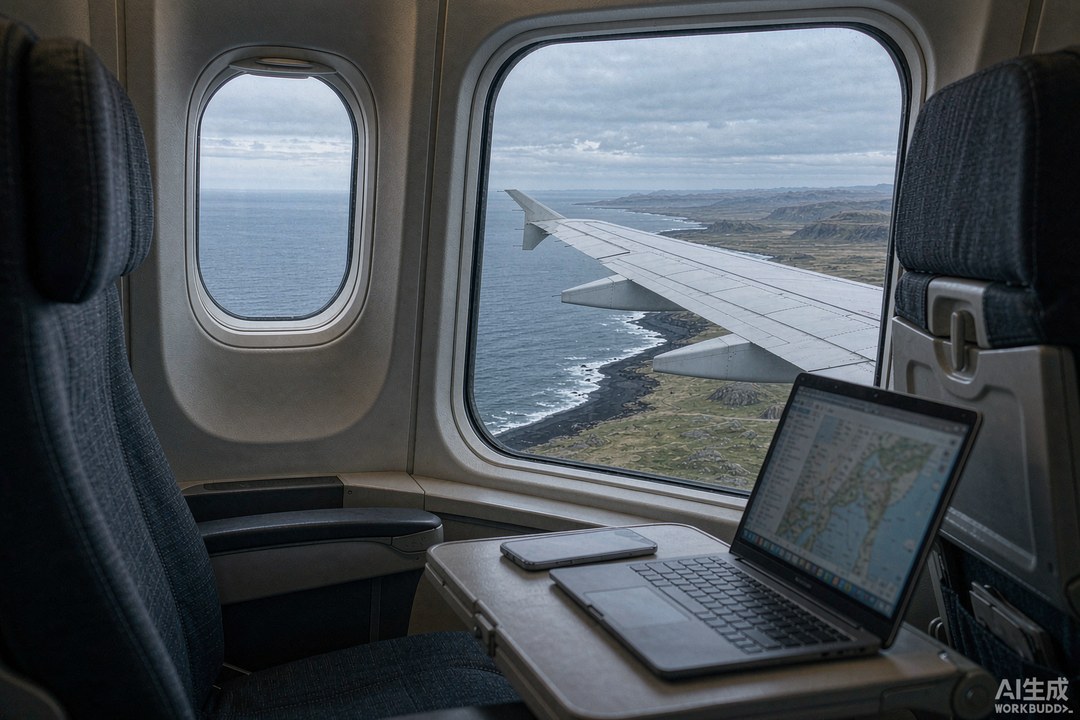
Most articles answering the query Icelandair eSIM — or its split-spelling cousin, Iceland air eSIM, since the carrier writes its name as one word and plenty of people do not — open with the confident claim that the airline does not sell one, and that you need a separate provider. That claim was reasonable a few years ago and it is wrong now. Icelandair sells eSIM data bundles as part of its own booking flow, alongside the more familiar onboard Wi-Fi, and the airline documents both on the same support page.
The more interesting question is not whether the product exists but whether it is worth buying. Sometimes it is — specifically on a short stopover where convenience beats price and a failed setup would cost you the only evening you have in the country. Most of the time it is not, because airline data bundles are priced per gigabyte in a way that no travel eSIM can be beaten on, and because the onboard Wi-Fi product has a per-aircraft quality difference that is rarely explained before you pay.
This page covers both, in the order you will meet them: the Wi-Fi you buy at 35,000 feet, the eSIM bundle you can add at checkout, the free tiers that come with a premium cabin, and the honest per-gigabyte maths that tells you which one to skip.
Yes, Icelandair Sells an eSIM Bundle — Here Is What It Is
Icelandair’s own support pages list three connectivity products: onboard Wi-Fi, the in-flight entertainment system, and eSIM data bundles. The eSIM bundles are sold as an add-on and deliver data roaming at your destination once you arrive — not during the flight. That distinction matters, because people sometimes buy the bundle expecting it to be the thing that gets them online over the Atlantic, and it is not. The bundle covers you on the ground; the Wi-Fi covers you in the air; they are separate purchases with separate prices.
The bundle’s shape is the same as any travel eSIM: a data allowance over a validity period, delivered as a profile you install on your phone. What differs is the pricing structure, which is built for a booking flow rather than a data market. You are buying convenience at the moment of purchase, and convenience in the aviation ancillary market is expensive.
Two things the airline product has going for it. First, it appears in the booking flow, which means you can pay for it with the same card, in the same transaction, with no separate install decision — for a traveller who does not want to think about connectivity again, that is genuinely worth something. Second, it removes the classic failure mode of buying an eSIM on arrival when you have no data to download it with, because the purchase is attached to a flight you have already paid for.
The official Icelandair connectivity page is the only reliable source for what is currently offered and at what price. Anything else, including this page, is a snapshot.
Wi-Fi Prices by Aircraft: A321LR, 737 MAX, 757 and 767
The single most useful thing to know before you board is that Icelandair’s Wi-Fi is not one product. It is two, and which one you get depends entirely on which aircraft type is operating your flight.
On the Airbus A321LR and the Boeing 737 MAX, the system is the newer installation. It supports browsing, email and streaming, and it is priced accordingly.
| Route group | A321LR / 737 MAX | Boeing 757 / 767 |
|---|---|---|
| Iceland to Europe | €12 | €6 |
| Iceland to USA / Canada | €24 | €12 |
| Capability | Browsing, email, streaming | Browsing and email; not suited to streaming |
Read that table twice, because the second column is the important one. On the older 757 and 767 airframes, the same route costs half as much and delivers a connection the airline itself describes as similar to 3G — fine for messaging and a slow page load, not fine for video. The price difference is not a discount. It is a different product.
That produces an odd booking consideration. If you are choosing between two departures on the same day at similar fares and you care about being online over the Atlantic, the aircraft type is a legitimate tiebreak, and it is visible at booking. You will pay more for the newer cabin and get a connection that can actually stream.
Wi-Fi is available from the moment you board until you leave the aircraft — the airline describes it as gate to gate — which is more than many carriers offer. It is also available on the A321, 757, 767 and 737 fleets specifically, which is nearly all of them.
Saga Premium and Saga Gold Get Two Devices Free
The economics of onboard Wi-Fi change completely if you are in the front cabin, and this is where a lot of money goes unclaimed.
Passengers flying Saga Premium or Saga Premium Flex receive complimentary Wi-Fi for two devices. Members of the Saga Gold tier receive the same. If you are in one of those groups, there is nothing to buy in the air — the product is included, and the only decision is whether you want a third device online, which you would then pay for.
Saga Club members who are not in those tiers get a middle option that most people never notice: they can pay for Wi-Fi using Saga Points rather than cash. If you have accumulated points and no particular plan for them, converting them into connectivity is a reasonable use, and it costs nothing to check before you tap a card on the portal.
Two caveats. The complimentary allowance is per device count, not per person, so a couple travelling together in Saga Premium already has their two devices used if both want to be online at once — and if a child has a tablet, that is device three. The other caveat is that the free access applies to the aircraft types that have Wi-Fi at all, which excludes domestic flights and flights to Greenland (more on that below).
Why the 757 Connection Feels Like 2011
Travellers who complain that Icelandair’s Wi-Fi is unusable are almost always on a 757 or a 767, and they are right about what they experienced. The airline is unusually candid about it: the connection on those airframes is comparable to 3G, and it is explicitly not ideal for streaming media. It will carry messages, email, and a page of text. It will not carry a video call or a film.
There is also a structural reason the older system feels worse than its stated capability. On those aircraft the airline notes that the number of users affects speed, because the capacity is shared across the cabin. On the newer installation, the airline states that speed is not impacted by how many passengers are connected — a claim that reflects a genuinely different technical architecture rather than marketing.
What this means practically: if you are on a 757 to Europe, buy the €6 tier only if you need to send messages, and do not plan to work. Download what you need before boarding. If you are on an A321LR and you have a four-hour window to answer email, the €12 is defensible and the connection will hold a video call.
The Onboard Pack Nobody Mentions at Checkout
Here is the detail that almost no Iceland eSIM article contains, and it comes from Vodafone Iceland’s own site rather than from the airline: a Vodafone Iceland prepaid starter pack is sold on board Icelandair flights.
The product is the Vodafone Premium Starter Pack, and it is notable because it includes 50 minutes of international calls to mobile and landline numbers in a long list of countries — Andorra, Australia, Austria, Canada, China, Cyprus, the Czech Republic, Denmark, the Faroe Islands, Finland, France, Germany, the United Kingdom, Hong Kong, Ireland, Italy, Latvia, Lithuania, Luxembourg, the Netherlands, Norway, Poland, Portugal, Singapore, Slovakia, Slovenia, Spain, Sweden, Switzerland, Thailand, Taiwan and the United States — alongside a data allowance.
Two things make this interesting. The first is that the pack is only available on board Icelandair flights, per Vodafone’s own terms, which makes it a genuinely air-only product and a real alternative to buying at Keflavík. The second is the international minutes: if your trip involves calling home to a landline, or calling a bank, or dealing with anything that is not a messaging app, fifty included international minutes is a feature no travel eSIM offers, because travel eSIMs are data-only.
The trade-off is the same as every local prepaid pack: you are buying a product sized and priced for residents, the top-up flow assumes an Icelandic customer, and there may be a passport conversation depending on where and how you buy. But if you were going to buy a local SIM anyway, buying it in the air rather than queueing at arrivals is strictly better use of your time, and Vodafone Iceland documents the terms.
A 14-Hour Stopover: Where the Airline Product Makes Sense
Icelandair’s stopover programme lets transatlantic passengers add one to seven days in Iceland at no additional airfare, and it produces a specific kind of traveller: someone who lands late, sleeps, has one full day, and flies out the following evening.
For that traveller, the airline eSIM bundle is a reasonable purchase, and the reasoning is not about data. You will not crack a gigabyte. You have exactly one evening in which a setup failure could be fixed, and you are unlikely to want to spend it troubleshooting. And because the stopover exists precisely because the airfare was good, another twenty dollars does not change the shape of the trip. In that situation, paying a premium for a product sold inside the booking flow, with the airline’s support behind it, is a sensible trade.
For anyone staying longer, the calculation flips within about a day. A fourteen-day Ring Road trip is 15 to 20 GB of use; airline bundles are not sized for that, and the per-gigabyte cost of stacking them would be several times a travel eSIM. This is not a criticism of the airline product. It is a statement that it is a short-visit product.
The other stopover-specific consideration is timing. If you land at 23:40 and leave at 16:00 the next day, the window in which you can fix anything is roughly from 08:00 to 14:00. A bundle bought at booking needs no fixing, which is precisely its value. A separately purchased eSIM also needs no fixing, provided you installed it at home — which is why the main Iceland guide puts so much emphasis on installing before you fly.
Connecting to “Icelandair Internet Access” Step by Step
The connection process differs by aircraft, and getting it wrong produces a captive portal that never loads, which is the most common complaint about onboard Wi-Fi anywhere.
On the A321LR and 737 MAX: put the device in flight mode, switch Wi-Fi on, and join the network called Icelandair Internet Access. Then open a browser and go to http://icelandair.viasat.com. The portal is where you pay or sign in with your Saga credentials.
On the 757 and 767: the same network name, but the portal address is wifi.icelandairwifi.com. Using the wrong address on the wrong aircraft is the single most common reason people conclude the Wi-Fi is broken.
A few things that make the difference between a smooth session and a wasted twenty minutes. Type the portal address directly into the browser bar rather than waiting for a redirect, because the automatic redirect fails often. If the portal will not load, turn flight mode off and on again and rejoin. If you have paid and nothing works, keep the receipt — the airline’s support can see the transaction. And if you are in Saga Premium, sign in with your booking details rather than paying, because the complimentary access is tied to your reservation, not to the seat.
Domestic Flights and Greenland: No Wi-Fi at All
One exclusion is worth planning around, because it is not obvious from the marketing: Icelandair’s Wi-Fi is not available on domestic flights within Iceland, and it is not available on flights to Greenland. The airline attributes this to the aircraft used on those routes.
If your trip includes a domestic leg — Reykjavík to Akureyri, for instance, or a hop to Ísafjörður — plan for no connectivity in the air, which matters more than it sounds because those flights are short and the ground time around them is where you will be doing your navigation. The same applies to Greenland, where connectivity on the ground is also a different problem entirely.
Domestic flights in Iceland are also where the third network matters more: the airports and the approach paths are covered by all three operators, but the surrounding terrain is not, and a domestic flight is often the prelude to driving somewhere remote. Download offline maps before boarding, not after landing.
What the Bundle Costs Per Gigabyte Next to a Travel eSIM
The comparison that decides most purchases is per gigabyte, and it is not close.
Airline data bundles are priced as an ancillary, and ancillaries are priced on willingness to pay at the point of sale rather than on cost. A travel eSIM bought from a data provider is priced against a market where the cheapest entry plans sit around four dollars for a gigabyte over a week and the best value sits near one dollar thirty per gigabyte on a twenty-gigabyte plan. Those are structurally different price points serving different purposes.
The fair way to frame it: the airline bundle is a convenience product, and you should buy it when convenience is the binding constraint. That means a short stopover, a tight connection, a booking made late, or a traveller who genuinely does not want to manage a second purchase. It does not describe a two-week driving trip, and it does not describe a family of four.
If you are doing the maths, the useful comparison is not bundle versus eSIM in the abstract, but bundle versus the cheapest plan that would actually have covered your trip. For a one-day stopover, that is a one-gigabyte plan, and the difference is a few dollars — buy whichever is easier. For a twelve-day loop, the difference is a multiple, and the bundle loses.
The Boarding Pass Trick: Install Before You Board
There is one habit that removes almost every connectivity failure from a trip that starts with a flight, and it takes four minutes at home.
Install the profile before you leave. Not at the airport, not on the plane, not on arrival — at home, on your own Wi-Fi, with your own coffee, a day or two before departure. Three reasons.
First, the download needs a connection that actually works. Airport Wi-Fi requires a captive portal, which requires a connection, which is the thing you do not yet have. Onboard Wi-Fi costs money and is slow on half the fleet.
Second, installing early means you discover problems early. If the phone rejects the profile because it is carrier-locked, you want to know that four days out, not four hours out. The compatibility list settles the hardware question in thirty seconds, and Apple’s own eSIM documentation covers the iOS-side behaviour if the install behaves strangely.
Third, installing early with the line switched off costs you nothing. Validity starts on first connection to a supported network, so a profile installed in March and switched on in July is not a day older. That is the single most misunderstood mechanic in this market, and it is why the advice is always “install early, activate late”.
The one thing to check before boarding is that your phone will keep your home line live. You want two-factor codes from your bank to keep arriving while you are abroad, and a dual-SIM setup handles that by default — but verify it with a test text before you leave, because discovering a misrouted message at a payment terminal is worse than discovering it at home. The activation walkthrough has the screen sequence for both platforms.
If Your Flight Is Delayed in Keflavík at 02:00
Keflavík at two in the morning with a delayed flight is the scenario where connectivity decisions have consequences, and it is worth thinking about in advance because the options are limited by the hour.
The airport itself has Wi-Fi, and the arrivals hall has a 10/11 convenience store that is open around the clock and sells Síminn, Vodafone and Nova starter packs. That is your fallback if a profile fails: physical SIMs, from a shop that stays open, in a terminal where staff can help. It is a genuinely useful safety net and it is the reason “buy at the airport” is not always bad advice in Iceland, even though it is usually the slower option.
What is not available at that hour is a city phone shop. Icelandic eSIM starter packs are sold online or in the operators’ city stores rather than at the terminal, so a local eSIM at 02:00 is not an option — physical only. Plan accordingly if you are relying on a local product.
The other thing worth knowing about a late arrival is that the first thing your phone will do when you switch it on is try to attach, and it will do that while you are tired and indoors. That is the best possible moment to notice a failure, because you have Wi-Fi, light and a shop. Do not switch the travel line on for the first time in a rental car park twenty minutes later. Switch it on in the terminal, load a page, and then leave.
Booking a Stopover Means Two Data Decisions, Not One
Most stopover advice assumes a single stop, and the arithmetic changes completely when you stop in both directions — which is a common way to book a transatlantic return on this airline, and a common source of data surprise.
If you fly out with a three-day stopover in Iceland and return with another three-day stopover two weeks later, you need connectivity in Iceland twice, separated by a fortnight. A single seven-day plan bought before departure covers neither window properly: it will have expired before the return leg if you activate it on arrival, and if you do not activate it, it sits unused through the middle of your trip. Two separate purchases is one answer. The cleaner answer is a plan with enough validity to bracket both windows — a thirty-day plan sized for the total data you will actually use across both stops, switched on only during the Icelandic legs.
That last point is worth spelling out, because it is where people lose money. A thirty-day plan activated on the first arrival keeps running while you are in Boston or Berlin, and while it is not consuming much data, the clock is running. If your total trip is twenty-five days with two three-day stops, a thirty-day plan is the right shape and the intervening weeks cost you nothing but time on the calendar. If your total trip is six weeks, you need two plans regardless.
The return stopover also changes the airport calculation. On the way out, you were tired and wanted data immediately. On the way back, you may have a five-hour layover and no need to leave the terminal, in which case airport Wi-Fi and a charged phone are sufficient and buying anything is a waste. Ask yourself which of the two stops actually needs a plan before buying a product sized for both.
A related trap for anyone buying the airline’s own bundle: check whether the bundle is tied to one segment or covers the trip. Buying an Icelandair eSIM bundle for a stopover, then discovering on the return leg that it was a single-use product, is the kind of detail that is invisible at checkout and obvious at the gate.
Ground Connectivity at Keflavík, Gate by Gate
The terminal itself is small enough that a connectivity plan is mostly about knowing where the useful shops are relative to where you will actually walk, and the geography is simple enough to memorise.
You arrive through passport control, down to baggage reclaim, and out through customs into the arrivals hall. The 10/11 convenience store sits to the right of the exit, past baggage claim, and it is open around the clock — this is the single most useful retail fact about the airport for a late arrival, because it means a failed profile at 01:30 has a physical fallback. The Síminn counter is in the arrivals hall as well, typically staffed until late but not all night. An Elko electronics shop carries the same prepaid kits during opening hours.
Departures is a different building across the walkway. Security queues at Keflavík can be long at peak departure times, and the duty-free and food areas beyond security have seating with power. If you are planning to work before a flight, arrive early enough to clear security and then sit, rather than trying to work in the check-in hall on a bench with no outlet.
Power is the constraint that decides most of this. Icelandic terminals, like most modern ones, have outlets but not enough of them at peak. A power bank charged before you leave home removes the entire question, and it is also the thing that gets you through a delayed flight without watching your battery percentage like a stock ticker.
One practical note on the arrival hall: the free Wi-Fi requires a captive portal, and portals are exactly what fails when a terminal is busy. Do not plan to download a profile through it. If you arrive without an installed eSIM, buy a physical pack from the shop rather than attempting an install in the terminal, because the physical route needs no download at all.
What Business Travellers Do Differently on This Route
Travellers who fly this route regularly converge on a set of habits that occasional visitors never develop, and they are worth copying because they are all cheap.
They buy thirty-day plans and reuse them. A profile can be reinstalled on subsequent trips if it has not expired and still has data, and a thirty-day plan bought for a work trip in one month often covers a personal trip the next. This only works with a provider that allows reinstalls, which is worth checking before you buy.
They never rely on hotel Wi-Fi for calls. Hotel networks in Reykjavík are fine for email and unreliable for video, particularly in the evening when everyone is streaming. A travel eSIM with a hotspot turns any hotel room into a working office, and the data cost of a ninety-minute call is under half a gigabyte.
They keep the home line live and route work calls through an app. Two-factor codes, bank verifications and any inbound call from home all need the home number, and a dual-SIM setup keeps it available while data runs on the travel profile. Turning the home line off to save roaming charges is a false economy when a payment fails.
They check the aircraft before booking. On this airline that is not an aviation-enthusiast habit, it is a working decision: a four-hour working window on an A321LR is worth paying for and the same window on a 757 is not, and the aircraft type is visible before you choose the fare.
They install the profile once and never touch it. Deleting and re-adding a line is the most destructive thing you can do to a travel eSIM, and regular travellers learn it the first time they lose a plan to a tidy-up before a flight.
What the Bundle Actually Replaces
It is worth being precise about which problem the airline bundle solves, because it is narrower than the marketing implies and wider than the sceptics allow.
It does not replace onboard Wi-Fi. Those are separate products with separate prices, and buying the bundle does not make the portal free. It does not replace a local number, because it is a data product. It does not give you better coverage than any other travel eSIM, because it rides the same wholesale arrangements underneath.
What it replaces is the decision itself. For a traveller who books a stopover and does not want to research networks, compare per-gigabyte rates, choose a validity window and manage a second purchase, the bundle collapses all of that into one line item at checkout. That is a real service, and it is priced as one. Whether it is worth the premium depends entirely on how much you value not thinking about it, which is a legitimate answer in both directions.
The honest recommendation stands: buy the bundle for a short stopover, buy a travel eSIM for anything with a car and a route, and if you are arriving from the EEA on a plan that already roams, buy neither. The plans page lists the middle option, and the comparison explains why the network underneath a plan matters more than the brand on it.
If You Are Only Connecting, You May Not Need Iceland at All
A meaningful share of passengers on this airline never leave Keflavík. They land, clear a transit corridor, wait, and board another flight. If that is your itinerary, most of this page does not apply, and buying an Iceland plan would be a waste.
The distinction that matters is transit versus entry. A connecting passenger stays airside and does not pass through customs, so the arrivals hall shops are not available and neither is the need for Icelandic data. What that passenger needs is connectivity at the final destination, purchased for the final destination. An Iceland plan bought because the itinerary says “KEF” on the boarding pass is a purchase made by mistake, and it happens often enough that it is worth naming.
The exception is a long connection. If you have six hours at Keflavík and you intend to leave the airport, you are entering the country, and everything in this article applies — including the physical-SIM fallback in the arrivals hall. Six hours is enough for a lagoon visit or a short city stop, and it is not enough to recover from a setup failure, which is an argument for having the profile installed before you left home.
The other exception is a connection that becomes a delay. Icelandic weather does what it does, and a two-hour connection can become an overnight one. Travellers who have a travel eSIM already on their phone simply switch it on; travellers who were relying on being airside spend the evening in a terminal queue. This is the strongest practical argument for buying a small plan even when you do not strictly need one, and it is the same argument that makes the airline’s own bundle defensible for a stopover.
If you are connecting onward within Europe, note that an Iceland plan and a Europe plan are different products. A regional plan covering both is usually the cheaper structure for that itinerary, and it removes the risk of arriving at the second country with nothing installed. The pattern worth avoiding is buying an Icelandair eSIM bundle for the outbound stop and then discovering, in Copenhagen or Oslo, that the onward leg has no coverage at all.
Questions From People Mid-Booking
Does the Icelandair eSIM bundle cover the flight itself? No. It delivers data at your destination once you arrive. The in-flight connection is the Wi-Fi product, priced separately by aircraft and route.
Is Wi-Fi free in Saga Premium? Yes, for two devices, on aircraft that have Wi-Fi installed. Saga Gold members get the same allowance. Saga Club members outside those tiers can pay with Saga Points.
Why is my Wi-Fi not working after I paid? Almost always the portal address. http://icelandair.viasat.com on an A321LR or 737 MAX; wifi.icelandairwifi.com on a 757 or 767. Type it directly rather than waiting for a redirect.
Can I use my travel eSIM on the plane? No. Aircraft connectivity is the airline’s own system, not a terrestrial mobile network. Your eSIM starts working when you land, which is exactly when you want it.
Do I need both the bundle and a travel eSIM? No, and buying both is a common waste. Choose one. The bundle for a short stopover, a travel eSIM for anything longer, and neither if you are arriving from the EEA on a plan that already roams.
Is there Wi-Fi on the flight to Greenland? No, and none on domestic flights within Iceland either, because of the aircraft used on those routes.
What about the Vodafone pack sold on board? It is a real product — a prepaid starter pack with a data allowance and fifty international minutes, sold on Icelandair flights. It is worth considering if you want a local number and were going to buy a local SIM anyway.
The Short Answer, Restated
Icelandair does sell an eSIM, and the airline’s onboard Wi-Fi is a separate product with a genuine quality gap between aircraft types. Buy the Wi-Fi when you are on an A321LR and need to work; skip it on a 757 unless you only need messages. Buy the eSIM bundle for a short stopover, where convenience is the whole point. For anything longer, buy a travel eSIM before you fly, install it at home, and treat the airline products as the fallback they are.
The provider comparison covers what to buy instead, the Síminn breakdown covers the local-number case, and the cost arithmetic does the per-gigabyte maths in krónur if you want to check the numbers above against local prices. Between them, those three pages cover everything that happens after the seatbelt sign goes off.
One closing note on how to read any article about an Icelandair eSIM, including this one. Airline products change with fare seasons, and ancillary pricing is renegotiated more often than data pricing. The structural facts — that the airline sells a data bundle separately from Wi-Fi, that Wi-Fi quality depends on aircraft type, that premium cabins get two devices free, and that domestic and Greenland flights have none — are stable and worth planning around. The numbers attached to them are a snapshot, so confirm the current price on the airline’s own page before you decide the bundle is a good deal. If the gap has widened, buy a travel plan; if it has narrowed, the convenience argument gets stronger.
The same caution applies to the onboard Vodafone pack. It existed when this was written and the terms are on Vodafone Iceland’s site, but on-board retail is exactly the kind of thing that gets quietly discontinued. If it is not offered on your flight, the fallback is unchanged: a travel eSIM installed before you left, or a physical pack from the arrivals hall shop that never closes.