Singtel eSIM: Which Product You Can Actually Buy

Roami Team
Roami offers reliable eSIM plans, serving over 1 million travelers annually, and supports automatic local network switching to help travelers stay connected globally.
📑 Table of Contents
Searching for a Singtel eSIM turns up three different products that share a brand and almost nothing else. There is the hi!Tourist prepaid eSIM, which any visitor can buy with a passport and which is the cheapest data in Singapore. There is the postpaid eSIM, which is for subscribers on a Singtel contract and is not sold to tourists at all. And there is the hi! SIM, a physical card sold in shops and through marketplaces that is often confused with the eSIM because the names are nearly identical.
The confusion is expensive in one specific way: people buy the wrong one, or they buy the right one and then wreck it by registering too early, or they scan the QR code on the wrong phone and then discover that a reinstall is not free. This page separates the three products, walks the hi!Tourist purchase and registration in order, and covers the QR code failures that account for most support tickets.
What this means in practice: as a visitor, the only Singtel eSIM you can buy is hi!Tourist, priced S$10 to S$30 for 500–700 GB with regional roaming, bought online and registered with your passport in the hi!App. Buy it within a few days of flying, register the day before you land, install the QR code at home on Wi-Fi, and switch it on after immigration. Everything else about Singtel eSIM is detail.
The five facts that matter: Singtel’s hi!Tourist eSIM starts at S$10 for seven days and S$12 for thirty, and both include unlimited local calls and SMS. Registration needs a passport photo and a selfie, and the plan activates when you register — which is why registering three weeks early burns validity. The QR code installs once; deleting the profile usually means a reissue, sometimes at a fee. Passport-registered lines expire after 30 days, with no refund on the balance. And the postpaid eSIM you may have read about on a forum is not available to visitors.
The three Singtel products that get called “Singtel eSIM”
Put them side by side and the sales conversation becomes simple.
| Product | Who can buy it | Format | Data | Registration |
|---|---|---|---|---|
| hi!Tourist eSIM | Foreign passport holders, tourists | eSIM only | 500–700 GB plus APAC roaming | Passport plus selfie in the hi!App |
| hi!Tourist SIM | Tourists | Physical card | Same tiers | Passport at a counter |
| hi! SIM | Anyone, widely resold | Physical card | Smaller bundles | Passport at a counter |
| Postpaid eSIM | Existing Singtel subscribers | eSIM | Plan dependent | Contract, Singapore ID |
The Singtel eSIM tourists can actually buy is the first row. It is the only one that gives you the local data allowance without a physical card, and it is the only one that can be installed before you fly.
The postpaid eSIM in the fourth row is what residents use. It requires a Singtel contract, a Singapore billing address and a local identity document, and it is not sold to visitors at any price. If a forum post says “just get a Singtel eSIM at the shop”, they are describing the postpaid route as a resident, and it does not apply to you.
The hi! SIM in the third row is the one to be careful with. It is a physical card, it is cheaper than hi!Tourist, and it is explicitly not available for collection at Changi Airport — a detail buried in the collection terms rather than on the product page. If you planned your arrival around an S$8 airport pickup, the plan will fail at the counter.
The hi!Tourist tiers, and which one you actually want
| Tier | Price | Local data | Regional roaming | Validity | Calls and SMS |
|---|---|---|---|---|---|
| Entry | S$10 | 500 GB | Limited | 7 days | Unlimited local |
| Standard | S$12 | 500 GB | 12 GB APAC, 3 GB worldwide | 30 days | Unlimited local |
| 5G+ | S$15 | 500 GB, 5G+ | 18 GB APAC incl China, Japan, Korea, 8 GB worldwide | 30 days | Unlimited local |
| Large | S$30 | 700 GB, 5G+ | 80 GB APAC, 15 GB worldwide | 30 days | Unlimited local |
From Singtel’s published hi!Tourist tiers, October 2026. Allowances change with promotions; verify on the plan page.
S$10 is for a short trip that stays in Singapore. Seven days, no meaningful roaming, a number for local calls. If you land Friday and leave Thursday, this is the cheapest legitimate local eSIM in the country and there is nothing wrong with it.
S$12 is the default. Two more dollars triples the validity to 30 days and adds 12 GB of APAC roaming, which makes a Johor Bahru or Batam day trip free. For anything longer than a week, or anything that touches a border, this is the tier.
S$15 is the tier for a multi-country trip. It adds 5G+ on the local network and extends APAC roaming to 18 GB including China, Japan and Korea. For a Singapore–Kuala Lumpur–Tokyo routing, no combination of three separate travel eSIMs beats S$15.
S$30 is a hotspot product. 700 GB and 80 GB of APAC roaming exist for someone tethering a family or working for a month. Nobody sightseeing needs it, and buying it for a week is the most common overpurchase in this category.
What “unlimited local calls” is worth
More than it looks, in three specific cases: a restaurant that wants to call you back, a clinic or hotel reception that only dials local numbers, and any app that verifies by SMS to a Singapore number. If none of those is on your trip, the calls are a bonus rather than a reason to buy.
The detail worth knowing: Singtel notes that calls and SMS may need to be enabled at a hi! retailer with passport verification. If your plan includes calls and they do not work on arrival, that is the fix, and it takes five minutes at any Singtel shop rather than a reinstall.
The QR code: how it arrives, and how it fails
The Singtel QR code arrives by email or in the app after purchase — it is the whole delivery mechanism, and it is where most support tickets start. Scanning it installs a profile into your phone’s eSIM chip. Three failure modes account for almost every problem, and all three are preventable.
It installs once. The QR code is a one-time provisioning credential for one device. If you scan it on a tablet by accident, or delete the profile to “start again”, the code is spent. Recovery needs a reissue from Singtel support, which may carry a fee and takes time you do not have on arrival day.
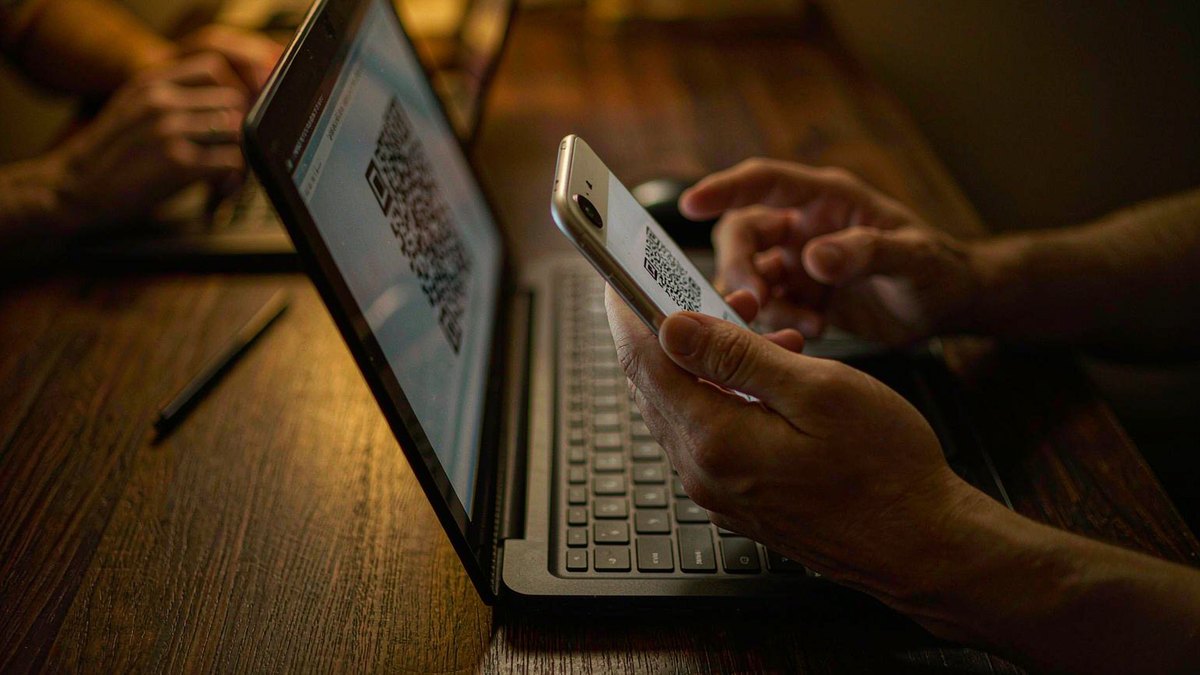
It needs a screen to scan, and a phone to scan with. The QR code arrives in an email, which is on the phone you are about to install it on. Open the email on a laptop, or print the code, before you start. This is the single most common self-inflicted delay.
It needs Wi-Fi. Installation downloads a profile. On a phone with no data and no Wi-Fi, nothing happens, and the app will sit on “installing” until it times out. Do it at home.
| Symptom | Cause | Fix |
|---|---|---|
| “Invalid QR code” | Scanned a screenshot of a screenshot, or the code has expired | Use the original, in the email or app |
| Install hangs on a spinner | No data connection during install | Connect to Wi-Fi and retry |
| Profile installs, no network | Line not enabled, or roaming off | Enable the line, allow data roaming |
| Code already used | Scanned on another device | Request a reissue from support |
| No QR arrives | Email filtered, or order incomplete | Check spam, then the order status in the app |
The QR code sequence, by phone
iPhone: Settings → Cellular → Add eSIM → Use QR Code → scan → label the line → set default data line to the new eSIM → leave it off until you land.
Android (Samsung, Pixel, most others): Settings → Connections → SIM manager → Add eSIM → scan QR code → confirm → set as data SIM → leave off until arrival.
Two settings afterwards, in this order: mobile data on the Singtel line, data roaming on for that line. Roaming feels wrong and is required — a prepaid eSIM attaches to the network as a visiting subscriber, and with roaming off it will not register.
If you never receive the QR code
Check three places in this order: the spam folder, the order status page in the hi!App, and the email address on the order. Marketplaces and resellers sometimes send the code as a voucher to redeem rather than a raw QR, which is a different step — redeem it in the app before you look for a QR at all.
Registration: passport, selfie, and the timing trap
Registration is compulsory under IMDA rules, and it is where the clock starts. Sequence matters more than speed.
- Buy within a few days of flying. Singtel states that validity begins at purchase.
- Register the day before arrival. You need your passport photo page and a selfie, captured in the hi!App. The plan activates when registration completes.
- Install the profile at home, on Wi-Fi. Before registration, so installation failures surface early.
- Switch the line on after immigration, not in the air.
- If calls are included and do not work, visit a hi! retailer with your passport to have voice and SMS enabled.
Two clocks run at once and only one of them is advertised. The eSIM must be registered within 90 days of purchase or it expires; the plan’s 30-day validity begins at purchase. Buying in January for a March trip can therefore produce a plan that is already partly consumed, or one that has expired outright. The safe practice is buy late and register the day before.
Why registration gets rejected
The passport photo. Glare on the laminate, a shadow across the photo page, all four corners not visible, or a photo of a photocopy. Retake in daylight against a plain surface.
The selfie. Glasses, a hat, or a beard grown since the passport photo. Remove accessories and shoot in the same light.
The name. Middle names omitted, or a hyphen dropped. Match the passport exactly, including order.
The age. Registration requires the traveller to be 15 or older, on their own document.
If two attempts fail, stop. Buy a travel eSIM as your arrival-day connection and finish the Singtel registration in town where a person can look at your documents. The S$12 is not worth a midnight loop of failed uploads.
A worked purchase, three days out
The order of operations matters more than any individual step, so here is the whole thing as a timeline. Times assume a Friday evening departure from Europe and a Saturday afternoon arrival.
Three days before the flight. Buy the S$12 tier online. Do not register yet. Save the confirmation email as a PDF, not just a live email, and keep it somewhere your laptop can reach it.
Two days before. Install the profile at home on Wi-Fi. Scan the QR from the laptop screen, label the line “Singtel SG”, leave it disabled. Enable data roaming on that line now, so you do not have to remember later.
One day before. Register in the hi!App with your passport photo page and a selfie, in daylight, no glasses. If registration succeeds, the plan is live and the clock has started — which is why this is the day for it, not last week.
At the gate. The line stays off. Your home SIM carries data on airport Wi-Fi and the aircraft.
After immigration. Enable the Singtel line, set it as the mobile data line, keep your home SIM as the voice line. Open a map. If it draws a route, you are done in ninety seconds.
If calls do not work on arrival. They may need enabling at a hi! retailer with passport verification. Any Singtel shop or the airport counters can do it.
Three weeks later. Check the expiry date in the app. If your stay runs past day 30 from registration, the line will suspend and no top-up prevents it.
| When | Do this | Why |
|---|---|---|
| Three days out | Buy, save the email | Validity starts at purchase |
| Two days out | Install on Wi-Fi, leave off | Installation failures surface early |
| One day out | Register with passport and selfie | Avoids burning days, clears rejections |
| On arrival | Enable line, set as data SIM | Ninety seconds to working data |
| Day 30 | Line suspends | Registration, not balance, is the limit |
Singtel’s network: what you are actually buying
Singtel is Singapore’s largest operator, and the one with the widest published 5G footprint: nationwide standalone 5G coverage above 95% since 2022, and Opensignal’s 5G Coverage Experience award for small-landmass markets in both 2025 and 2026, as Singtel reports it.
What that means for a visitor, concretely:
Inside the city, nothing. Every network covers Marina Bay, Orchard, Chinatown and Sentosa. The award is not something you will feel on a three-day trip.
At the edges, something. Mandai’s wildlife parks, the Southern Ridges, Pulau Ubin’s bike trails and the Southern Islands are where network identity starts to matter, and Singtel is the safest of the four there.
In a crowd, less than you would hope. A cell congested by 30,000 people at the National Stadium is congested for everyone. A single-network plan has no answer, which is why some travelers pay a small premium for a plan that can move between Singtel, StarHub and M1.
Underground, full coverage. The MRT tunnels are covered, including the deep Circle Line sections. Your phone will keep syncing while you ride, which drains battery faster than you expect.
The VoLTE requirement, which is not optional
Singapore switched off 3G in 2024. Singtel’s own guidance to travellers is blunt: a 3G-only device, or a 4G device without VoLTE support, cannot use roaming services in Singapore at all. No data, no SMS, no calls. There is no fallback network to catch an older handset.
Check before you buy. On Android, look for a VoLTE toggle under mobile networks; on iPhone, a 4G/5G option under Voice & Data implies it. Then look at the status bar with Wi-Fi off: if it says 3G or H+ and nothing else, the phone is the problem, not the plan.
Roaming: what the APAC bundles are worth
The roaming allowance is the part of these plans that is genuinely hard to replicate, and the part most buyers ignore.
12 GB APAC on S$12 covers Malaysia, Indonesia, Thailand and Hong Kong — enough for a two-week Southeast Asia add-on if you are not streaming.
18 GB APAC on S$15 extends to China, Japan and Korea, which turns a multi-city Asia trip into one purchase.
80 GB APAC on S$30 is a regional working product, useful if you are moving between countries monthly.
Three limits worth knowing. Roaming data is usually 4G rather than 5G on partner networks. It does not necessarily include the same unlimited calls — local calls are local. And coverage depends on the partner, so a regional bundle can attach to a weaker network in a neighbouring country than the one you would have chosen locally.
| Destination | Covered on S$12 | Covered on S$15 | Notes |
|---|---|---|---|
| Malaysia (Johor Bahru, KL) | Yes | Yes | The most common day trip |
| Batam and Bintan, Indonesia | Yes | Yes | Ferry from HarbourFront |
| Thailand | Yes | Yes | Good for a Bangkok add-on |
| Hong Kong | Yes | Yes | — |
| China, Japan, Korea | No | Yes | 18 GB pool |
| Vietnam, Philippines | Usually limited | Yes | Check the destination list |
Singtel 5G+ versus 4G: what the difference is worth
The S$15 and S$30 tiers advertise 5G+, and it is fair to ask what that buys on an island where every network already claims near-total 5G coverage.
What 5G+ means here. Singtel’s standalone 5G network, which has published nationwide coverage above 95% since 2022. Standalone means the 5G core is independent of the 4G network, which in practice produces lower latency rather than dramatically higher throughput.
Where you can feel it. Video calls are the clearest case: a 5G standalone connection recovers from a brief congestion spike faster than 4G does, so calls drop less often when you walk into a crowded mall. Interactive apps — ride-hailing maps, live translation — feel slightly quicker.
Where you cannot. Downloading a file from a hotel room, uploading photos, browsing. The bottleneck is rarely the radio.
Is it worth S$3? If you are taking the S$15 tier anyway for the 18 GB of APAC roaming, the 5G+ is a free extra and not a reason on its own. If you are choosing between S$12 and S$15 for a Singapore-only trip, buy the S$12 and spend the difference on lunch.
| Use case | 4G is enough | 5G+ helps |
|---|---|---|
| Maps, Grab, messaging | Yes | Marginally |
| Photo uploads | Yes | Marginally |
| Video calls in crowds | Sometimes congested | Noticeably more stable |
| Streaming | Yes | No difference |
| Large downloads | Yes | No difference |
The battery cost
5G radios draw more power than 4G, and on a day of sightseeing that shows up as a flatter phone by 6 pm. If your handset lets you set the network mode, “5G auto” or “4G/LTE” is the pragmatic setting for a long day out, and “5G on” for the evening when you are near a charger. On a two-line setup, running both lines on 5G is the fastest way to need a power bank by lunchtime.
What is not included, and what costs extra
The gaps that generate complaints.
International calls beyond the included IDD minutes. The tiers include some IDD allowance to selected destinations; anything outside it is chargeable. If you plan to call home, use a data app instead.
Top-ups after the 30 days. The registration expires, not just the balance. Adding credit does not extend the line.
A second eSIM on the same purchase. One registration, one line. Family members need their own registrations, and each passport can register up to three lines.
Replacement QR codes. A deleted profile or a new phone usually means a reissue, and reissues are not always free.
Anything after 30 days. For a longer stay, a travel eSIM with longer validity, or a postpaid plan once you hold a Singapore pass, is the only route.
Singtel eSIM for residents and long stays
If you are moving to Singapore rather than visiting, the calculus changes and the product changes with it. A postpaid eSIM is issued against a contract with a Singapore ID, comes with a permanent number, supports international roaming add-ons, and can be moved between devices through the carrier rather than by re-scanning a QR code. It is also significantly cheaper per gigabyte than any prepaid product once you are on a 12- or 24-month term.
The bridge between the two is the 30-day passport registration. Most new arrivals run a hi!Tourist eSIM or a travel eSIM for the first month, then port to postpaid once the employment pass or student pass arrives. Trying to extend the prepaid line instead is the mistake; it will suspend at day 30 regardless of balance.
Transferring an eSIM between phones is the other resident problem. Some carriers support a transfer in-app; others require a new QR code and a fee. If you upgrade handsets mid-contract, ask before you wipe the old phone, because the profile cannot be recovered from a deleted device.
Singtel or M1: which local eSIM for a visitor
The two carriers compete directly for the same tourist, with different shapes.
| Singtel hi!Tourist | M1 Tourist | |
|---|---|---|
| Entry price | S$10 for 7 days | S$12 for 15 days |
| Largest local allowance | 700 GB on S$30 | 500 GB on the S$13 data-only tier |
| Regional roaming | 12–80 GB APAC, tiered | 3–20 GB APAC |
| Calls included | Yes, on all tiers | Yes on S$12 and S$14; not on S$13 |
| Short validity option | 7 days at S$10 | 15 days at S$12 |
| Purchase friction | Online, eKYC in app | Online, then pickup, unless Singpass |
| Airport collection | Yes, T1–T4 counters | Yes, T1–T4 pickup points |
Choose Singtel for a trip under a week with calls, for the roaming bundles if you are continuing to Japan or China, and for the simplest online-only purchase.
Choose M1 — an M1 eSIM for a fifteen-day trip that needs a number without paying for 30 days, or for the S$13 data-only tier if you are a resident with Singpass. The catch on that last one is real: instant activation on the S$13 eSIM requires Singpass, so visitors take the pickup version.
Choose neither if you do not need a local number. A travel eSIM is cheaper in total for a week, requires no registration, and cannot expire on you mid-trip.
Buying at Changi: where the Singtel counters are
If you want the SIM rather than the eSIM, or you have arrived without a plan, the counters are spread across all four terminals and most are open around the clock. For the physical-card version of this purchase, including the queue and the passport step, the counter-by-counter arrival guide covers that path.
| Terminal | Locations | Hours |
|---|---|---|
| T1 | Baggage hall level 1: Changi Recommends (#01-K4), Prosegur (#01-K25, #01-K27), Travelex (#01-K24, #01-K26) | Mostly 24 hours |
| T2 | Arrival hall: Cheers; Prosegur (#01-181), Travelex (#01-78) | Cheers limited; money changers 24 hours |
| T3 | Arrival hall: Cheers (#01-24), Travelex opposite belts 43–44 and 46–47 | Mixed, Travelex 24 hours |
| T4 | Arrival level: Prosegur near belt 4 (#01-07), Xplore SG (#01-K4) | 24 hours at Prosegur |
Bring the passport you travelled on. Registration takes a few minutes at a counter and cannot be done on someone else’s document.
Fixing a Singtel eSIM that will not connect
Work down this list; the first two solve most cases.
1. Is the line switched on and selected for data? In iPhone settings, the eSIM must be enabled and set as the mobile data line. An enabled-but-not-selected line shows bars and moves nothing.
2. Is data roaming on for that line? Required. This is the most common cause of “connected, no internet” on a Singapore prepaid eSIM.
3. Does the network name say Singtel? If it says nothing, the profile has not registered. Toggle airplane mode once, then wait a minute.
4. Set the APN manually if the field is blank. Singtel’s APN is e-ideas. Most profiles provision it automatically; occasionally they do not, and a blank field routes nothing.
5. Check the balance and validity. A plan that has expired shows full signal and no data. The hi!App shows both.
6. Try a second device. If the profile installs elsewhere and works, the phone is the issue, usually a carrier lock or a non-VoLTE handset.
| Symptom | Most likely cause | Action |
|---|---|---|
| Bars, no internet | Wrong data line or roaming off | Check both settings |
| “No Service” | Not registered, or non-VoLTE phone | Airplane toggle, then check VoLTE |
| Data works, calls do not | Calls not enabled on the line | Visit a hi! retailer with passport |
| Fine yesterday, dead today | Plan expired or balance exhausted | Check the app |
| Very slow, one location only | Cell congestion | Move, or switch networks if possible |
What the Singtel eSIM cannot do on a tablet or watch
A question that produces a lot of wasted purchases: can the same Singtel eSIM power an iPad or an Apple Watch?
iPad. Most cellular iPads support eSIM, and a hi!Tourist profile can be installed on one — but the registration is tied to a passport and a line, so installing the same plan on both an iPhone and an iPad is not possible. One profile, one device. If the tablet needs data, either tether it to the phone or buy a second line on a second passport, which a solo traveller cannot do.
Apple Watch. Cellular watches need a carrier-issued companion plan, which is a postpaid product tied to a contract. Prepaid tourist lines do not support watch pairing, and no amount of app configuration changes that. A traveller with a cellular watch should plan on the watch going without data for the trip, which in practice means calls come through the phone.
A second phone. A QR code is a one-time credential. Installing the profile on a second handset requires a reissue, not a second scan. If you are travelling with two phones and want both connected, buy two plans — and note that the second one needs its own registration, on its own passport.
| Device | Can it run a hi!Tourist eSIM? | Alternative |
|---|---|---|
| iPhone XS or later | Yes | — |
| Recent Android flagship | Yes | — |
| Cellular iPad | Yes, but separately from the phone | Tether to the phone instead |
| Apple Watch cellular | No | Watch pairs by Bluetooth to the phone |
| Second handset | Only with a reissue | Buy a second plan |
Three support questions that get a real answer
Singtel’s tourist support runs through the hi!App chat and the shop counters, and the difference between a useful answer and a scripted one is how the question is asked.
Good: “My hi!Tourist eSIM is installed and shows Singtel as the network, but no data flows. Data roaming is on, the line is set as the mobile data line, and the APN field is blank. What APN should I use?” — four facts and a specific ask.
Less good: “My internet not working.” — the reply will be a link to a setup page you have already read.
Good: “I purchased the S$12 tier on 3 October and registered on 20 October. What date does my line expire, and can it be extended?” — a question with numbers in it.
Less good: “How long does it last?” — answerable from the product page, and you will get the product page.
Good: “The QR code says invalid. I scanned it from a printed copy once and it failed. Can you reissue the profile, and is there a fee?” — names the likely cause and asks the cost question up front.
The pattern: state what you have already checked, ask one question, and include the order number. Counter staff at Changi and at Singtel shops have more authority than app chat for registration problems, because they can look at the passport, so anything about identity verification is a shop job rather than a chat job.
Questions about Singtel eSIM
Can tourists buy a Singtel eSIM? Yes, the hi!Tourist prepaid eSIM, with a foreign passport and a selfie in the hi!App. The postpaid eSIM requires a Singapore contract and is not available to visitors.
How much does a Singtel eSIM cost? S$10 for 500 GB over seven days, S$12 for 30 days with 12 GB of APAC roaming, S$15 for 5G+ with 18 GB of APAC roaming, and S$30 for 700 GB with 80 GB of regional data.
Does the Singtel eSIM include a phone number? Yes, with unlimited local calls and SMS on all four tiers. That is the main difference from an international travel eSIM, which is data only.
How long does a Singtel tourist eSIM last? Thirty days on the S$12 and above tiers, seven on the S$10 tier, and the passport registration behind it expires at 30 days regardless of balance.
Where do I get the QR code? By email after purchase, and in the hi!App. Install it at home on Wi-Fi; the code installs once and a reinstall usually needs a reissue.
Can I use a Singtel eSIM in Malaysia? Yes on the S$12 tier and above, which include APAC roaming covering Malaysia, Indonesia, Thailand and Hong Kong. The S$10 seven-day tier has limited regional data.
What happens if I register before I fly? The plan activates on registration, so registering weeks early can consume validity before you land. Register the day before arrival.
Is Singtel eSIM better than a travel eSIM? For a trip over ten days, or one that needs a local number, yes. For a four-day city break, no: a $4–10 travel plan is cheaper in total and needs no registration.
Can I top up a Singtel eSIM if I stay longer? You can add credit, but the registration is what limits the line, not the balance. At 30 days from registration the line suspends regardless of credit, and re-registration needs a Singapore-issued ID or work pass. For a longer stay, buy a travel eSIM with longer validity instead.
Is the Singtel eSIM the same as the hi! SIM? No. hi!Tourist eSIM is a downloadable profile with 500–700 GB and calls, registrable online. hi! SIM is a physical card with smaller bundles, sold in shops and marketplaces, and explicitly not available for collection at Changi Airport.
Does Singtel eSIM work on iPhone? Yes, on iPhone XS and later, and on most recent Android flagships. The phone must be carrier-unlocked and support VoLTE, because Singapore has no 3G fallback.
The one-line answer
For a visitor, the Singtel eSIM worth buying is hi!Tourist at S$12 — thirty days, 500 GB, 12 GB of regional roaming, unlimited local calls, no contract. Buy it close to departure, register the day before you fly, install the QR code on Wi-Fi at home.
The tier-by-tier arithmetic across every Singapore provider is in what each tier costs per gigabyte, the brand scoring is in the eight-plan comparison, and the operator-level view of Singtel against StarHub and M1 sits in the Singapore carrier guide. If you have not yet decided between a local line and a data-only plan, start with how the two purchase types compare.