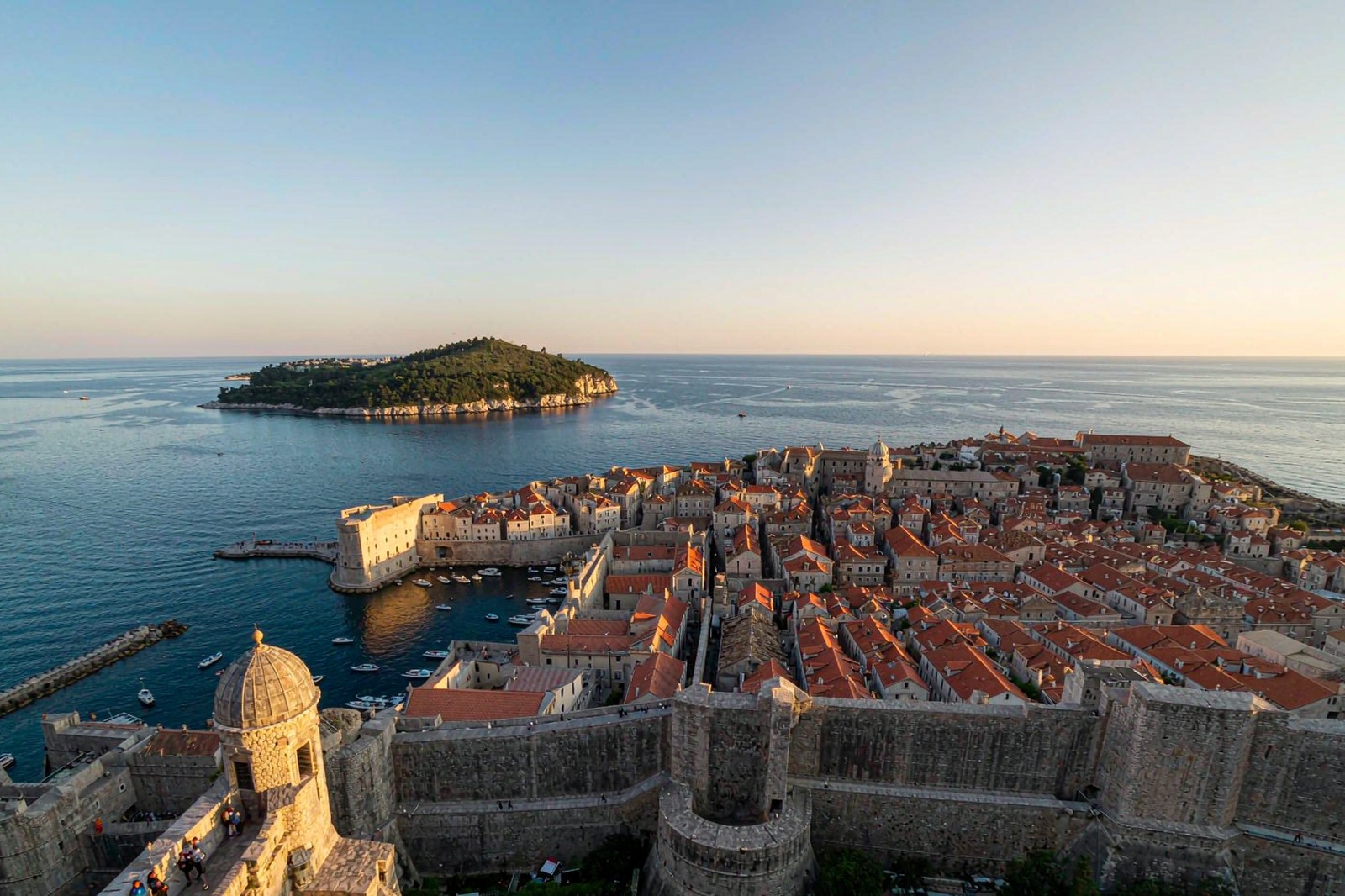
Sweden eSIM: Planning Around Trains, Ferries and the Long Dark North

Roami Team
Roami offers reliable eSIM plans, serving over 1 million travelers annually, and supports automatic local network switching to help travelers stay connected globally.
📑 Table of Contents
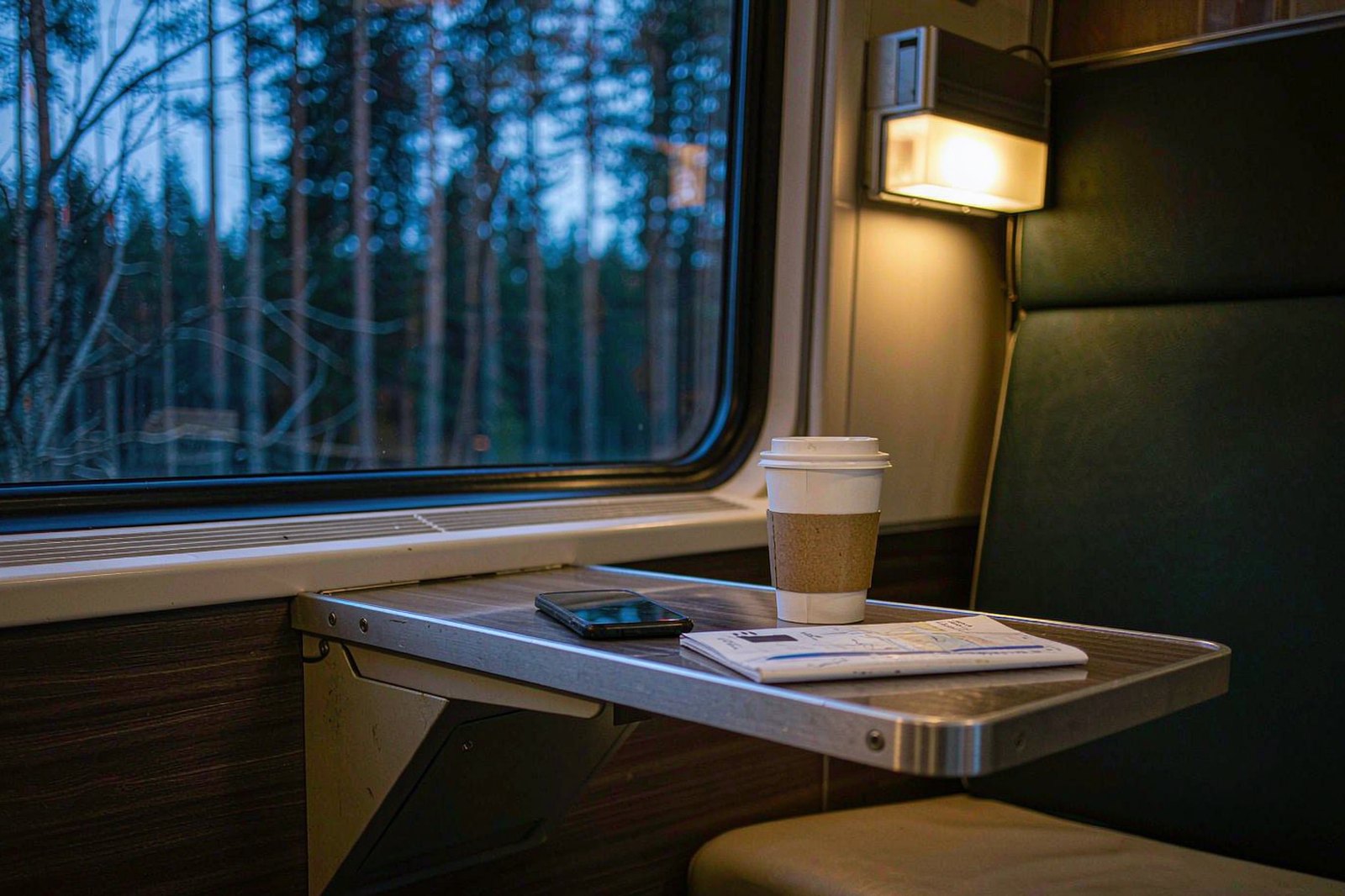
Sweden does not fail your data plan in the way most countries do. There is no dead zone the size of a desert, no border where the map ends. The networks here are among the best measured in Europe, and in Stockholm, Gothenburg and Malmö a Sweden eSIM on any of the four will not make you think about coverage once.
What Sweden does instead is arrange your trip into long, sealed containers: eighteen hours on a sleeper, three hours on a Baltic ferry, an hour on an archipelago boat with no WiFi, a cabin in Dalarna where the router is a rumour. The country is 1,572 kilometres from south to north, and the interesting parts of it are separated by distance rather than by terrain. That is the shape of the problem, and it is not a coverage problem at all.
So this page is not another network comparison. Which of Telia, Tele2, Telenor and Tre wins where, what the registration law requires, how to set the APN, why a phone will not attach — all of that lives in the Swedish carrier reference and it is more thorough than most of what ranks above it. This page is about the itinerary: which legs go dark, where you can actually buy something at Arlanda, why everything in Sweden is an app, and what the cold does to a phone that a plan cannot fix.
The short version, if you are buying now. One Sweden eSIM covers the country on all four networks with no registration and no passport. Install it at home, because the airport sells cards you may not be able to activate before you leave the terminal. The cities need very little data; the long legs need none at all; the trip as a whole needs more than you think because every ticket, every door code and every menu in Sweden is behind an app. And if your route crosses into Norway, read the border section before you buy — the rule there is not the one most people assume.
Arlanda Sells a SIM Card You Cannot Activate in the Terminal
Start with the arrival, because this is where the money gets wasted.
Stockholm Arlanda has no shortage of places to buy a prepaid card. Pressbyrån has outlets in the arrival halls of Terminals 2, 4 and 5 plus several in SkyCity, generally open from five in the morning to ten at night. 7-Eleven covers the same terminals from about seven to ten.
There is a Lycamobile kiosk in Terminal 5 that runs on Telenor’s network. None of this is secret; every arrival guide lists the same three names.
What those guides leave out is that a Swedish prepaid SIM is not activated by the act of buying it. Since August 2022 every Swedish prepaid card must be registered to a named person with photo identification before it will carry a single megabyte, and cards sold before the rule took effect stopped working in February 2023. Registration is the purchase, and until it is done you own a piece of plastic with a serial number.
And here is the part that catches people: the ease of that registration depends entirely on which brand is in your hand. Comviq, Tele2’s budget brand, registers you at the till. Telenor lets you upload a passport photograph yourself. Telia and its sibling Halebop require a Telia store and a form that is processed centrally, which is a process measured in hours rather than minutes.
Hallon, Tre’s budget brand, wants BankID, which a visitor cannot obtain at all.
Put those two facts together. The kiosk at Arlanda will happily sell you a Telia starter pack at 21:40 on a Sunday. The Telia store that can register it is in central Stockholm, opens the next morning, and is not in the terminal. You have bought a card that will be a card until roughly lunchtime tomorrow, and you paid airport prices for the privilege.
None of that is an argument against Swedish prepaid: for a stay of a month or longer it is genuinely the best value in the Nordics, and the full comparison of who registers how sits in the carrier guide. The argument is about sequencing. The failure mode in Sweden is never “there was nowhere to buy”; there is always somewhere to buy. It is “I bought the wrong brand at the wrong hour and my first evening ran on airport WiFi”.
The fix costs ten minutes at home. A Sweden eSIM bought and installed before you fly is not a Swedish line, so the registration regime does not attach to it: you give an email address, not a passport. That is the entire trade, and it is the same trade everywhere in Europe. Sweden just makes the downside of getting it wrong sharper than most, because the alternative is a two-stage purchase in a country where the shops close early on a Sunday.
If You Insist on Buying at the Airport
Then the brand matters more than the price, and it matters in a way that is not on the packaging.
Two of the four brands can complete a registration without a Telia store: Comviq at the till where you buy it, and Telenor through your own phone. Those are the two to ask for at a kiosk. If the shelf only has Telia or Halebop, you are buying tomorrow’s connectivity at today’s prices, and the sensible move is to buy nothing and use the terminal WiFi to sort out an eSIM instead.
The other half of the airport decision is the hour. Pressbyrån runs from about five in the morning to ten at night and 7-Eleven from seven to ten, which covers every civilised arrival and misses the 23:40 one. If your flight lands after ten, the airport has no SIM counter at all and the question answers itself.
The Night Train to Abisko Is Eighteen Hours of Four Different Signals
The single most Swedish thing you can do with a phone is take the sleeper north. SJ runs it from Stockholm up through Norrland to Abisko and on to Narvik in Norway, and the journey takes about eighteen hours to Abisko and a little longer to the coast. You board in the evening and get off the following afternoon, having crossed the Arctic Circle somewhere in the dark.
Four signal regimes, in order.
The first ninety minutes run through the Stockholm commuter belt and up the coast. This is ordinary Swedish mobile coverage: full bars, fast data, no thought required. Use it. Download everything you will want for the next two days while the train is still inside civilisation.
The Norrland corridor — roughly from Sundsvall north along the coast — follows the E4 and the main line, and coverage tracks the towns. Umeå, Skellefteå, Luleå, Boden: solid. Between them, patches of forest with two bars and a data rate that will not stream anything. Most of the eighteen hours pass in this stretch, and the connection there is fine for messages, useless for anything heavier.
The inland stretch after Boden, where the line turns northwest toward Kiruna, is the quiet part. The train is running through country with more reindeer than base stations, and long sections have nothing at all. The corridor is also dark for most of the year, which makes it hard to notice how little you are missing.
The Ofoten line from Kiruna over the mountains to Narvik is the scenic finale and the worst coverage, because it is a mountain railway in a gorge. The border is also the point where your phone quietly changes country.
There is a practical detail that matters more than any of the above: the sleeper berths have power sockets and the seated carriages largely do not. If you are planning to use an eighteen-hour train as a working day, book the berth. If you are planning to use it as a sleeping day, the seat is fine and much cheaper — a seat starts in the low hundreds of kronor and a couchette from around eight hundred, depending on how far ahead you book.
What Each Leg of the Sleeper Actually Gives You
| Leg | Typical signal | What to do before boarding |
|---|---|---|
| Stockholm to Sundsvall | Full, fast | Download maps, tickets, podcasts, offline everything |
| Sundsvall to Boden | Town to town, gaps between | Send the messages now; do not count on later |
| Boden to Kiruna | Long dark sections, nothing | Assume offline; sleep or read downloaded content |
| Kiruna to Narvik | Mountain railway, poor, then Norway | Switch data off until you are through, to avoid a roaming surprise |
That last row is not a figure of speech. The train crosses the border at Riksgränsen, and if you are on a Sweden-only travel plan, the phone will find a Norwegian network and stop carrying data. Whether that shows up as no data or as a bill depends on the plan — and on the EEA rule, which is worth understanding properly rather than guessing at, which is why it gets its own section further down.
Three Hours to Visby and the Ferry Has No WiFi
Gotland is the Swedish summer, and the ferry is the only sane way to reach it. Destination Gotland sails from Nynäshamn, about sixty kilometres south of Stockholm, and from Oskarshamn on the east coast. The crossing to Visby runs roughly three hours and twenty minutes.
Two things about that sentence matter for connectivity.
The first is Nynäshamn. Nobody walks there from a hotel; it is a commuter terminus at the end of a train ride out of Stockholm, and the sensible version of the trip involves an early start and a connection.
That connection is a data moment: platform changes, a ticket that lives in an app, a bus replacement on a Sunday. Do that leg on a live connection and you will not enjoy it.
The second is the boat. There is no passenger WiFi worth planning around on the Gotland crossing, and the ship spends most of the three hours out of sight of land. Your own plan works for the first twenty minutes and the last twenty. In between it is a ferry, and you should treat it as one: download the Visby map, screenshot the accommodation address, and put the phone down.
The return leg has a wrinkle worth knowing. Visby in early August hosts Medeltidsveckan, the medieval week, and the town fills. Almedalen week in July fills it with a different crowd. In both cases the mobile network on Gotland behaves like a network with a sudden population multiplier: full bars, slow data, and a lot of people photographing a wall.
If your ferry home is the morning after a big night in Visby, get your ticket offline the night before.
Waxholm in an Hour Proves the Archipelago Is Public Transport
The Stockholm archipelago is not a tour, it is a bus network that happens to float. Waxholmsbolaget runs the boats from Strömkajen, in front of the Grand Hôtel, and the fares are ordinary public transport fares rather than excursion prices. Vaxholm, the gateway island, is about an hour out. Sandhamn, further into the outer archipelago, is two to three hours depending on the service.
A day out here is the best value in Stockholm and the heaviest data day of a city trip, for a reason that has nothing to do with social media. The boats have no WiFi. The timetables live in an app. The return sailing is the one you must not miss, and it is the one whose time you will want to check four times.
And the further out you go, the thinner the signal: Vaxholm is a suburb with a fort, Sandhamn is an island where the mast is shared with everyone else who came out on the same boat.
The pattern to plan for is the same one that runs through this whole page. Signal is good at the departure pier, good again at the arrival pier, and unreliable in between — which is exactly when you want to check the timetable.
The Islands Where the Signal Is the Point of Going
If you are going out to the outer archipelago specifically to be unreachable, that is a legitimate plan and it will work. What will not work is the half-measure: going out with a live plan and a vague intention to check the timetable when it matters. Take the screenshot.
What Actually Eats Data on a Swedish Trip
Almost nobody overspends on data in Sweden because they were streaming video. They overspend because Sweden has moved its entire public life into applications, and an application needs a connection at precisely the moment you do not have one.
Count the things that are apps on a normal Swedish day. The metro gate is a tap, but the ticket behind it is an app. The train ticket is a QR code in an app with no paper alternative. Parking is an app, because most parking machines have been removed. The museum ticket, the ferry timetable, the restaurant menu, the booking confirmation for the cabin, the door code for the apartment you rented — all apps, all fetched, none of them printed.
That is a different data profile from a beach holiday. Volume stays low while criticality stays high: a few hundred megabytes a day in the cities, but consumed in bursts at moments when failure is expensive. A Sweden eSIM that runs out on a platform in Norrköping at 06:12 costs more than one that runs out on a beach.
Three habits cover it, and none of them costs money.
Screenshot the day’s tickets in the morning. A QR code in the camera roll works in a tunnel. A QR code that has to be fetched does not.
Download the offline map for every region you will pass through, not just the city you are staying in. Sweden is long and the transitions are where you need the map.
Turn off automatic photo backup over mobile data. This matters more here than in most countries because of the light, which gets its own section below. A photographer in Lapland in June can generate more upload traffic in one night than a week of maps.
The Three Apps That Fail First
If you want to test whether your setup will survive a Swedish trip, test these three in order.
The transport app for whichever region you land in — SL in Stockholm, Vasttrafik in Gothenburg, Skånetrafiken in Malmö. They are the ones that need a live connection at a gate, in a tunnel, or on a platform where you have already committed to a direction.
The parking app, if you are driving. Parkster or EasyPark, registered before you leave, because registering at a machine that no longer exists is not an option.
And the accommodation app or the message thread with your host, which is where the door code lives. Test it while you are still on a connection you trust, not on a street corner with a suitcase.
Minus Twenty and Your Battery Dies Before the Signal Does
Here is a failure that no plan comparison will mention and every winter traveller in the north eventually meets: at about twenty below, a phone that reports forty per cent will shut down. Not lose signal. Shut down, mid-photograph, with the aurora overhead.
The chemistry is unglamorous. Lithium-ion cells lose usable capacity as they cool, and the voltage sag under load trips the protection circuit. Nothing is broken. The phone is cold. Warm it against your body for two minutes and it will come back with most of that forty per cent still showing.
The planning consequence is direct. In Swedish winter, your Sweden eSIM has two points of failure, and the one you can control is the one that fails first. A power bank carried in an inside pocket, a phone kept in a jacket rather than a back pocket, and a spare cable weigh less than the alternative, which is standing at a trailhead near Abisko at 14:30 in a twilight that will not end for another hour, holding a dead rectangle.
There is a second, quieter risk in the same territory. Sweden has retired most of its older network layers. Tele2 and Telenor switched off both 2G and 3G at the end of 2025. Telia retired 3G and keeps 2G running only until the end of 2027. Tre retired 3G.
The practical effect is that voice calls now depend on VoLTE — 4G calling — because there is no older layer to fall back on, and the regulator has required operators to block handsets that cannot reach the emergency number over 4G.
For an eSIM user that is mostly good news: any recent handset handles VoLTE. But the travel phone in the drawer, the one that seemed fine two years ago, may now register on data and fail on calls, or fail to register at all. The network and handset reference covers which bands Swedish 5G uses and how to check whether your handset is supported, and it is worth five minutes before you pack.
The VoLTE Check Before You Pack
There is a quick version of that test, and it takes a minute.
Look for a VoLTE or “4G calling” toggle in your phone’s mobile network settings. If the setting exists, the handset supports it. If it does not, the phone is old enough that Swedish voice calls are a gamble, and the answer is a different phone rather than a better data plan.
The second check is the lock. A carrier-locked handset will not accept another operator’s profile at all, eSIM or not, and no amount of troubleshooting will change that. The compatibility list covers which models support eSIM in the first place, which is a separate question from whether your particular handset is unlocked.
Midnight Sun Ruins Your Data Estimate
Everyone plans for the polar night and forgets the opposite problem, which is that in June the sun does not set and neither does your day.
In Kiruna and Abisko, the midnight sun runs from roughly the end of May to the middle of July. What that means practically is that there is no evening. There is no moment when the light goes and you go indoors. You photograph a lake at half past one in the morning because the lake is lit, you get up at eight because you did eventually sleep, and the day you actually lived was about twenty hours long.
That has a measurable effect on photo volume, and photo volume is the single largest discretionary consumer of mobile data on any trip. A photographer who would take two hundred frames in a normal day takes six hundred in Lapland in June, because the light never stops offering something. If automatic backup is on, those frames leave your phone over mobile data the moment you are back in range, and the largest upload of your trip happens at three in the morning on a mountain.
The fix is the setting, not the plan: backup over WiFi only, for the duration. Do that and Lapland costs you less data than Stockholm.
The winter version is the mirror image and it is easier to plan. Polar night in the far north runs from about the start of December to the middle of January, the usable daylight is a long blue twilight around midday, and the aurora season is the long stretch either side of it. Aurora chasing is a data-light activity with a data-heavy habit attached: the forecast apps. Check them over the cabin’s WiFi before you drive, not at the viewing spot.
Swish Does Not Work for You and That Changes the Plan
Sweden is close to cashless, and the app that did it is one you cannot use. Swish requires a Swedish bank account. A visitor cannot obtain one, cannot obtain the app, and cannot be sent a payment request that they are able to answer.
This shows up in small, irritating ways. A market stall that takes Swish and nothing else. A guide who would rather split the boat cost by phone than take notes. A second-hand shop with a handwritten Swish number taped to the till. None of these is a crisis, and all of them are friction that a card resolves.
But there is a data dimension that is easy to miss. Cash acceptance among Swedish small businesses sits at 67 per cent in the Riksbank’s Payments Report 2026, so the fallback is a card rather than a note, and a foreign card sometimes needs online authorisation. Since 1 July 2026 grocery shops and pharmacies must take cash again below about 5,900 kronor, so the picture is uneven: a museum café or a station kiosk can still refuse. If that authorisation lands at the moment your data has failed, you are the person holding up a queue with no way to prove you can pay.
Two consequences for planning. Keep a physical card on you, not only a phone wallet, because a phone wallet needs a phone that has power and data. And treat the first hour of any arrival as the moment to confirm your payment method works, while you are still standing in a terminal with WiFi rather than at a till in a village.
Norway Is Not the EU, and Your Plan Notices
Half of the northern itineraries in Sweden end in Norway, because the sleeper terminates at Narvik and because the mountains do not care about the border. An assumption most travellers carry turns out to be wrong here, and wrong in an expensive way.
Norway is not in the European Union. It sits in the European Economic Area instead, along with Iceland and Liechtenstein, and the EU’s roam-like-at-home rules cover the EEA as well as the EU — currently through 2032. So a Swedish prepaid line, once registered, works in Norway at Swedish domestic rates. That surprises people who expected a non-EU surcharge, and it is the reason a local Swedish SIM is a genuinely good deal for a Nordic loop.
Now the other half. A Sweden-only travel eSIM does not work in Norway, for a completely different reason. Its coverage is defined by a territory list chosen by the seller, not by any roaming regulation. Sweden is on the list, Norway is not, and no amount of EEA law changes a product decision.
The two things sound similar and are unrelated: one is a legal regime for locally issued lines, the other is a commercial list for internationally issued profiles.
No other paragraph on this page matters more for anyone doing Stockholm plus the fjords, and no other one is blurred so reliably by buying guides. If your itinerary touches Norway, either buy a regional plan whose territory list names Norway, or read the two-country options and price a second single-country plan. What you should not do is buy a Sweden-only plan and assume the EEA will sort it out. It will not, because the EEA has nothing to do with it.
One more border, for completeness. The Öresund train from Malmö to Copenhagen takes about thirty-five minutes and crosses into Denmark, which is in the EU and therefore inside any European regional plan, though not inside a Sweden-only one. Carry your passport; there are identity checks on that route.
Three Cities in a Week Is the Easiest Version of Sweden
If your trip is Stockholm, Gothenburg and Malmö, the connectivity question mostly answers itself and you can stop worrying about the rest of this page.
The distances are short by Swedish standards. Stockholm to Gothenburg is about three hours on the X2000, Gothenburg to Malmö about three, Stockholm to Malmö four and a half, Malmö to Copenhagen thirty-five minutes. SJ runs all of it and the trains have WiFi. Swedish city coverage is excellent and 5G is the default rather than a bonus, so in the cities the network is not a variable.
The honest caveat is that train WiFi is a shared connection, and a full carriage at 08:00 is not the place to take a video call. Treat it as a convenience for messages and a way to save your own allowance, not as a workspace.
This itinerary also needs the least data of any Swedish trip, and the reason is structural rather than behavioural: three cities means three hotel WiFi networks, short journeys, and no long legs. A small plan is genuinely enough, and buying a large one is paying for capacity the trip will never touch.
Flying Into Copenhagen Is Often the Cheaper Way to Reach Malmö
A large share of trips to southern Sweden do not start in Sweden. Copenhagen Airport sits closer to central Malmö than Stockholm’s airport sits to central Stockholm, the Öresund train runs across the strait every twenty minutes or so, and the fare is small enough that the calculation is usually obvious.
What that means for a phone is less obvious than it sounds. You land in Denmark, which is in the EU, and you arrive in Sweden within forty minutes without passing a border post you would notice. Your plan needs to work in both places, or you need to accept a gap.
A Denmark-and-Sweden itinerary is exactly the case where a single-country eSIM stops making sense. Two of them work and are usually cheaper than a regional plan. One regional plan works and is simpler. What does not work is a Sweden-only plan and a train that reaches Copenhagen before you have finished reading the arrivals screen.
Carry your passport on that train; there are identity checks on the Öresund route.
Åre in February Runs on Apps and Snow Reports
Sweden’s main ski resort is a five-hour train from Stockholm and it has the same connectivity logic as the rest of the north, with one addition: everything on the mountain that you might want to know is a number.
Lift status, snow depth, wind hold, the bus timetable between the village and the lifts — all of it is published, updated hourly, and read on a phone at a lift queue. All of it is time-critical: a lift on wind hold changes the plan for the whole morning.
The mountain also has the usual gap problem in its purest form. The village and the lower slopes have good coverage. The upper lifts sit in terrain where the nearest mast is behind a ridge, and the trees do not help. If you are skiing with someone and splitting up, agree a meeting point in advance rather than relying on a message that may not arrive until you are both back at the bottom.
February adds the battery problem to the coverage problem, and the fix is the same one: phone in an inside pocket, power bank in the other.
A Work Trip Needs Tethering More Than Volume
A few days of meetings in Stockholm is the easiest Swedish trip to plan for and the easiest to get wrong, because the requirements are different in kind rather than in size.
Volume matters less than you would guess. A working week of email, documents and a couple of video calls fits comfortably inside a modest allowance, because the heavy lifting happens on the hotel or office WiFi. A work trip rarely fails on the allowance. It fails on a client call taken at 08:15 on a train, over a shared carriage connection, or on discovering that tethering is excluded from the plan you bought.
Three things to check before you buy, and none of them is the price.
Tethering. Some plans allow hotspot within the same allowance; some exclude it from the unlimited portion; a few exclude it entirely. If you plan to work from a laptop, this single line decides the purchase.
Whether the plan throttles after a daily cap. A video call at 1 Mbps is audio with a slideshow. For work, a fixed allowance is more predictable than an unlimited plan with a low daily ceiling.
Hotel WiFi as the primary, not the backup. Stockholm hotels generally have usable connections. Treat yours as the fallback and size accordingly, which usually means smaller than you feared.
A Dalarna Cabin Is Where the Signal Becomes the Broadband
The red cabin with white corners is the image everyone brings home from Sweden, and renting one changes your data requirements more than any other accommodation choice.
A hotel has a router, however indifferent. A cabin has a 4G signal, and that is the whole broadband supply. There is no fallback: no lobby, no café downstairs, no neighbour’s network you could ask about. If the signal at that address is two bars, then two bars is your internet, and every plan you own will deliver exactly what two bars delivers.
Two practical adjustments. First, check the coverage at the specific address before you book rather than at the nearest town, because in rural Sweden the difference between two valleys can be the difference between streaming and not. Second, plan the download rather than the stream: a cabin evening is a good evening for content you brought with you, and a bad evening for discovering that the film you wanted is not included.
The same logic applies to the Swedish right to roam, which lets you walk and camp on land that is not obviously anyone’s. It is a wonderful institution and it has no connectivity implications except one: the places it takes you are, by definition, away from the built environment. Download the map of the area before you leave the road, not at the trailhead.
Kiruna Airport Is the Last Easy Connection Before the Ice
The far north has one arrival mode that people underestimate, and it is the flight.
Kiruna is about an hour and a half from Stockholm by air, against seventeen-odd hours by rail, which is why most people who go north for four days fly and most people who go north for a fortnight take the train. The airport sits a short bus ride outside town. From there, everything is a transfer: to the ice hotel at Jukkasjärvi, to a dog-sled outfitter, to the trailhead at Abisko, to a cabin with no address that a postal service would recognise.
At some point in that chain, a live connection stops being a convenience. Winter transfers are coordinated by message and by phone call, frequently by operators who are driving rather than sitting at a desk. A guide who needs to tell you the pickup has moved from the hotel entrance to the road behind it will send that message twenty minutes before, and twenty minutes before is exactly when you are standing in the wrong place.
Two habits. Confirm the pickup point before you leave the airport building, while you still have its WiFi, and ask for the arrangement in writing rather than verbally. And keep your phone warm enough to receive the message — a phone in an outside pocket at minus twenty is a phone that will not be receiving anything.
The other thing worth knowing about the far north is that the network there is genuinely good along the corridors and genuinely absent between them. Kiruna, Abisko, Björkliden and the E10 have coverage. Step twenty minutes off the road and it goes. Your plan has not failed; that is the shape of a country with more reindeer than base stations, and it is the reason the offline map matters more here than the data allowance.
The West Coast Archipelago Is a Different Trip From Stockholm’s
Gothenburg has its own archipelago, and it behaves differently from the one outside the capital in ways that matter for a phone.
The Stockholm boats are a public transport network with a published timetable and a fare that looks like a bus fare. The west coast boats are similar in spirit and busier in summer, running out to islands like Styrsö and Vrångö where the appeal is swimming off granite rather than visiting a fort. The tram network in Gothenburg is excellent and it runs on an app, and the city’s answer to the Stockholm metro is a tap-on-tap-off card system that also lives behind an app if you are a visitor.
What changes for connectivity is the season and the crowd. The west coast is a summer destination, and Swedish summer is short and extremely well attended by Swedes. In the first two weeks of July the islands fill, the boats fill, and the cells on those islands carry a population that is not there in April. You will see full bars and slow data, which is congestion rather than coverage, and the cure is timing: early boats, late afternoons, and a download done the night before.
The other difference is what you do once you are there. Swimming, walking and eating do not use data. Photographing a west coast sunset over granite does. If the trip is a week of that, your usage will be lower than a city week and your peak will be the evening upload, which is a setting rather than a purchase.
A Rental Car Turns Your Phone Into a Navigation Device
Driving in Sweden is easy and quiet, and it changes the data question in three specific ways.
Navigation becomes continuous rather than episodic. On a train you look at a map when you change. In a car you look at a map for four hours, and in the north those four hours may pass two petrol stations. Download the route for the whole day, not the next junction.
Parking is an app. Most Swedish parking machines have been removed, and the apps that replaced them — Parkster, EasyPark — want a registration and a connection. There is no coin alternative at a growing number of car parks, so the parking app is the payment method, not a convenience.
Congestion charges are billed to the rental company and then to you, automatically, by camera. That is not a data problem, but it is a reason to arrive with working data when the invoice question lands a month later.
The hazard that gets its own warning is wildlife. Elk and reindeer on the road at dawn and dusk are a real risk in the north, and the signs about them are not decorative. If your plan for the day involves driving at dusk, plan to arrive before it rather than to drive through it — a decision about the trip, not about your phone.
Your Apartment Door Code Is in an App Now
A large share of Swedish short-let accommodation has removed the reception desk entirely. You get a code, or a link, or an app that opens a door, and there is nobody on site to help if it does not work.
No ninety seconds in a Swedish trip depend on data as heavily as these, and they land when you are standing on a street with a bag, often after a long journey, often in the evening.
The defence is unglamorous and takes two minutes. Before you travel, put the door code, the building number and the host’s phone number into your phone’s notes and into a screenshot. Ask the host to send the arrival instructions the day before rather than on the day, and read them while you still have a connection. If the building has an inner courtyard with four identical doors, find out which one before you are standing in it.
A hotel is the easier option and a cabin or an apartment is the better trip; neither is wrong. The apartment just requires you to arrive with the information rather than expecting to fetch it.
Two Weeks in the North Is Not Two Weeks in the South
Sweden compresses badly. The distance from Malmö to Kiruna is roughly the distance from Rome to Copenhagen, and the country’s tourist literature is written as though both are weekend options.
The planning consequence is that a fortnight in the north is not a fortnight of sightseeing with travel in between. In practice it means two or three bases and a lot of moving. Abisko for the aurora, Jukkasjärvi for the ice, perhaps a few days around Luleå or on the coast, and the rest is trains.
That shape changes what your plan has to do. A south-and-cities fortnight is many short hops with WiFi at both ends. A north fortnight is a small number of long legs with nothing in the middle, which means the allowance is less important than the offline preparation and the battery is more important than the allowance.
That shape makes buying too much data the common mistake. Two weeks in Norrland can use less data than five days in Stockholm, because the days are spent outdoors and the evenings are spent in a cabin with a book. The people who run out are the ones uploading photographs nightly, and that is a setting rather than a plan size.
The Ferry to Finland Is a Night Out With a Border Attached
Stockholm’s other ferry terminal, Värtahamnen, sends big overnight ships to Helsinki and Tallinn, and a lot of people take them as a cheap night’s accommodation rather than as transport. The crossing to Helsinki runs a little over sixteen hours overnight; you board in the late afternoon and arrive the next morning.
Two things about that for a phone.
The first is that the ship’s WiFi is paid and variable, and the ship spends the night in open water. If you were planning to work through the evening, plan around a connection shared with a few thousand other passengers who are also not asleep.
The second is the border at the other end. Finland and Estonia are both in the EU, so a European regional plan covers them and a Sweden-only plan does not. If the ferry is a day trip rather than a destination, the practical advice is to treat it as a night offline: download everything, charge everything, and accept that the point of the crossing is the crossing.
The Two Times a Swedish Number Actually Earns Its Place
Most visitors do not need a Swedish phone number, and the cases that do are narrower than the marketing suggests. Bookings run on email. Restaurant queues are physical. Hosts message through the platform.
There are two exceptions worth naming.
A car-hire return. Rental desks in smaller Swedish towns frequently coordinate the return by phone, particularly outside opening hours. If you are dropping a car at a regional airport at six in the morning, a number that a Swedish desk can ring is worth more than any data allowance.
A rural host or a transfer operator. The further from a city, the more likely that the person you need is driving and will call rather than write. This is the same population that will not answer an unknown foreign number, which is the detail that makes the local number useful: what matters is being recognisable rather than reachable.
Everything else — maps, tickets, menus, door codes, messages home — runs on data over your existing number, with whatever messaging app the other side happens to use. If you cannot name the specific person who will ring you and the specific thing they will say, you do not need the number, and a data-only profile is the simpler purchase.
When a Swedish Service Wants BankID and You Have a Passport
BankID is the national digital identity, it is on almost every Swedish phone, and it is the wall that visitors hit without warning.
The pattern is consistent. A service works perfectly until the moment it asks you to verify who you are, at which point the only accepted answer is a Swedish identity that you cannot obtain in a week, let alone an afternoon. Prepaid registration for some brands is behind it. Some ticketing, some memberships and some self-service portals are behind it too.
The travel consequence is not that Sweden is difficult. The real constraint is timing: the workaround has to be arranged before you need it. Where a service offers a passport route, take it even if it means a shop visit. Where it does not, assume the service is unavailable to you and plan the alternative — a card rather than an app, a staffed desk rather than a machine, a paper receipt rather than an emailed one.
For connectivity specifically, this is another argument for arriving with data already working. Every one of those workarounds is easier to arrange on a live connection, and the moment you discover you need one is rarely the moment you have one.
Where to Buy a Sweden eSIM Before You Fly
Four channels sell a Sweden eSIM, and they differ less in price than in what happens when something goes wrong.
Direct from a travel eSIM provider. The default, and usually the strongest on support, because the seller issued the profile and can reissue it. Read the refund terms before paying rather than after a failure.
Through an online travel agency. Often bundled with a flight or a hotel at an attractive price. The trade is a support layer: the agency sold it, the provider issued it, and a failure means both sides pointing politely at each other.
From the airline. Convenience at booking, poor value at the allowance, and coverage determined by whichever partner the airline happens to use.
From a Swedish operator, on arrival. The best value per gigabyte by a distance, and a two-stage purchase in a country where the second stage may be in a different building. Covered above, in some detail.
For most trips the first is right, and the specific thing to check is not the headline price but two lines in the terms: when validity starts, and what the refund cut-off is. Both are where the real differences between sellers live, and the plan comparison for Sweden works through them product by product.
What to Do in the First Ten Minutes at Arlanda
The plane lands. Before you join the passport queue, do four things, because the terminal is the last place for two days where you have free WiFi and no time pressure.
Switch the Swedish line on and watch it attach. It should find a network within a minute or two of the doors opening. If it does not, you want to know now, not on a platform.
Note the network name. It will be Telia, Tele2, Telenor or 3, and knowing which one you landed on tells you something about the rest of the trip. A plan that has attached to Tre in Stockholm will still be on Tre in the north, where Tre is the weakest of the four.
Check that data is actually flowing, not just that bars are showing. Open a page that cannot be cached. This catches the single most common failure, which is a profile that has attached and been given no route to the internet.
Screenshot the Arlanda Express and Flygbussarna details if you have not already. The express train takes eighteen minutes to Stockholm Central and the coaches about forty-five, and both have WiFi, so this is a low-stakes decision made easier by not making it in a queue.
Arlanda also gives you free WiFi for three hours or a hundred megabytes, whichever runs out first, which is enough to fix a broken install and not enough to run an evening. That asymmetry is the argument for arriving with the plan already installed: the airport connection is a repair kit, not a plan.
If the profile will not download at all, the activation walkthrough covers the two failure modes that account for almost every case, and the device list settles the compatibility question in a minute if you are unsure whether your handset supports eSIM.
When the Train Is Cancelled and You Are in Gällivare
The disruption is the test that separates a plan from a purchase. Swedish long-distance rail is good and it is not immune: a signal failure on a single-track line, a locomotive that will not start at minus fifteen, an elk that was in the wrong place.
The scenario runs like this. You are at a small station in Norrland. The train is cancelled. The replacement is a bus in three hours, or a different train from a different town. Everything you need to solve this — the rebooking, the new ticket, the message to the person meeting you, the map of a town you did not plan to visit — is in an app, and the station has one bar.
Three things reduce that from a crisis to an inconvenience. Keep the SJ app’s tickets downloaded rather than fetched. Know the name of the town you are standing in, because pronunciation over a bad line is not a strategy. And carry enough allowance that you are not rationing megabytes while trying to rebook, which is a good argument against buying the smallest plan for a long trip.
Nine Questions That Decide a Sweden eSIM Purchase
Do I need an eSIM in Sweden at all? If your home plan includes EU roaming, check what it actually charges. UK travellers post-Brexit often find daily fees reintroduced, and US travellers often find a daily pass in the low teens of dollars. For anything beyond a few days, a modest eSIM is usually cheaper.
Will my phone work? Any recent iPhone or flagship Android from most markets will. Two exceptions worth checking: handsets too old for VoLTE, now that Sweden has retired 2G and 3G, and carrier-locked phones, which will not accept another operator’s profile at all.
Sweden only, or Europe regional? Sweden only if you stay in Sweden, and that includes Gotland and the archipelago. Regional only if you genuinely cross into Norway, Finland or Denmark — and if Norway is the only crossing, read the border section above first, because the arithmetic is not what it looks like.
How much data? A week of cities fits in a small plan. A two-week trip with Lapland and a couple of long legs needs several times that. The sizing arithmetic by trip shape is in the comparison page, and it is the one place on this site where the numbers are worked through rather than asserted.
Will it work on the night train? In the first two hours, yes. In the middle, no. That is geography rather than a provider failure, and it is the same on every network.
Should I buy at Arlanda? Only if you have no option. Swedish prepaid requires registration, the registration for some brands cannot happen at the airport, and the kiosk prices are airport prices.
Do I need a Swedish phone number? Rarely. Bookings run on email and apps, and the two things that genuinely want a call are a car-hire return and a rural host. If neither applies, a data-only profile is enough.
What about the cold? It is a battery problem, not a network problem. A power bank in an inside pocket will do more for your connectivity in January than a bigger data allowance.
Why does my plan stop working at Narvik? Because it was a Sweden-only plan and Narvik is in Norway. A Swedish prepaid line would keep working there, under the EEA roaming rules. A Sweden-only travel profile will not, and no regulation changes that.
If your route continues into Norway, the Norway purchase guide covers the fjord side of the same trip, and the Europe comparison covers regional plans that hold their territory across all four Nordic countries.