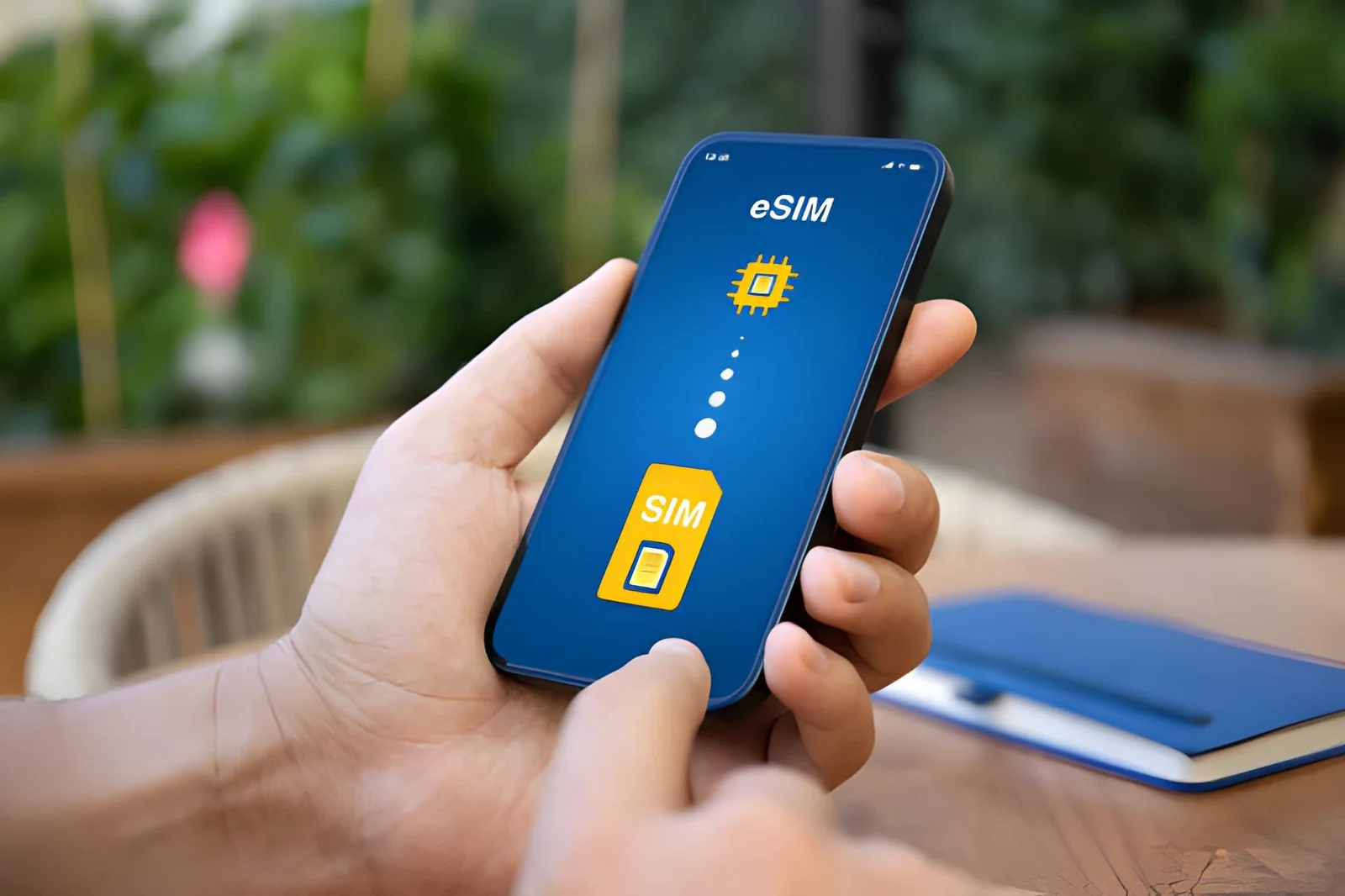
Editor’s Note: Android eSIM support depends on your exact model, region, and carrier — Xiaomi, OnePlus, Huawei, and LG each handle it differently. Every claim below comes from official manufacturer documentation and GSMA standards, verified as of September 2026. Check your exact model number first, because the answer can change between variants of the same phone.
Whether a Xiaomi, OnePlus, Huawei, or LG phone supports eSIM comes down to the exact model and the region it was sold for — the same model name can differ between markets. Global Xiaomi flagships and recent OnePlus models usually do; Huawei and LG have limited or discontinued support. This guide decodes each brand and shows how to confirm your variant in minutes.
Does Xiaomi, OnePlus, Huawei, or LG Support eSIM?
The short answer: It depends on the exact model and where it was sold. These four brands routinely ship the same phone name with different hardware and firmware in different markets. A Xiaomi 14 sold in Europe usually has eSIM; the same Xiaomi 14 bought in mainland China does not.
This page is a deep dive into Xiaomi, OnePlus, Huawei, and LG. For Samsung, Google Pixel, and Motorola we keep dedicated guides (links below).
Why it matters for travelers: eSIM lets you buy a data plan before you leave home and connect the moment you land — no airport SIM stall, no ejector tool. On these four brands the only catch is that you have to confirm your exact variant first.
Still not sure? Grab a free trial Roami eSIM — it takes 2 minutes and confirms your phone is ready without spending a penny.
Samsung, Pixel, and Motorola eSIM Guides
Samsung, Pixel, and Motorola each have their own hub, where you’ll get a much clearer answer than any summary here:
- Samsung Galaxy (S / A / Z series): see the Samsung eSIM compatibility guide.
- Google Pixel: see the Google Pixel eSIM compatibility guide.
- Motorola (Razr / Edge / Moto G): see the Moto G Power eSIM guide.
For the full master list of every eSIM-capable phone, open the complete compatibility list.
How to Identify Your Exact Android Model Number and Variant
The biggest reason Android owners get confused about eSIM is that they don’t know which variant they hold. The same model name can support eSIM in one region and not in another, so identifying the exact model number is the first step for every brand below.
Find Your Android Model Number
Open Settings > About Phone > Model Number. The final character or two almost always reveals the region:
| Brand | Global / international (eSIM likely) | China / US / Japan (eSIM often disabled) |
|---|---|---|
| Xiaomi | ends in G or I (e.g., 2211133G) |
ends in C (e.g., 2211133C — China ROM) |
| OnePlus | CPH prefix (e.g., CPH2581) |
US carrier models (T-Mobile) |
| Huawei | -L29 / -LX9 (e.g., LIO-L29) |
-AL00 / -TL00 (China) |
| LG | unlocked LM- model (e.g., LM-F100) |
carrier-branded (Verizon, AT&T, T-Mobile) |
Decode the Region Suffix
| Suffix meaning | Xiaomi | OnePlus | Huawei | LG |
|---|---|---|---|---|
| Global / international | ...G, ...I |
CPH (global) |
-L29, -LX9 |
unlocked LM- |
| China | ...C |
— | -AL00, -TL00 |
— |
| US carrier | — | locked T-Mobile models | — | -V (Verizon), -ATT |
| Japan | — | — | -Dxx (Docomo) |
-J |
Confirm with a Quick EID Check
Dial *#06#. If a 32-digit EID number appears, the hardware is present; if you only see IMEI numbers, it isn’t. For the full three-method walkthrough (dialer, Settings, and Add Cellular Plan), see the compatibility checker.
The bottom line: a model number ending in C (Xiaomi China ROM), -AL00 (Huawei China), or any China-domestic ROM means eSIM is almost certainly disabled in firmware. Global variants ending in G, -L29, or a CPH OnePlus are your safest bets.
Samsung owners: your region is determined by a CSC code, not a suffix — see the Samsung eSIM guide for that instead.
Where the About menu lives in each Android skin
The path to your model number is different in every Android skin, which trips people up before they even start. Here’s where to look:
| Brand | UI skin | Path to the model number |
|---|---|---|
| Xiaomi / Redmi / POCO | MIUI / HyperOS | Settings > About phone > Detailed info & specs |
| OnePlus | OxygenOS / ColorOS | Settings > About device > Model |
| Huawei | EMUI / HarmonyOS | Settings > About phone > Model |
| LG | LG UX | Settings > About phone > Model number |
| Samsung | One UI | Settings > About phone > Model number |
| Google Pixel | Pixel UI | Settings > About phone > Model |
| Motorola | My UX | Settings > About phone > Model |
The string you’re looking for looks like 2211133G (a Xiaomi 13), CPH2581 (a OnePlus 12), or LIO-L29 (a Huawei P40 Pro) — that’s the number that determines eSIM, not the marketing name printed on the box.
OnePlus eSIM Compatibility
OnePlus only added eSIM to its flagship number series, starting with the OnePlus 11. Support is real but region-dependent, and US carrier models are the usual exception.
OnePlus Quick Reference
| Model | eSIM | Notes |
|---|---|---|
| OnePlus 13 | ✅ Yes | Global unlocked units |
| OnePlus 12 | ✅ Yes | Global unlocked; T-Mobile versions may disable it |
| OnePlus 11 | ✅ Yes | Global units; some Chinese variants lack it |
| OnePlus 10 Pro | ⚠️ Limited | Europe / India only; US T-Mobile has no eSIM |
| OnePlus Nord (N20, N30, CE) | ❌ No | Mid-range, no eSIM hardware |
| OnePlus 9 and older | ❌ No | Released before eSIM |
Where it works: the OnePlus 12 and 13 support eSIM on global and US-unlocked models, and the 11 covers most global units. Where it fails: the Nord line, the 9 series and older, and the 10R/10T all ship without eSIM hardware. T-Mobile is the other common blocker — it disables eSIM on its branded OnePlus phones even when the hardware exists.
What to do instead: if your OnePlus has no eSIM, use a physical SIM, or pick up a used OnePlus 11 (prices have dropped) for the cheapest eSIM route. Dial *#06# to confirm before you buy anything.
First connection after activation is typically 2–3 minutes. If you see “Searching for network” for more than 5 minutes, restart and toggle Data Roaming on.
Where the eSIM Menu Lives in OxygenOS
On OxygenOS 13 and 14 (the versions on the OnePlus 11, 12, and 13), open Settings > Wi-Fi & Network > SIM & Network > Add eSIM. One quirk worth knowing: OnePlus merged its software with Oppo’s ColorOS codebase, so a newer OnePlus running OxygenOS 14 actually shows ColorOS menus — but the eSIM path is identical: Settings > Wi-Fi & Network > SIM & Network > Add eSIM. If that button is missing on a phone that should have it, check the model number: it’s almost certainly a T-Mobile or China variant, not a global unit.
The Nord line in more detail
Every OnePlus Nord model — the N10, N20, N30, N300, CE, CE 2, CE 3, CE 4, and the Nord 4 — ships without eSIM hardware. There’s no hidden toggle and no update that adds it. If you’re shopping the Nord line specifically for travel, plan on a physical SIM, or step up to a used OnePlus 11 or 12, which are the cheapest OnePlus phones with eSIM.
Xiaomi eSIM Compatibility
Xiaomi’s eSIM support is the most region-dependent of the four — only a handful of global flagship models have it, and any China-ROM device does not.
Xiaomi Quick Reference
| Model | eSIM | Notes |
|---|---|---|
| Xiaomi 14 (global) | ✅ Yes | Europe / Asia global units |
| Xiaomi 13 (global) | ✅ Yes | Europe / Hong Kong |
| Xiaomi 13T Pro (global) | ✅ Yes | Global only |
| Xiaomi 12 (global) | ⚠️ Inconsistent | Some European units; test with *#06# |
| Xiaomi 12T / 12T Pro | ❌ No | No eSIM despite the “T” flagship badge |
| Xiaomi 11 and older | ❌ No | Pre-eSIM |
| Redmi / Poco (all) | ❌ No | Budget lines, no eSIM hardware |
| China ROM (any model) | ❌ No | Firmware disables eSIM |
Where it works: the Xiaomi 12, 13, 14, and 13T Pro in their global versions. Where it fails: the 12T/12T Pro, the 11 series, every Redmi and Poco phone, and — crucially — any Xiaomi running a China ROM, even on a model whose global twin has eSIM.
What to do instead: physical SIM, or sell the China-ROM phone and buy a global version. Flashing a global ROM onto a China device is possible but risky (it can brick the phone), so most people should simply use a physical SIM or upgrade.
First connection after activation on a global Xiaomi is usually 3–5 minutes; pick the network manually if you’re in weak coverage.
China vs Global Xiaomi Models
If you remember nothing else from this page, remember this: on Xiaomi, “global” is a different phone from “China,” even when the name is identical. A Xiaomi 14 bought from Xiaomi’s European store is a global unit (model number ending in G) with eSIM. A Xiaomi 14 bought from a Chinese reseller for less money is a China-ROM unit (ending in C) with the same eSIM hardware physically present but disabled in firmware.
This is why the same phone gets opposite reviews on eSIM — the global unit works, the China unit doesn’t, and the two look identical on the outside. The fix isn’t a settings toggle: it requires flashing a global ROM, which voids your warranty and can brick the phone. The practical advice is simple — if eSIM matters to you, buy the global version from an authorized seller even if it costs $50–$100 more, and skip the “too good to be true” China import.
Redmi and POCO Do Not Support eSIM
Xiaomi’s two budget brands are the easiest call on this page: no Redmi or POCO phone has ever shipped with eSIM hardware. That includes the Redmi Note 13 and 14 series, the Redmi K-series, the POCO F6, X6, and M6 lines, and the newer POCO X7. If a Redmi or POCO listing advertises “eSIM,” it’s either a mistake or it’s using a data-roaming app that relies on a physical SIM — not real eSIM. If you’re on a budget and need one, a used Pixel 6a or a global Xiaomi 13 is the better target.
Finding the eSIM menu in HyperOS and MIUI
On a global Xiaomi that does have eSIM, the path lives under Settings > Mobile Network > SIM cards & mobile networks > Add eSIM. Xiaomi began rolling out HyperOS (the successor to MIUI) in 2024, and on HyperOS the path is Settings > Mobile Network > eSIM > Add eSIM. If you don’t see either option, your unit almost certainly lacks the hardware — the Settings menu is more reliable than the box or the spec sheet. Newer global flagships like the Xiaomi 14 Pro, 14 Ultra, and 15 series follow the same pattern.
Huawei eSIM Compatibility
Huawei adopted eSIM early, but two things complicate the picture: US sanctions (newer models run EMUI without Google services) and China-domestic firmware that disables eSIM.
Huawei Quick Reference
| Model | eSIM | Notes |
|---|---|---|
| Huawei P40 / P40 Pro (global) | ✅ Yes | No Google services |
| Huawei P50 / P50 Pro (global) | ✅ Yes | Global units |
| Huawei Mate 40 / Mate 40 Pro (global) | ✅ Yes | Global units |
| Huawei P30 and older | ❌ No | Pre-eSIM |
| Huawei Nova series | ❌ No | No eSIM |
| Huawei Y series | ❌ No | Budget line |
| China domestic (any) | ❌ No | Firmware disables eSIM |
Where it works: the P40, P50, and Mate 40 in global versions. Where it fails: the P30 and earlier, the Nova and Y lines, and any mainland-China Huawei — even the global-capable P40, P50, and Mate 40 lose eSIM on the China ROM.
Two Huawei-specific caveats: because Huawei can’t use Google’s eSIM activation APIs, you usually activate by scanning a QR code rather than through a carrier app; and the lack of Google Play Services can interfere with some eSIM provider apps.
What to do instead: a physical travel SIM, or upgrade to a used global P40 Pro (just remember there’s no Google services).
First connection after activation can take 3–7 minutes on global Huawei models — manually pick your carrier under Settings > Mobile Network > Network Operators if nothing appears.
HarmonyOS vs EMUI eSIM Changes
Huawei is moving its phones from EMUI (its Android-based skin) to HarmonyOS, and the eSIM menu differs between the two. On EMUI 11/12, the path is Settings > Mobile Network > SIM Management > Add eSIM. On HarmonyOS 2.0 and later, it’s Settings > Mobile Network > eSIM Management > Add eSIM. Both options only appear on global units with the embedded-SIM hardware — mainland-China HarmonyOS builds hide the option entirely, and no settings change brings it back.

The Mate and P series in more detail
The eSIM-capable Huawei lineup is essentially a short list: the P40 / P40 Pro, the P50 / P50 Pro, and the Mate 40 / Mate 40 Pro, all in global form. The newer P60 and Mate 60 are mostly China-only releases, so powerful as they are, don’t count on eSIM. The Mate 30 and P30 predate Huawei’s eSIM support entirely. One practical tip: because these phones lack Google Mobile Services, plan to activate by scanning the provider’s QR code manually rather than through an app.
Living without Google services
The no-Google angle is more than a footnote. Because global Huawei P40, P50, and Mate 40 models can’t run Google Play Services, many eSIM provider apps either won’t install or won’t complete activation. The workaround is to activate by scanning the provider’s QR code directly in Settings, or by typing the SM-DP+ address and activation code manually — neither needs Google. You’ll also install the apps you rely on (WhatsApp, maps, banking) from Huawei’s AppGallery or via APK. For most travelers, a global Xiaomi or OnePlus is less friction — but if you already own the Huawei, it’s perfectly workable with the QR route.
LG eSIM Compatibility
LG left the phone business in 2021, but its last three flagships include eSIM — with carrier restrictions attached.
LG Quick Reference
| Model | eSIM | Notes |
|---|---|---|
| LG Wing (unlocked) | ✅ Yes | US unlocked units |
| LG Velvet (unlocked) | ✅ Yes | Unlocked units |
| LG V60 ThinQ (unlocked) | ✅ Yes | Unlocked units |
| LG G / K / Stylo series | ❌ No | No eSIM hardware |
| Carrier-locked LG (any) | ❌ No | Verizon / AT&T / T-Mobile disable it |
Where it works: the Wing, Velvet, and V60 ThinQ in unlocked form. Where it fails: every older G, K, and Stylo phone, and — notably — the carrier-branded versions of even the supported three, since US carriers often stripped the eSIM menu from LG firmware.
Because LG no longer ships phones or updates, some eSIM profiles behave unpredictably on older firmware. Dial *#06#; if you see an EID you can try, but success isn’t guaranteed. Physical SIM remains the reliable fallback.
The used-market angle
Because LG exited phones entirely, every LG eSIM phone is now a used-market buy. The models to look for, all in factory-unlocked form, are the LG V60 ThinQ (LM-V600), the LG Velvet (LM-G900), and the LG Wing (LM-F100). The earlier LG G8 ThinQ (LM-G820) and V50 ThinQ also shipped eSIM on some global units, but they’re old enough that support is hit-or-miss. In 2026 you’ll typically pay $90–$180 for a clean Velvet or V60, and a bit more for a Wing. Check two things before buying: that the listing shows a 32-digit EID after dialing *#06#, and that the phone is not carrier-locked — carrier-branded LG units (especially Verizon and AT&T) had the eSIM menu stripped.
Which of These Four Should You Buy for eSIM?
If you’re shopping specifically for a travel phone among these four brands, here’s the honest ranking:
- Best overall: a global Xiaomi 13 or 14. Solid hardware, full eSIM, and the strongest value of the four. Just make sure the model number ends in
G. - Best if you want Google services: a used OnePlus 11 or 12 (global). Clean OxygenOS, reliable eSIM, and regular Android updates.
- Best if you already own one: a global Huawei P40 Pro or Mate 40 Pro — but know you’ll live without Google apps, and activation is QR-based.
- Budget / used gamble: an unlocked LG V60 or Velvet. The cheapest way in, but you’re buying a discontinued phone with no more updates.
Every one of these supports eSIM plus a physical SIM at the same time (dual SIM dual standby), so you can keep your home number and add a travel eSIM on top — the same behavior as Samsung and Pixel. For the full picture across every brand, see the complete compatibility list.
Other Android Brands at a Glance
Beyond the four deep-dive brands above — and Samsung, Pixel, and Motorola, which have their own dedicated guides — several smaller brands support eSIM on select global models. Here’s the one-line status for each:
| Brand | eSIM status | Which models |
|---|---|---|
| Sony Xperia | ✅ Yes (global) | Xperia 1 III and newer, 5 IV / 5 V, 10 IV / 10 V / 10 VI |
| Nokia (HMD) | ✅ Yes (select) | XR20, X30, G60, G42, XR21 |
| Asus | ✅ Yes | Zenfone 9 / 10, Zenfone 11 Ultra, ROG Phone 6 / 7 / 8 |
| Honor | ✅ Yes (global) | Magic 5 Pro, Magic 6 Pro, Magic 7 Pro, Magic V2 / V3, Honor 90 / 200 |
| Oppo | ⚠️ Limited | Find X5 Pro, Find X8 series, Find N3 Flip (global only) |
| Vivo | ⚠️ Limited | X90 Pro, X100, X200 (global only) |
| Realme | ❌ Mostly no | Almost no Realme model ships with eSIM hardware |
| POCO | ❌ No | No POCO model has ever shipped with eSIM |
The same rule that governs the four main brands applies to these too: global model numbers are your friend, China-ROM units are not. A Sony Xperia 1 IV sold in Japan, Europe, or the US supports eSIM; a China-market Xperia, or a China-ROM Oppo or Vivo, may not. These smaller brands are also updated less often in compatibility databases, so *#06# is even more important here — treat the EID check as the final word.
For Samsung, Pixel, and Motorola, head to their dedicated guides:
Android eSIM Activation Menu Paths by Brand
Once you’ve confirmed your phone supports eSIM, here’s the exact Settings path to add one on each brand. Activation itself is the same everywhere — buy a plan, scan the QR code, turn on Data Roaming — but the menu is what people get lost on.
| Brand | Settings path to “Add eSIM” | UI |
|---|---|---|
| Xiaomi | Settings > Mobile Network > SIM cards > Add eSIM | MIUI 13 / HyperOS |
| OnePlus | Settings > Wi-Fi & Network > SIM & Network > Add eSIM | OxygenOS 13 / 14 |
| Huawei | Settings > Mobile Network > SIM Management > Add eSIM | EMUI 11 / HarmonyOS |
| LG | Settings > Network & Internet > Mobile Network > Add eSIM | Android 10–12 |
| Sony | Settings > Network & Internet > SIMs > Add SIM | Android 13+ |
| Asus | Settings > Network & Internet > SIMs > Add eSIM | Android 13+ |
| Honor / Oppo / Vivo | Settings > Mobile Network > eSIM > Add eSIM | MagicOS / ColorOS |
| Samsung | Settings > Connections > SIM Card Manager > Add eSIM | One UI 4.0+ → Samsung guide |
| Google Pixel | Settings > Network & internet > SIMs > Add SIM | Android 12+ → Pixel guide |
| Motorola | Settings > Network & Internet > SIMs > Add eSIM | Android 12+ → Moto guide |
If the “Add eSIM” button is missing even though your model supports it, that’s a firmware or region issue — not something a factory reset will fix. See the brand sections above to confirm your variant first.
Regional Traps for These Four Brands
- China / Hong Kong: mainland-China Xiaomi, Huawei, and OnePlus devices almost never have eSIM, regardless of model. Hong Kong units usually count as “global” and work.
- United States: carrier-branded OnePlus and LG phones frequently have eSIM stripped, even on models whose unlocked twins support it. Buy factory-unlocked.
- Japan: carrier variants (Docomo, au, SoftBank) often disable eSIM. A global unit from Amazon US or Europe is the safe bet.
- Europe / Middle East / Southeast Asia: these regions get full eSIM on the global versions — the best position to be in.
For a complete look at which carriers and regions support eSIM, see the carrier and region compatibility page.
What to Do If Your Phone Has No eSIM
If *#06# shows no EID, your phone can’t use eSIM. Your options: use a physical travel SIM (providers like Roami also ship physical SIMs), buy a local SIM at your destination, upgrade to a used eSIM-capable phone (a Pixel 6a or newer is the budget favorite), or use a portable eSIM hotspot such as GlocalMe.
Still deciding between eSIM and a physical SIM for your trip? See our eSIM vs physical SIM comparison.
Activating eSIM on These Phones
Once you’ve confirmed support, activation is the same across brands: buy a plan (start with a free Roami trial eSIM), open the eSIM menu in Settings, scan the QR code, and turn on Data Roaming. The exact menu path varies — Xiaomi uses Settings > Mobile Network > SIM cards > Add eSIM, OnePlus uses Settings > Wi-Fi & Network > SIM & Network > Add eSIM, and Huawei and LG both use a Mobile Network > eSIM / Add eSIM path.
For the full step-by-step walkthrough (QR, manual entry, and carrier app), see our how to activate an eSIM guide. If something fails, our eSIM troubleshooting guide covers 16 real cases.
Frequently Asked Questions
Does Xiaomi support eSIM? Only on select global flagships — the Xiaomi 12, 13, 14, and 13T Pro. China-ROM Xiaomi phones and every Redmi and POCO model do not.
Does Redmi or POCO support eSIM? No. No Redmi or POCO phone has ever shipped with eSIM hardware, including the Redmi Note 13/14 and POCO F6/X6 lines.
Does OnePlus support eSIM? Yes, on the OnePlus 11, 12, and 13 global/unlocked models (and some European 10 Pro units). The Nord line, the 9 series and older, and T-Mobile-branded models do not.
Does Huawei support eSIM? Global P40/P50 and Mate 40 models do. Mainland-China models, the P30 and older, and the Nova and Y lines do not.
Does LG support eSIM? Only the factory-unlocked Wing, Velvet, and V60 ThinQ (plus some global G8/V50 units). LG left the phone business in 2021.
Does Sony support eSIM? Yes — recent global Xperia models (Xperia 1 III and newer, plus the 5 IV and 10 IV onward) include eSIM.
Does Nokia support eSIM? Select HMD Nokia models do — the XR20, X30, G60, G42, and XR21. Most budget Nokias do not.
Does Asus, Honor, Oppo, or Vivo support eSIM? Asus (Zenfone 9/10/11, ROG Phone 6+), Honor (Magic 5 Pro and newer), and some global Oppo and Vivo flagships do — always verify the global model number first.
Does my Samsung, Pixel, or Motorola support eSIM? Those brands have their own dedicated guides — see the Samsung, Pixel, and Motorola links near the top of this page.
How do I confirm my exact phone supports eSIM?
Find your model number under Settings > About phone, then dial *#06# and look for a 32-digit EID. No EID means no eSIM, full stop.
Why does my phone have eSIM in one country but not another? Manufacturers ship region-specific firmware that can disable eSIM even when the hardware exists. China-ROM and some US-carrier units are the usual offenders.
Can I use an eSIM and a physical SIM at the same time on these brands? Yes. Xiaomi, OnePlus, Huawei, and LG phones that support eSIM run dual SIM dual standby, so you can keep your home physical SIM and add a travel eSIM for data.
How many eSIM profiles can I store? It varies by brand, but most can store several profiles and keep one or two active at a time. You can install a Roami eSIM alongside your home line and switch which one is active in Settings.
Why does my Xiaomi 14 bought in China not show an eSIM option?
It’s a China-ROM unit (model number ending in C). The hardware exists but Xiaomi disables eSIM in China firmware. Use a physical SIM or buy the global version.
Test Your Phone With a Free eSIM
The only way to be 100% sure is to try it. Install a free trial Roami eSIM — it takes 2 minutes, costs nothing, and works on any eSIM-capable phone.
👉 Get your free Roami eSIM now
Based on manufacturer documentation, GSMA standards, . Updated: September 2026.