Hong Kong eSIM: The Six Decisions That Matter

Roami Team
Roami offers reliable eSIM plans, serving over 1 million travelers annually, and supports automatic local network switching to help travelers stay connected globally.
📑 Table of Contents
Hong Kong looks like the easiest place in Asia to buy mobile data, and mostly it is. The networks are dense, the airport has carrier counters before you clear customs, and a 7-Eleven will sell you a working SIM at 2am. That convenience is exactly what makes people skip the two things that actually go wrong.
The first: they assume a Hong Kong plan will keep working when they step into Shenzhen. The second: they assume the phone in their hand can install an eSIM at all. Neither assumption survives contact with reality, and both are expensive to discover at a border crossing.
An eSIM Hong Kong travellers install before boarding is a profile that lives on the phone’s embedded chip, not a plastic card. You scan a QR code, the profile downloads over Wi-Fi, and when the wheels touch down at Chek Lap Kok it attaches to a local network. No queue, no passport at a counter, no hunting for a shop that is still open.
That is the whole appeal, and it is real.
But “it works” and “it works for your specific trip” are different questions. Three days on Hong Kong Island and a week split between Kowloon, Macau and a Shenzhen day trip need different things from the same product category.
So work through six decisions in order, because each one changes what goes in your cart.
- Can your phone install an eSIM at all? A Hong Kong-bought iPhone 15 or 16 cannot, and no plan fixes that.
- Do you need a +852 number, or only data? The answer decides whether registration is part of your trip.
- How many territories does the itinerary touch? Hong Kong alone is one product; adding Macau or Shenzhen changes it.
- How many days, and how many gigabytes? Validity and size are the two numbers that set the price.
- Pre-installed before you fly, or bought at a counter? Arrival time and queue tolerance decide this one.
- Which settings will you change on landing? Data line, roaming, and data switching, in that order.
The sections below take them one at a time, in the order that avoids buying twice.
Real-Name Registration: Why the 7-Eleven Card Wants Your Passport
Hong Kong has a reputation for paperwork-free convenience. Mobile service is the exception, and it catches visitors off guard every week.
Under the Telecommunications (Registration of SIM Cards) Regulation, Cap. 106AI, Hong Kong runs a real-name registration programme. The regulation took effect on 1 September 2021. From 1 March 2022, every newly issued SIM card — monthly plan or prepaid — has had to complete registration before service activates.
Existing prepaid cards that had not registered by 23 February 2023 were switched off. That deadline was not a campaign; it was a permanent change in how local service works. The Communications Authority keeps the framework and the registration rules for visitors on its own site, which is a better source than any blog summary.
What it means at a counter is simple and slightly awkward. You hand over your passport. The staff member scans it. Your name and document number go into the carrier’s database. Only then does the card connect.
There is no tourist exemption. A shop that offers you a card with no registration is either mistaken or doing something you do not want attached to your identity.
Three details matter more than the headline rule.
- You register with a travel document, not an HKID. Visitors without a Hong Kong identity card use their passport. A Hong Kong SAR passport and a BN(O) passport are not accepted for this purpose, so use the document you entered on.
- There is a cap of 10 prepaid cards per person per operator. Fine for a tourist, occasionally tight for someone buying cards for four family members under one name. Each adult should register their own.
- Approval is usually instant but not guaranteed. Manual review happens when a scanned document is unclear. Land at 11pm with a queued registration and you have no data until it clears.
Does this rule apply to a travel eSIM?
No, and this is the part people get backwards.
A travel eSIM from an international provider is not a Hong Kong-issued SIM. It is a roaming profile issued abroad that attaches to a Hong Kong network as a visitor. There is no local subscriber number, so there is nothing to register locally, so there is no passport upload.
A locally issued eSIM is a different animal. Buy one from a Hong Kong carrier’s shop or app and it gets a +852 number, falls under the same registration duty as a plastic card, and the carrier will ask for your document before activation.
If you want a local number, budget time for that step. If you only want data, the international route removes it entirely. The guide to getting a +852 number on an eSIM walks through what the local process actually looks like.
Hong Kong Is Not Mainland China, and Your Data Knows It
The most expensive misunderstanding in this market is that “China” and “Hong Kong” are one coverage area. They are not.
Hong Kong, Macau and the mainland run as three separate telecommunications territories, each with its own regulator and its own networks. A profile that works in one will not quietly keep working in the next.
The practical version: you buy a mainland China eSIM because the itinerary is Hong Kong then Shanghai. It works happily in Kowloon. You take the high-speed rail to Shenzhen. Somewhere near the boundary, the data stops.
Nothing is broken. The plan never covered the second territory.
The reverse holds too. A Hong Kong-only plan stops at the boundary, and so does a Macau-only plan. If the trip is genuinely cross-border, the plan has to say so on the label — “Hong Kong + Macau”, “Greater Bay Area”, “China + Hong Kong + Macau” — and even then, check whether the mainland portion is included or metered as roaming.
Two wrinkles catch people repeatedly.
- The firewall starts at the mainland boundary, not at the airport. Google, WhatsApp, Instagram and most Western services work normally in Hong Kong and Macau. Cross into the mainland and they stop, on any eSIM, because the restriction sits in the network rather than in your phone. Some travel eSIMs route mainland traffic outside the firewall; many do not.
- Macau is not a firewall zone. Macau has its own operators and its own international routing, so the apps that work in Hong Kong work there. The firewall appears when you cross into Zhuhai or Hengqin.
One more: roaming is a setting, not a promise. Even on a multi-territory plan, data roaming has to be switched on for the travel line, and the phone has to hand over to the partner network when you cross. That handover takes 10 to 60 seconds and sometimes needs airplane mode to force it.
If the itinerary includes Macau, Shenzhen or a Greater Bay Area loop, the cross-border routing guide works through the switching sequence in order. The China multi-country breakdown covers the opposite direction: a mainland plan that claims to include Hong Kong.
CSL, CMHK, 3HK or SmarTone: Which One Picks You Up?
Hong Kong has four mobile network operators. Everything else — prepaid brands, MVNOs, international eSIM marketplaces — rents capacity from one of these four.
| Operator | Consumer brands you will see | Reputation among residents |
|---|---|---|
| HKT / CSL | csl, 1O1O, Club Sim | Widest in-building coverage; strongest inside older Kowloon buildings and basements |
| China Mobile Hong Kong | CMHK, U-Mobile | Aggressive pricing, fast 5G rollout, best cross-border bundles into the mainland |
| Hutchison / 3 Hong Kong | 3HK, SoSIM, 3Supreme | Cheapest entry pricing; historically patchier in parts of the New Territories |
| SmarTone | SmarTone, Birdie | Rated highest for reliability by locals; smallest tourist presence at counters |
For a three-day city break the differences are close to invisible. All four cover Hong Kong Island, Kowloon and the main New Territories towns. All four carry 5G in the urban core. All four hold signal through the MTR tunnels.
They diverge at the edges: inside a 40-year-old walk-up in Sham Shui Po, on a trail above Sai Kung, on a ferry to an outlying island, and in the far northwest near the mainland boundary.
That is the argument for a multi-network profile rather than a single-carrier prepaid card. A plan that can attach to CSL, SmarTone and CMHK and move between them when one degrades is doing automatically what a single-carrier card cannot do at all. Roami’s Hong Kong plans work this way — the profile registers on whichever of the three is strongest where you are standing, and re-selects as you move.
If you specifically want one named network — a colleague swears by CSL, or you need CMHK’s mainland roaming bundle — then buy that carrier’s own product and accept the registration step. The carrier-by-carrier breakdown covers brand tiers, prepaid limits and what each operator’s eSIM actually costs.
Is 3HK really cheaper, and does it matter?
3HK’s prepaid pricing is usually the lowest of the four, and SoSIM in particular is the card residents recommend to anyone staying a month. The trade-off shows up in less obvious places: weaker indoor signal in parts of the New Territories, and slower throughput in crowded areas at peak hours.
For a two-week stay spent mostly on maps and messages, that is a fair trade. For someone streaming live from a conference in Wan Chai, it is not.
The useful way to think about it: the price gap between the cheapest and the most reliable network is a few dollars. The cost of a dropped call during a client meeting is not a few dollars.
5G on the MTR, Under Victoria Peak, and Out on Lamma
Hong Kong’s mobile build-out is genuinely world-class. Published coverage figures put 5G population coverage above 99%, and the practical experience in the tourist districts matches that number.
Marketing aside, here is what that feels like in the places travellers actually go.
The MTR. Coverage extends to platforms, concourses, tunnels and moving trains, including the cross-harbour tunnels and the Airport Express. The MTR’s own mobile coverage page lists which systems are live where.
Video calls generally survive the Admiralty to Tung Chung run. At 8:30am on the Tsuen Wan line, throughput drops because everyone in the carriage is on the network at once — congestion, not coverage, and it usually clears within a station or two.
Hong Kong Island and Kowloon. 5G through Central, Sheung Wan, Causeway Bay, Tsim Sha Tsui, Mong Kok and Sham Shui Po. Indoors, CSL and SmarTone tend to hold up better in dense old buildings; newer towers with in-building antenna systems are fine on all four.
Victoria Peak and the Peak Tram. Solid on the tram route and at the Peak complex. The walking trails that loop away from the terminus thin out but rarely drop completely.
The airport and Airport Express. Full coverage at Chek Lap Kok in both terminals and along the corridor into town. If you plan to install the profile on arrival over airport Wi-Fi, that works — the free Wi-Fi is time-limited but long enough to download a profile and run a speed test.
Outlying islands. Lamma, Cheung Chau and Peng Chau have 4G across the populated parts and 5G in patches. Ferry crossings hold coverage most of the way. This matters more than it sounds: if you are staying on Lamma and commuting to Central, you want a plan that is not pinned to one operator, because the handover between island cells and harbour cells is where single-carrier plans show their seams.
Country parks and trails. The Dragon’s Back and the opening sections of the MacLehose Trail have usable signal for most of their length. Deep inside Sai Kung East Country Park, in the valleys between ridges, you will find gaps. Download an offline map before you go. This is normal anywhere and not a reason to change your plan.
Which district needs which network?
District-level differences are small but not zero. If your trip is concentrated in one of these areas, the table is the short version.
| If you are mostly staying in | Pick a network that | Because |
|---|---|---|
| Tsim Sha Tsui, Mong Kok, Causeway Bay | Any — differences are unmeasurable | All four saturate the area; congestion affects everyone equally |
| Central, Admiralty, Quarry Bay | Any | In-building systems make the four interchangeable |
| Sham Shui Po, older Kowloon walk-ups | csl or SmarTone, or a multi-network plan | Indoor penetration is where the four actually differ |
| Lamma, Cheung Chau, Peng Chau | csl or SmarTone, or a multi-network plan | Ferry handovers punish single-carrier profiles |
| Sai Kung, MacLehose Trail | Whichever you already have | No operator closes valley gaps; carry offline maps |
| A hotel near the mainland boundary | CMHK, if you also cross into Shenzhen | Mainland bundles attach to a Hong Kong line |
| Near the airport, one night only | Any | Coverage is complete in both terminals |
Will a cheaper plan give you slower 5G?
Sometimes, and the mechanism is worth understanding.
A travel eSIM’s plan tier can cap peak throughput even when the underlying network is capable of far more. Two plans that both flash a 5G icon can differ by a factor of five in how fast a large download completes, because the reseller buys wholesale data at a particular quality tier.
If speed matters — a work call, a live stream, a big upload — look for a stated speed cap in the fine print instead of assuming the 5G icon means full-rate 5G.
How Much Data Does Four Days in Hong Kong Actually Burn?
Almost everyone overbuys here, because “unlimited” sounds safer than doing arithmetic.
The arithmetic is not hard, and it is the difference between a $7 plan and a $19 plan.
Rough per-hour figures for ordinary tourist behaviour, on a modern phone with default settings:
| Activity | Data per hour |
|---|---|
| Maps navigation with live traffic | 5–15 MB |
| Messaging, email, light browsing | 10–25 MB |
| Social feeds with photos and autoplay video | 150–400 MB |
| Video calls (WhatsApp, Zoom, FaceTime) | 200–450 MB |
| HD video streaming | 700 MB – 1.5 GB |
| Photo and clip backup to cloud | 300 MB – 1 GB |
Now build a real trip. Four days, one person, hotel Wi-Fi available at night:
- Navigation and transport apps, about 3 hours a day → roughly 40 MB daily
- Messaging and email in the background → 60 MB daily
- Social posting and scrolling, 45 minutes a day → 200 MB daily
- One video call home, 20 minutes → 100 MB daily
- Photo backup over mobile data instead of hotel Wi-Fi → 400 MB daily, and this is the line that blows up budgets
That totals roughly 800 MB a day, or 3.2 GB for four days. Add a second person tethering and you are at 5–6 GB. Add streamed video in the evening instead of using the hotel television and you are at 10 GB.
The conclusion is uncomfortable for the “just buy unlimited” instinct: for a normal four-day trip, a 5 GB or 10 GB fixed plan is not a compromise, it is the correct size.
Unlimited earns its premium in exactly three situations. You are tethering a laptop for work. You are streaming video for hours. You are staying long enough that you stop tracking usage. Everything else is paying for headroom you will never touch. The plan-by-plan comparison prices each size against real itineraries, including the unlimited tiers.
Two habits cut usage dramatically and cost nothing.
- Turn off mobile data for photo backup and let it run on hotel Wi-Fi overnight. This alone often saves more than a gigabyte on a week-long trip.
- Download offline maps for your districts before leaving the hotel. Google Maps and Apple Maps both support it, and navigation is the one thing you cannot skip when data runs out.
Airport Counter at 6am or a QR Code You Already Have?
This is a logistics decision, and arrival time matters more than price.
Buying at the airport. Chek Lap Kok has carrier counters in the arrivals hall, with CSL, CMHK and 3HK all represented, plus convenience store stock. You get a working card in about ten minutes including the registration scan.
The costs: a modest price premium over city shops, a queue that spikes when two long-haul arrivals land together, and the risk that your preferred plan is sold out late at night. Counters are not uniformly 24-hour operations.
Buying in the city. 7-Eleven and Circle K carry prepaid SIMs off the shelf at lower prices, but staff will not set the phone up, and you still complete registration yourself through the carrier’s app or site. Carrier flagship stores — csl on Nathan Road, CMHK in Mong Kok, 3HK in Causeway Bay — are the best option if you want data confirmed working before you walk out.
Installing before you fly. You buy online, get a QR code by email, install it at home over your own Wi-Fi, and land with data already live. No queue, no counter hours, no registration. The trade-off is committing before you know whether the phone will accept the profile — which is why the compatibility check comes first, not last.
There is one more option people forget. Pocket Wi-Fi rental is still sold at the airport and still makes sense for a family of four wanting one device serving everyone. It also means a second thing to charge, a deposit, and a return queue on departure day. For one or two travellers, an eSIM on each phone is less friction and less to carry.
What if you land after the shops close?
Late arrivals are the strongest argument for pre-installation.
A flight reaching Hong Kong at 00:40 lands into a quiet arrivals hall, some counters shuttered, and a hotel 40 minutes away on a bus you need to look up. A profile installed at home removes that entire sequence.
The fallback is airport Wi-Fi — free, time-limited, adequate for booking a ride — but it will not help at the bus stop, and it will not help if the ride app needs a verification code sent to a number you do not have yet.
Installing It at Hong Kong Station in Five Taps
Installing an eSIM in Hong Kong takes about two minutes. The settings afterwards are where people get stuck, so do these in order.
- Install over Wi-Fi, before or after landing. Settings, Cellular (or Mobile Service), Add eSIM, scan the QR code. If scanning fails, use the manual activation code from the provider’s email.
- Label it something recognisable. “Hong Kong” beats “Secondary”. In three days you will have forgotten which line is which.
- Set the Hong Kong line as the data line. Settings, Cellular, Cellular Data. Leave your home line as the data line and you will land, connect, and start paying your home carrier’s roaming rate while the HK plan sits idle.
- Turn on Data Roaming for the Hong Kong line only. This trips people up constantly. A travel eSIM is a roaming profile; with roaming off for that line it will show signal bars and deliver nothing.
- Turn off Allow Cellular Data Switching. That setting lets the phone move data to your home line when the travel line is weak — precisely the moment you do not want your home carrier billing you.
Then test it: open a browser, load a page, run a speed test. If it fails, work the troubleshooting ladder below rather than deleting and reinstalling, because reinstallation counts against the profile’s install limit.
Android paths differ by manufacturer but the shape is the same: Settings, Connections or Network & Internet, SIM manager, Add mobile plan, scan QR. Samsung labels it SIM card manager, Pixel labels it SIMs. Both then ask which SIM handles mobile data, and both have a smart-switch or auto data switching toggle to turn off.
What Changed in 2026 That Touches a Hong Kong eSIM
Three developments matter, because older guides still describe the world before them.
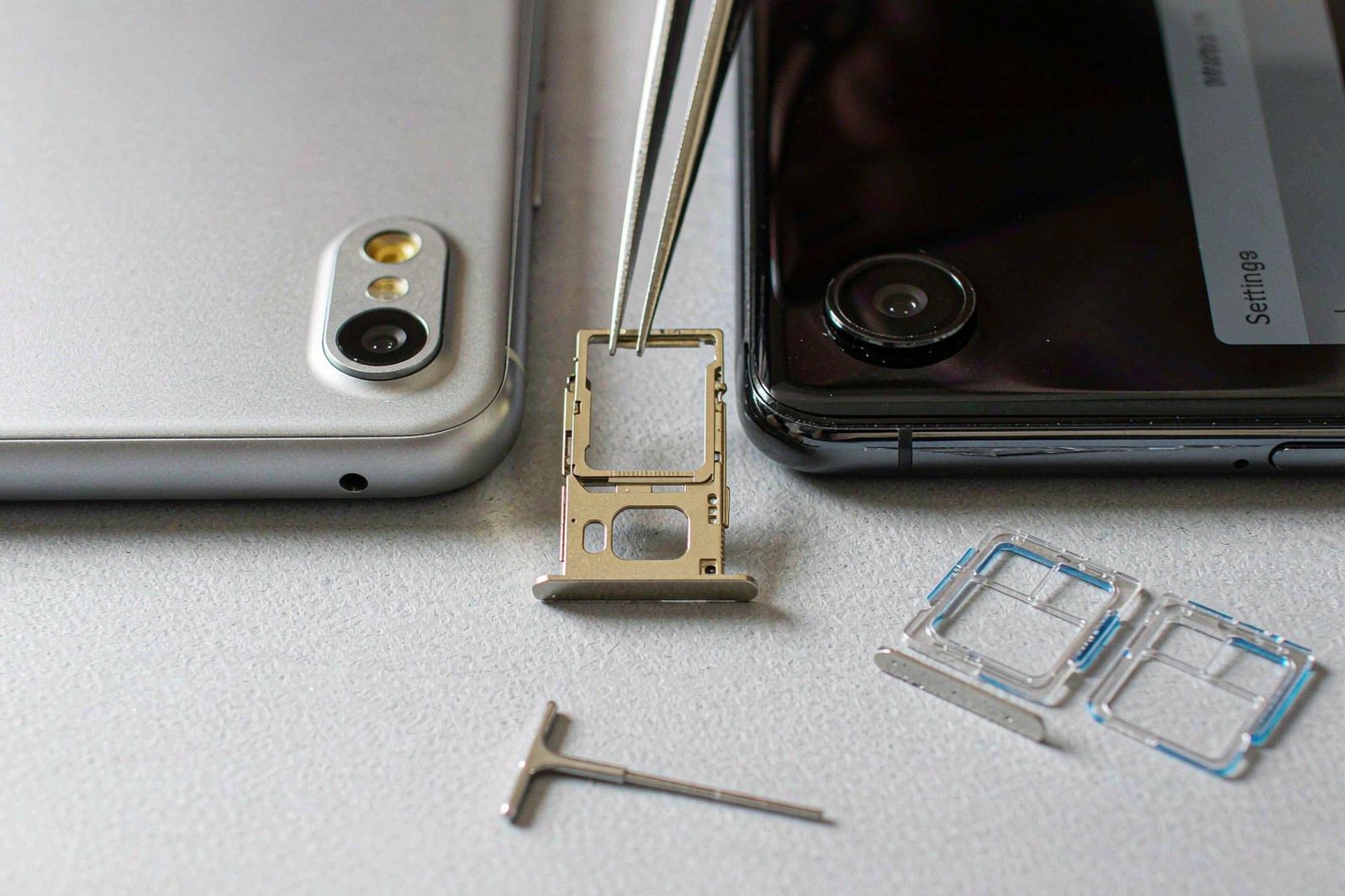
Apple added eSIM to Hong Kong iPhones, but only on recent models. For years the Hong Kong variant of the iPhone shipped with two physical nano-SIM slots and no eSIM hardware at all, which made the standard advice to “just buy an eSIM” wrong for a large slice of local buyers.
From the iPhone 17 generation that changed: the Hong Kong iPhone 17, 17 Pro, 17 Pro Max, 17e and iPhone Air support eSIM. Apple’s own dual-SIM support document lists exactly which models sold in Hong Kong and Macau use two nano-SIM cards instead. Check before you buy a plan; the model-by-model guide exists because this catches people out at the airport.
Real-name registration enforcement tightened rather than loosened. The 2023 deadline was not a one-off campaign. Registration is now a permanent precondition for local service, the 10-card cap per operator is enforced, and buying a pre-registered card from a third party is both ineffective and a bad idea. Guides from 2022 saying “no ID needed in Hong Kong” are simply wrong now.
Densification changed the indoor experience. Indoor coverage in malls, MTR interchanges and large hotels is now good enough that you rarely need to fall back to Wi-Fi. The remaining weak spots are structural — thick-walled older buildings, basement restaurants, country park valleys — rather than coverage gaps in the ordinary sense.
The One Setting That Turns Data Into Roaming Charges
The comparison people skip is not eSIM versus SIM. It is travel plan versus home carrier roaming.
Take a five-day trip. Your home carrier charges a daily roaming fee in the $8 to $15 range, or a monthly pass in the $50 to $70 range. A 5 GB, 7-day Hong Kong plan at $6.99 covers the same five days with more data than most people use.
The gap is not marginal. On a five-day trip it is between $30 and $65, which is a decent dinner for two in Tsim Sha Tsui.
Where the comparison flips is on multi-country trips. If you are doing Hong Kong then Tokyo then Seoul, three separate country plans cost more than one regional Asia plan, and three separate installs is three chances to get the data-line setting wrong. Regional plans trade a slightly higher per-day price for one profile and one activation.
The other hidden cost is buying twice. Someone lands, discovers their phone will not accept the profile, buys a physical SIM at a counter, and has now spent money on both. That failure is preventable in about two minutes of checking before departure, which is why the compatibility question belongs at the start of this list and not the end.
Three Trips Where the Wrong Plan Cost Real Money
Abstractions are easy to nod at. These three cases are the ones that show up most often, with the arithmetic attached.
The 22-hour layover. A traveller routes through Hong Kong on the way to Bangkok and buys a 30-day unlimited plan for $57.99 because it is the option with no thinking attached. Actual stay: one evening in Tsim Sha Tsui and a morning flight. Actual data used: under 400 MB, almost all of it maps and a couple of messages.
The correct purchase was the 3-day 1 GB plan at $1.99, or nothing at all if the hotel Wi-Fi holds. The mistake costs $56, which is more than the airport express return and dinner combined. Layovers are the most over-bought itinerary shape in this market.
The Shenzhen day trip. A traveller buys a Hong Kong-only plan, spends three days in Kowloon, then takes the MTR to Lok Ma Chau for a day in Shenzhen. Data dies at the boundary. Standing in a mall in Futian with no maps, they buy a second China plan on the spot, at whatever price the app shows at that moment.
The right product was a Hong Kong plus mainland plan, bought once, before departure. The lesson generalises: any itinerary that crosses a boundary needs the boundary priced into the plan, not discovered at the crossing.
The Hong Kong iPhone. A traveller bought an HK eSIM before flying, installed nothing because the QR would not scan, and discovered at the counter that their Hong Kong-bought iPhone 15 has two physical nano-SIM slots and no eSIM hardware at all. Apple’s documentation says so plainly; the product listing did not.
They bought a physical SIM at the airport, which worked, and paid twice. Two minutes with a model number would have prevented it entirely.
The pattern across all three is the same: the money was not lost to a bad provider. It was lost to buying before checking which question the trip was actually asking.
Do You Actually Need a Hong Kong Number?
Probably not, and it is worth deciding before you shop.
A data-only eSIM cannot receive SMS, which means it cannot receive verification codes for a bank, delivery app or ride-hailing account that insists on a local number.
Most travellers discover they do not need one. Maps, messaging, food delivery through apps that accept foreign cards, and the MTR all work without a +852 number.
What does need one: local SMS verification for some Hong Kong services, calls to businesses that do not use WhatsApp, and anything requiring a callback. If that list matters, a locally issued prepaid eSIM with a number is the right product, and the registration step comes with it. If it does not, buy data-only and keep your own number live on the primary SIM for incoming bank codes.
Two Travellers, One Plan, or Two Small Ones?
The hotspot question comes up on every family trip and the answer is usually two plans.
Tethering works on almost every Hong Kong eSIM, and it is not usually restricted. But a phone acting as a hotspot drains battery roughly twice as fast as one browsing on its own, and it has to stay within a metre or two of the second phone.
Two 5 GB plans at $6.99 each cost $13.98. One 20 GB plan at $15.99 plus a power bank costs more, and puts both travellers on one failure point. Two plans also mean two independent connections when one network is congested at a station.
For a family of four the maths differs: four plans is four registrations if you go local, or four installs if you go international, and a single hotspot device starts looking reasonable. The plan comparison breaks down cost per person for groups of two and four.
Seven Days in Hong Kong, Priced Line by Line
Prices below are Roami’s published rates as of October 2026. They are here to show the shape of the market, not to claim every provider matches them. Check the current Hong Kong plan list for today’s numbers.
| Validity | Data | Price | Per day | Fits |
|---|---|---|---|---|
| 3 days | 1 GB | $1.99 | $0.66 | A stopover with good hotel Wi-Fi |
| 3 days | 3 GB | $2.99 | $1.00 | Long weekend, maps and messages only |
| 3 days | 5 GB | $4.99 | $1.66 | Long weekend with social posting |
| 3 days | Unlimited | $7.99 | $2.66 | Tethering a laptop on a short trip |
| 7 days | 3 GB | $3.99 | $0.57 | A week of light use with Wi-Fi at the hotel |
| 7 days | 5 GB | $6.99 | $1.00 | The default choice for one person, one week |
| 7 days | 10 GB | $10.99 | $1.57 | Two people tethering, or daily video calls |
| 7 days | 20 GB | $15.99 | $2.28 | Remote work with uploads |
| 7 days | Unlimited | $18.99 | $2.71 | Streaming and hotspot without tracking usage |
| 15 days | 10 GB | $11.99 | $0.80 | Two weeks with hotel Wi-Fi |
| 30 days | 10 GB | $12.99 | $0.43 | Long stay, mixed Wi-Fi |
| 30 days | 50 GB | $39.99 | $1.33 | Nomad working from cafés |
| 30 days | Unlimited | $57.99 | $1.93 | Heavy hotspot use over a month |
Read the table by the per-day column, not the total.
The 7-day 5 GB plan at $1.00 a day is the most common correct answer for a first Hong Kong trip: a week of maps, messages, ride-hailing and photo posting with slack for one bad day.
The 3-day unlimited plan looks cheap at $7.99 until you notice that 3 days of 10 GB costs $9.99 and covers everything except hours of video streaming.
Two cost traps worth naming.
- Buying too much validity rather than too much data. A 30-day plan is not better value than a 7-day plan on a 7-day trip; it is the same money spent on days you will not use. Match validity to the flight home first, then size the data.
- Assuming the airport is cheaper because it is bulk retail. Airport counters price above city shops, and convenience store cards price below both. Neither beats pre-purchase for a solo trip, because the delta is a few dollars and the time cost is not.
When the Data Dies at 9pm on Nathan Road
The failure modes are few and repetitive. Work down this list instead of jumping to a refund.
Signal bars present, nothing loads. Nine times out of ten, data roaming is off for the travel line, or the travel line is not the selected data line. Check both first.
It worked, then stopped when you moved districts. The profile may be pinned to a carrier with a weak cell where you now stand. Go to network selection, turn off automatic, and pick another carrier. If the list is empty, toggle airplane mode for 15 seconds to force a fresh scan.
It stopped the moment you crossed a border. Expected. Hong Kong, Macau and mainland China are separate territories; the plan covers what its label says. Switch the data line to a plan that covers the new territory, or buy the cross-border product before travelling.
It stopped after an iOS update. Updates sometimes disable a profile. Settings, Cellular, tap the Hong Kong line, confirm it is on and still selected as the data line.
No service and no carrier list at all. The profile may be installed but not activated, or the QR was scanned twice across two devices. A profile lives on one device at a time, so check it is not still active on an old phone.
For anything that survives this ladder, the deep troubleshooting guide covers carrier-side resets and APN overrides, and the China-specific fix guide handles the border-crossing failure in detail.
Support speed matters more than people expect. If data dies at 9pm and email support answers in 24 hours, you have lost a day of the trip. Check who answers in minutes before buying, not after.
Seven Questions People Ask Before Boarding
Is there any Hong Kong eSIM news that changes what I should buy this year? Two things: Apple’s Hong Kong iPhone line gained eSIM support only from the 17 generation, and real-name registration is now enforced rather than newly announced. Everything else in the market — four networks, three territories, per-day pricing — has been stable for a decade.
Does an eSIM work everywhere in Hong Kong, including the MTR and outlying islands? Yes across the urban core and the rail network, including tunnels and the Airport Express. Coverage thins on remote trails and in the valleys of the eastern country parks, which is true on every operator.
Can I install it the night before and leave it switched off until I land? Yes. Install over Wi-Fi, leave the line off, enable it after landing. Validity usually starts when the profile first connects in the destination rather than when you scan the code, but confirm that in your provider’s terms, because a few start the clock at installation.
Will my Hong Kong plan work in Macau or Shenzhen? Only if the plan names them. The three territories are separately regulated and separately networked. A Hong Kong-only eSIM stops at the boundary.
Do I need to register my passport for a travel eSIM? No. Real-name registration applies to locally issued Hong Kong SIM cards and eSIMs. An international travel eSIM carries no local number and is not subject to it.
What happens if I use up my data halfway through? Most providers let you top up the same profile from their app without reinstalling. Confirm this before buying — a provider that requires a new purchase instead of a top-up turns a small problem into an hour of your holiday.
Is one eSIM enough for two people? Only through hotspot, and then the second phone is a drain on the first. Two small plans usually cost less than one large plan plus a power bank, and they remove the argument about who is using the data.
If the itinerary continues beyond Hong Kong, read the cross-border guide before buying rather than after landing — the right plan for a three-city trip is not the sum of three single-city plans. And if the phone is the open question rather than the plan, start with the Hong Kong iPhone compatibility check or the full device list, because no plan in this article installs on hardware that does not support eSIM.