Hong Kong iPhone eSIM: The Models That Cannot Do It

Roami Team
Roami offers reliable eSIM plans, serving over 1 million travelers annually, and supports automatic local network switching to help travelers stay connected globally.
📑 Table of Contents
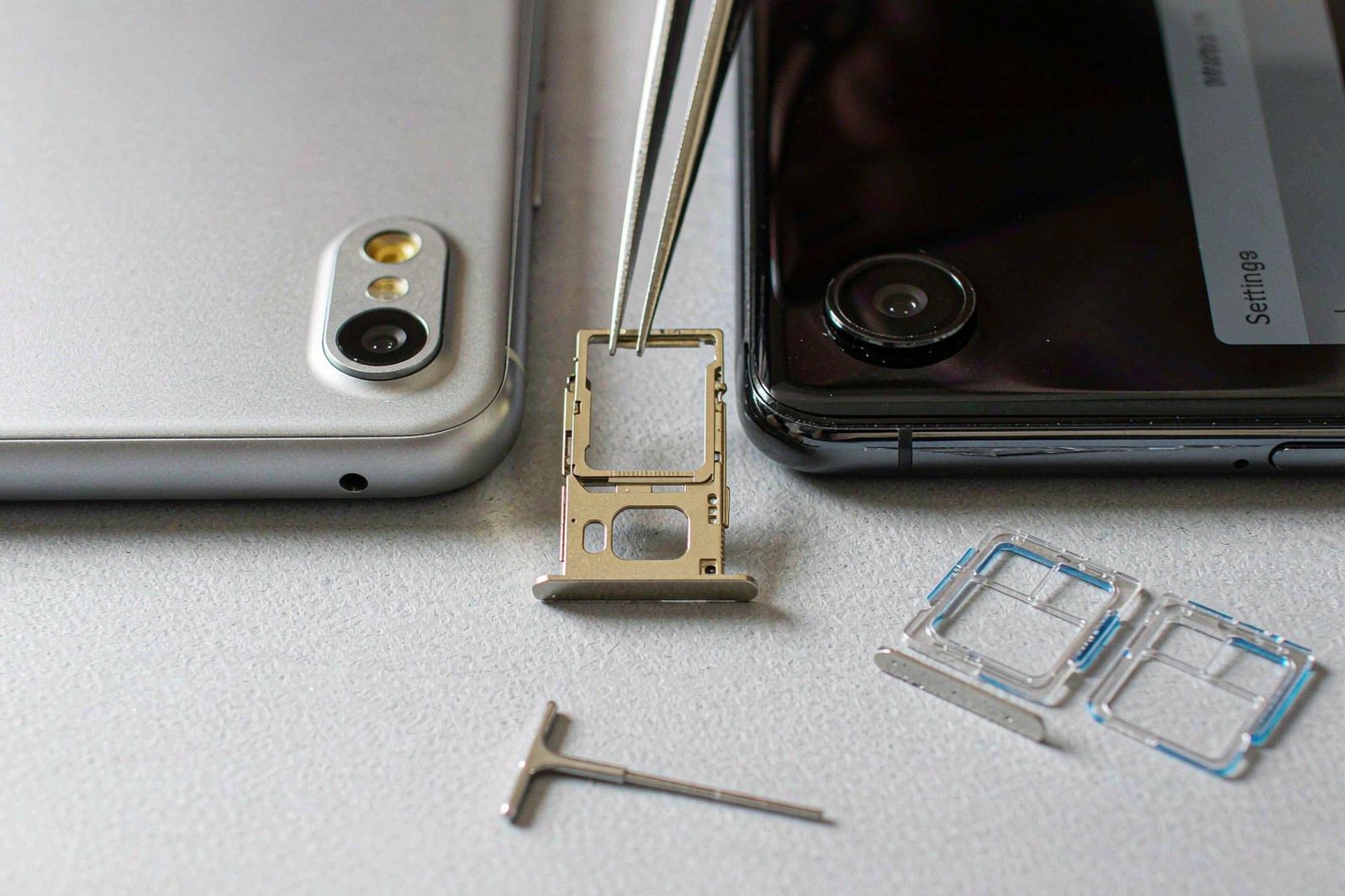
A Hong Kong iPhone is not the same product as an iPhone bought anywhere else, and the difference has nothing to do with pricing or warranty. It is the SIM tray.
For most of the last decade, Apple sold the iPhone in Hong Kong and Macau with two physical nano-SIM slots instead of one nano-SIM plus an eSIM. The reason is regional: mainland carriers were slow to adopt eSIM, the Hong Kong and Macau markets sit alongside that, and Apple shipped a physical-only variant to serve them.
The consequence is that a large number of phones in daily use in Hong Kong — and a large number of phones bought in Hong Kong and carried abroad — have no eSIM hardware at all. Not “eSIM disabled in settings”. Not “carrier does not support it”. No eSIM chip.
This matters to two groups of people. Residents of Hong Kong who bought a local handset and now want a travel eSIM for a trip. And visitors who bought a Hong Kong model to save money, or who are using a handset handed down from family there, and are trying to install a plan before flying into Hong Kong itself.
This page lists exactly which models are affected, how to check your own in about ten seconds, and what to do if you are holding one of the ones that cannot.
Why Hong Kong Gets Its Own iPhone Variant
Apple engineers several regional hardware variants of each iPhone. They differ in modem band support, in some software behaviours, and — for the iPhone — in the SIM configuration.
The pattern for China mainland, Hong Kong and Macau has been a dual physical nano-SIM tray. Apple’s own dual-SIM support page states plainly that in mainland China, Hong Kong and Macau, certain iPhone models use two nano-SIM cards for Dual SIM rather than one nano-SIM and one eSIM.
That was consistent across many generations. The iPhone 11, 12, 13, 14, 15 and 16 sold in Hong Kong were all dual physical SIM. The exception list is short and specific, and it is where most of the confusion comes from.
From the iPhone 17 generation onward, Apple changed the configuration for Hong Kong: the local models gained eSIM support, and the eSIM-only designs arrived without a tray at all — iPhone Air first, then iPhone Duo alongside the 18 generation. That is a genuine shift, and it means advice written before it — including some very confident forum posts — is now wrong in both directions.
The Hong Kong Models With No eSIM Hardware
These are the Hong Kong and Macau variants that use two physical nano-SIM cards and have no eSIM capability. If your phone is on this list, no plan, provider or support ticket will make an eSIM install.
| Model | SIM configuration in Hong Kong | eSIM |
|---|---|---|
| iPhone 16, 16 Plus, 16 Pro, 16 Pro Max | Two nano-SIM | No |
| iPhone 15, 15 Plus, 15 Pro, 15 Pro Max | Two nano-SIM | No |
| iPhone 14, 14 Plus, 14 Pro, 14 Pro Max | Two nano-SIM | No |
| iPhone 13, 13 Pro, 13 Pro Max | Two nano-SIM | No |
| iPhone 12, 12 Pro, 12 Pro Max | Two nano-SIM | No |
| iPhone 11, 11 Pro, 11 Pro Max | Two nano-SIM | No |
| iPhone XS Max, XR | Two nano-SIM | No |
Note what this list does not include. Several models that have eSIM in other regions are physical-only in Hong Kong, which is exactly the trap: a traveller reads “iPhone 15 supports eSIM” on a US site, assumes it applies to the handset in their hand, and buys a plan they cannot install.
The two-SIM arrangement was not a downgrade. For a Hong Kong resident with a mainland number and a local number, two physical slots was genuinely more useful than one slot plus an eSIM, because mainland carriers were late to eSIM issuance. The configuration was designed for that user, not for a traveller.
Air, 16e and the Older Minis Do Have eSIM Hardware
These Hong Kong and Macau variants support Dual SIM with eSIM, according to Apple’s documentation.
| Model | SIM configuration in Hong Kong | eSIM |
|---|---|---|
| iPhone 18 Pro, 18 Pro Max | nano-SIM plus eSIM, or dual eSIM | Yes |
| iPhone Duo | eSIM only, no SIM tray | Yes, eSIM only |
| iPhone 17, 17 Pro, 17 Pro Max | nano-SIM plus eSIM, or dual eSIM | Yes |
| iPhone 17e | nano-SIM plus eSIM, or dual eSIM | Yes |
| iPhone Air | eSIM only, no SIM tray | Yes, eSIM only |
| iPhone 16e | nano-SIM plus eSIM | Yes |
| iPhone 13 mini, 12 mini | nano-SIM plus eSIM | Yes |
| iPhone SE (2nd and 3rd generation) | nano-SIM plus eSIM | Yes |
| iPhone XS | nano-SIM plus eSIM | Yes |
Two entries on that list surprise people.
The 16e supports eSIM while the 16 does not. Both are 16-generation phones sold in Hong Kong, and they differ in SIM hardware. If you are choosing between them partly on connectivity flexibility, this is the deciding difference.
The minis and the SE support eSIM. The iPhone 12 mini, 13 mini and both SE generations sold in Hong Kong are eSIM-capable, which means a small or budget handset is not automatically the one that cannot do it. The pattern is not “old equals no eSIM”; it is “specific variants shipped with a physical tray”.
Why the 16e has eSIM when the 16 does not
The 16e is a different hardware design from the 16, not a cheaper trim of the same board. Apple shipped it later in the cycle, with a different modem configuration and a different SIM arrangement, and for the Hong Kong market that meant eSIM support where the 16 had none.
Practically, this makes the 16e the only 16-generation Hong Kong iPhone that can install a travel eSIM. If you are choosing between a 16 and a 16e today and you travel, that single difference probably matters more than the camera.
It also illustrates why model-level checking beats generation-level checking. Any statement of the form “the iPhone 16 supports eSIM” is wrong for Hong Kong, and any statement of the form “Hong Kong iPhones before the 17 cannot” is wrong for the 16e.
What the physical tray costs you in daily use
Beyond travel plans, a dual physical SIM iPhone has one meaningful advantage and two meaningful costs.
The advantage: two local numbers from two territories, both physical, both reliable. With a mainland number and a local one, that configuration solved a real problem for years.
The costs: you cannot install a travel eSIM at all, and you cannot use the growing number of carriers that issue only eSIM. If your home carrier moves to eSIM-only issuance — which several have for new lines — a physical-only handset becomes a dead end for that number.
That second cost arrives without warning, and it is why the shift from the iPhone 17 generation onward matters beyond travellers.
Reading Your Model Number in Ten Seconds
The model name on the box does not tell you which variant you have. The model number does.
On the phone: Settings, General, About, then tap the Model Number field. It toggles to a number starting with A. That is the regional variant code.
Alternatively, on the box or in the SIM tray: the model number is printed in small type, and the region is encoded in it.
Then compare against Apple’s model identification page, which lists the A-number for each region. As an example of how different they are, the iPhone 12 Pro Max carries one A-number for the United States, another for Canada and Japan, and another for mainland China, Hong Kong and Macau.
Skipping the model number entirely: open Settings and look for Cellular. If there is an Add eSIM or Add Cellular Plan option, the hardware is present. If the only options relate to physical SIM PINs and carrier settings, it is not.
One caveat on the settings check: a carrier-locked phone may hide the option. If the menu is missing and you suspect a lock rather than missing hardware, confirm the model number.
The fastest check needs no menu at all. Dial *#06# in the Phone app. A handset with eSIM hardware returns an EID — a 32-digit identifier the phone uses to authenticate eSIM profiles — printed alongside the IMEI. A handset without eSIM hardware returns only the IMEI. There is nothing to interpret: either the EID line appears or it does not, and the answer is the same on a locked phone, a brand-new phone and one bought second-hand.
Write the EID down once you find it. Support desks ask for it when an install fails, because it identifies the handset rather than the plan, and it is the one number that survives a factory reset of the eSIM settings. The IMEI is the number the carrier uses to check whether the handset is locked to another network, which is why the two appear together.
Support Means Four Different Things Once You Own It
Having eSIM hardware and having a working dual-SIM setup are different things, and Apple’s implementation has three behaviours worth knowing.
Dual SIM dual standby. Both lines can receive calls, but only one carries data at a time. This is how almost all recent iPhones behave. It means a call on your home number can arrive while data runs on the Hong Kong eSIM — which is exactly what you want for bank verification codes.
Two eSIMs simultaneously. Recent models hold multiple eSIM profiles and can run two at once. On a phone with a physical tray, you generally run one nano-SIM plus one eSIM, or two eSIMs. The limit that matters is not how many profiles the phone can store but how many can be active together, and it is two.
eSIM Quick Transfer. Moving a profile between iPhones is supported when both devices meet Apple’s requirements and the carrier allows it. This is convenient for an upgrade and dangerous for a traveller: transferring a profile to another phone deactivates it on the first, and some providers treat a transfer as a reinstall against your allowance.
On a supported model, the configuration that works for a Hong Kong trip is: home SIM active for calls and SMS, Hong Kong eSIM active for data, data switching off. The setup walkthrough covers the exact menu path and the four settings that prevent a surprise bill.
Installing a Plan on a Hong Kong iPhone 17
If you are on one of the supported models, the install is the standard Apple flow. The sequence below is the one that works, with the steps people skip marked.
- Connect to Wi-Fi. A profile cannot download over a cellular connection that is not yet active.
- Settings, Cellular, Add eSIM. On Hong Kong models with a physical tray, the option appears under the Cellular menu alongside the physical line.
- Scan the QR code from the provider’s email, or choose the manual details option and enter the SM-DP+ address and activation code.
- Label the plan. “Hong Kong” rather than “Secondary” — in three days you will not remember which is which.
- Choose the default data line. Settings, Cellular, Cellular Data. If you leave your home line selected, you will land and start paying roaming rates.
- Turn on Data Roaming for the Hong Kong line. A travel eSIM is a roaming profile; without this it shows bars and delivers nothing.
- Turn off Allow Cellular Data Switching. Otherwise the phone moves data to your home line when the travel line looks weak.
- Test with a browser, then run a speed test.
Step 3 is where most failures happen, and most of them are camera problems rather than plan problems. Screen brightness, glare and a dirty lens account for a large share of scan failures. The manual details option bypasses all of it.
A Hong Kong iPhone Taken Abroad: What Still Works
The situation that generates most searches is the reverse of what people expect. It is not a visitor buying a Hong Kong eSIM — it is a Hong Kong phone going somewhere else.
| Trip | Phone | Works? | What to do |
|---|---|---|---|
| Hong Kong resident flying to Japan | Hong Kong iPhone 15 | No eSIM | Buy a Japanese physical SIM, or roam |
| Hong Kong resident flying to Japan | Hong Kong iPhone 17 | Yes | Buy a Japan eSIM before departure |
| Visitor to Hong Kong | Own-market iPhone 15 | Yes | Buy a Hong Kong eSIM before departure |
| Visitor to Hong Kong | Hong Kong-bought iPhone 15 | No eSIM | Buy a physical prepaid card at the airport |
| Visitor to Hong Kong | Hong Kong-bought iPhone 17 | Yes | Buy a Hong Kong eSIM |
The third and fourth rows are the ones that produce angry airport scenes: two people, nominally the same phone model, and one of them cannot install the plan the other already has.
The general principle for a Hong Kong handset is that physical SIMs still work everywhere a physical SIM is sold, and eSIM is the thing you lose. That is a survivable limitation — most countries still sell prepaid physical SIMs — but it removes the main reason people choose eSIM, which is arriving with data already installed.
If you are a Hong Kong resident with a physical-only iPhone and you travel regularly, the cheapest fix is not a new phone. It is a small eSIM-capable Android handset or an older iPhone kept as a travel data device, running hotspot to the main phone. It costs less than upgrading a flagship and solves the problem permanently.
Bands and Frequencies: Why a Hong Kong iPhone Sometimes Feels Slow
Even among eSIM-capable models, a Hong Kong handset is not identical to a US or European one. The regional variants differ in supported cellular bands, and that produces a subtler kind of problem: not “no service”, but “slower than it should be”.
| Symptom | Likely cause | What it feels like in practice |
|---|---|---|
| Phone shows LTE where others show 5G | Missing a 5G band used locally | Slower downloads, no obvious error |
| Signal drops in one specific area | Band supported but weak on that network | Repeatable dead spot |
| Data works but is unusually slow indoors | Missing a band used for in-building coverage | Fast outside, slow inside |
| 5G works on one network, not another | Carrier uses a band the variant lacks | Inconsistent between networks |
Bands are a non-issue on a Hong Kong handset used at home: the phone was built for the local networks. The mismatch appears when that handset travels, or when a foreign handset arrives.
For a visitor bringing a phone into Hong Kong, the practical risk is small. A modern iPhone with international band support will find 5G on at least one Hong Kong network. It may not find it on all four, and it may sit on LTE in some buildings — which, in a city where LTE is fast, is rarely worth worrying about.
Taking that same handset to Europe or North America is where the mismatch becomes noticeable, particularly on bands used for rural and in-building coverage. This is a hardware limitation, not something a plan can fix.
Buying a Used or Grey-Market iPhone in Hong Kong
Hong Kong has a deep second-hand and parallel-import market for iPhones, and the prices are genuinely attractive. The risks are specific and checkable.
Check the model number before paying. The same physical phone can be a Hong Kong variant, a US variant or a mainland variant, and the SIM configuration differs. Settings, General, About is enough. This takes ten seconds and is the single highest-value check.
Check the unlock status. A phone locked to a carrier will accept a profile and refuse to register. Ask the seller to insert a foreign SIM and show you it registers, or get the carrier’s unlock confirmation in writing.
Check for activation lock. Settings, General, About, scroll to the bottom for the carrier lock status. A phone still tied to someone else’s Apple Account is not yours, and it cannot be removed without that account holder signing out. Ask the seller to sign out in front of you rather than promising to do it later, because a seller who has left the country cannot help you afterwards.
Check the battery service history. Settings, Battery, Battery Health. On a used phone this tells you whether you are buying a two-year-old battery.
Check the water damage indicator and the repair history. Settings, General, About shows whether the phone has had non-genuine parts fitted on recent iOS versions, which is a genuine improvement for used buyers.
Two of those five checks specifically determine whether the phone can do eSIM at all, and both are free.
iPad and Mac: The Same Question, Different Answer
The regional SIM question is not unique to iPhone, and the answers differ by product.
| Device | Hong Kong variant | eSIM |
|---|---|---|
| iPad with cellular | Physical nano-SIM in most models; eSIM support varies by generation | Check the specific model |
| Mac | No cellular modem | Not applicable |
| Apple Watch with cellular | eSIM-based in supported markets | Requires carrier support in your country |
For an iPad, the practical guidance is the same as for iPhone: check the model, then check whether Settings shows an Add eSIM or Add Cellular Plan option. Cellular iPads sold in Hong Kong have historically leaned on a physical SIM, and eSIM support arrived unevenly across generations.
On a Mac the question does not arise — no Apple laptop has a cellular modem, so a travel eSIM is only useful via hotspot from a phone.
For an Apple Watch with cellular, the constraint is carrier support rather than hardware. A watch eSIM has to be provisioned by a carrier that supports watch pairing in your country, and travel eSIM providers generally do not.
iPhone 17 Reopened eSIM, and 18 Pro Kept It Open
The shift to eSIM on Hong Kong models from the iPhone 17 generation is the most consequential change in this market since the dual-SIM tray appeared, and it changes advice in both directions.
For Hong Kong residents buying new: there is no longer a reason to avoid eSIM. Any 17-series handset, any 18 Pro, an iPhone Air or an iPhone Duo can install travel plans, and the last two have no SIM tray at all. If you travel more than once a year, this is now the default configuration rather than an edge case.
For buyers of older stock: the 16, 15, 14, 13, 12 and 11 Hong Kong models remain physical-only, and shops will keep selling them at discounts for years. That discount is real, and so is the limitation. If the phone will only ever be used in Hong Kong and mainland China with physical SIMs, it is a fine purchase.
For visitors choosing a phone to bring: any modern iPhone from most markets will work for a Hong Kong eSIM. The exception is a Hong Kong-bought handset from before the 17 generation, which will not.
For anyone buying used: the generation now determines the answer, where before it did not. A used Hong Kong iPhone 17 has eSIM; a used Hong Kong iPhone 16 does not. That is a strange sentence, and it is the current state of the market.
The one thing that has not changed is the check itself. Whatever the listing says, two taps in Settings settles it.
That is worth repeating because the market around this fact is noisy. Listings describe “eSIM ready” phones, sellers describe “international versions”, and forum posts describe the generation that finally gained eSIM. None of those descriptions are wrong in general and all of them are unreliable for a specific handset. The model number is the only statement that cannot be misinterpreted, and reading it takes less time than reading a listing.
Transferring an eSIM to a new iPhone
Three paths exist, and only one of them is reliable.
Quick Transfer during setup moves a profile from an old iPhone to a new one when both are nearby, signed in, and running a recent iOS version. It works when the carrier supports it.
Carrier app transfer is the most reliable route for a locally issued eSIM, because the carrier controls provisioning and can reissue.
Provider QR reissue is what travel eSIM users end up doing, and it depends entirely on whether the provider allows a second install. Some do once, some charge, some refuse.
The practical rule for travel eSIMs: do not transfer a profile you still need on the current trip. Install a fresh plan on the new phone and let the old one lapse. Transfer attempts are where people lose a working plan in the middle of a holiday.
If a Family Member Bought the Wrong Phone, Say This
This happens constantly, and it usually surfaces as a message from a relative who has just been told at an airport that their phone cannot do eSIM.
Three sentences cover it.
“Your phone has two SIM slots, so a plastic card still works.” This is the reassuring part and it is true. Every Hong Kong airport counter and convenience store sells a physical prepaid card, and it will work in that handset.
“No software change will add eSIM.” This prevents an hour of searching for a setting or a carrier update. The hardware is absent.
“Check the model number before buying the next one.” Settings, General, About, tap the model number. That is the whole lesson.
Then the practical fix for the current trip: buy a physical prepaid card at the airport, complete the passport registration, and move on.
A resident needs the same three sentences plus one addition: when the contract is up, the model number is the specification that matters most for travel.
Two Minutes at the Settings Screen Settles It
Everything on this page reduces to five steps. Run them before buying any eSIM, and run them again before buying any used iPhone.
- Settings, General, About, tap Model Number and note the A-code.
- Compare the A-code against Apple’s model identification page to confirm the region.
- Settings, Cellular and look for Add eSIM. Present means hardware present.
- Confirm the phone is carrier-unlocked by inserting a foreign SIM or checking with the carrier.
- Confirm the model is not on the physical-only list above.
If all five pass, any Hong Kong eSIM in this cluster will install. If step 3 fails, stop — nothing further will help, and the honest answer is a physical prepaid card.
Android Phones Bought in Hong Kong
eSIM support on Android is less regionally fragmented than on iPhone, but it is not uniform.
Samsung flagship models sold in Hong Kong generally support eSIM, including the recent Galaxy S and Z series. Mid-range and budget models often do not, and the menu may exist without the hardware.
Other brands vary by model and by market. Some Chinese-market handsets have the eSIM menu but no certified hardware, or are restricted to specific carriers.
The reliable check is the same one as on iPhone: open the SIM settings and look for Add eSIM or Add mobile plan. If the option is there and the phone is carrier-unlocked, it will work. If the option is missing, the hardware is missing.
The wider device list, including tablets and laptops, is on the compatibility page. It is worth checking before buying a plan, because the failure is not recoverable at the airport.
One Android-specific trap deserves naming: some handsets sold in Hong Kong are dual-SIM with two physical slots and no eSIM, mirroring the iPhone situation for the same regional reason. A phone having a SIM tray does not tell you whether the tray takes one card plus an eSIM or two cards. The settings menu is the only reliable answer, and the Add eSIM option is the test.
Carrier Lock and the Second-Hand Handset
Two situations produce the same symptom — an eSIM that installs and then refuses to connect — and neither is an eSIM problem.
Carrier lock. A handset bought on contract from a carrier may be locked to that carrier. It will accept a foreign eSIM profile and then fail to register on a Hong Kong network. Apple’s carrier feature list shows which carriers offer unlocking and under what conditions. A locked phone needs unlocking before you travel, and that can take days.
A handset reported or restricted. A second-hand iPhone with an unpaid balance or a reported-theft flag can lose cellular function entirely. This is rare but not unheard of in grey-market purchases, and no eSIM provider can work around it.
If you are buying a used Hong Kong iPhone specifically to use travel eSIMs, check two things before paying: the model number, against the list above, and the unlock status, through the carrier or a settings check with a foreign SIM inserted.
When the Install Fails: Eight Checks in Order
Work down this list rather than deleting and reinstalling, because reinstalls consume the profile allowance.
- Is there an Add eSIM option at all? If not, the hardware is missing — check the model number against the tables above.
- Is the phone carrier-locked? Test with a foreign SIM if you have one.
- Is the QR code scanning? If not, use the manual activation details instead.
- Is the profile installed but inactive? Settings, Cellular, tap the plan, confirm it is turned on.
- Is it the selected data line? Settings, Cellular, Cellular Data.
- Does the APN match the provider’s value? Settings, Cellular, tap the plan, Cellular Data Network. Most travel eSIMs push the right APN automatically and this field is blank because it did not. A wrong or empty APN produces the exact symptom of a dead plan: full signal bars, no data.
- Is data roaming on for that line? This is the most common cause of “installed but nothing loads” where the APN is correct.
- Is Allow Cellular Data Switching off? If it is on, the phone may be sending data to your home line while you watch the Hong Kong line do nothing.
If all seven clear and data still does not flow, the problem is usually at the provider’s end — an unactivated profile, a wholesale carrier mismatch, or a plan that was never provisioned. That is a support ticket, and the deep troubleshooting guide covers what to include in it.
If Your Hong Kong iPhone Cannot Do eSIM
You have four options, and they are all workable.
Buy a physical prepaid SIM in Hong Kong. Every airport counter and convenience store sells one. It goes in the physical slot, requires passport registration, and works in minutes. This is the simplest answer and the one most people land on.
Keep your home eSIM and roam. If your home carrier offers a Hong Kong roaming pass, you avoid the SIM question entirely. It costs more per day than a local product, and it works on a phone with no travel eSIM capability.
Carry a second handset. An older eSIM-capable phone as a data device, with the Hong Kong plan on it and hotspot to the main phone. Unglamorous, effective, and the battery cost falls on the secondary device.
Use pocket Wi-Fi for the trip. Rental counters at the airport still serve this exact use case, and for a family sharing one connection it is often the cheapest per person.
What does not work: buying an eSIM and hoping. The plan will not install, and depending on the provider’s refund terms you may not get the money back. The comparison page notes which options have the most forgiving pre-installation refund terms, which matters more than usual here.
Five Configurations People Actually Run
What “Hong Kong iPhone eSIM support” looks like in practice depends on what else is in the phone. These are the five arrangements that come up.
| Configuration | Lines | Works when | Fails when |
|---|---|---|---|
| Home SIM plus Hong Kong eSIM | Physical plus eSIM | Phone has eSIM and is unlocked | Phone is a physical-only Hong Kong variant |
| Two physical SIMs | Physical plus physical | Any dual-SIM iPhone | You wanted a travel eSIM |
| Two eSIMs | eSIM plus eSIM | Model supports two active eSIMs | Provider requires a physical line to activate |
| Hong Kong eSIM only | eSIM | Short trip, no incoming calls needed | A bank text arrives on a number you disabled |
| Physical Hong Kong SIM plus eSIM | Physical local plus eSIM travel | Two slots and eSIM hardware | The model has no eSIM but does have two slots |
The last row is worth reading twice, because it is the workaround for an otherwise dead end. A dual physical SIM iPhone cannot install a travel eSIM, but one of its two slots can hold a Hong Kong prepaid card while the other holds your home SIM. You lose the eSIM convenience and keep the connectivity.
The second row is the one people arrive with and regret. Two physical slots is excellent for two local numbers and useless for a travel eSIM, and the moment that matters is the moment you are choosing a plan rather than a phone.
The fifth row is the configuration most Hong Kong residents end up with after the 17 generation, and it is the most flexible of the five: a local number in the tray, a travel data plan on the eSIM, and the home number on a second eSIM when needed.
Six Questions About Hong Kong iPhones and eSIM
Does a Hong Kong iPhone support eSIM? It depends on the model. From the iPhone 17 generation onward, Hong Kong models support eSIM. The Hong Kong iPhone 16, 15, 14, 13, 12 and 11 series use two physical nano-SIM cards and have no eSIM hardware. The 16e, 13 mini, 12 mini, SE and XS are exceptions that do support it.
Can eSIM be enabled on a Hong Kong iPhone 15 with software? No. The hardware is absent, not disabled. No update, carrier setting or provider workaround adds it.
How do I check without knowing the model number? Settings, Cellular. If there is no Add eSIM option, the phone cannot do it. Confirm with Settings, General, About, tapping the model number to reveal the A-code.
Will a Hong Kong iPhone work with a Hong Kong eSIM from a local carrier? If the model supports eSIM, yes — and registration applies, as with any locally issued product. The carrier comparison covers which operators issue eSIMs and what registration involves.
Can I use a Hong Kong eSIM in Macau or Shenzhen? Only if the plan names those territories. The territory question is separate from the hardware question, and the cross-border guide explains which plans cover which territory.
Is an iPhone bought in Hong Kong cheaper, and is it worth buying for travel? It is often cheaper, and for eSIM purposes it is worth checking the model number first. A 15 or 16 bought in Hong Kong saves money and cannot install a travel eSIM, which is a bad trade for a frequent traveller. A 17 or later has no such limitation.
If the phone is fine and the open question is the plan, start with the Hong Kong eSIM guide for the setup sequence and the plan comparison for sizes and prices. If you need a local number rather than data, the number guide explains what registration involves — and note that it is only available on a handset that supports eSIM in the first place, or through a physical prepaid card in one of those two slots.
The single most useful thing on this page is the check itself. Two taps in Settings, before you buy anything, saves the entire category of problem this article exists to describe.